AI agent for optometrists
Glaucoma Follow-up Interval Agent
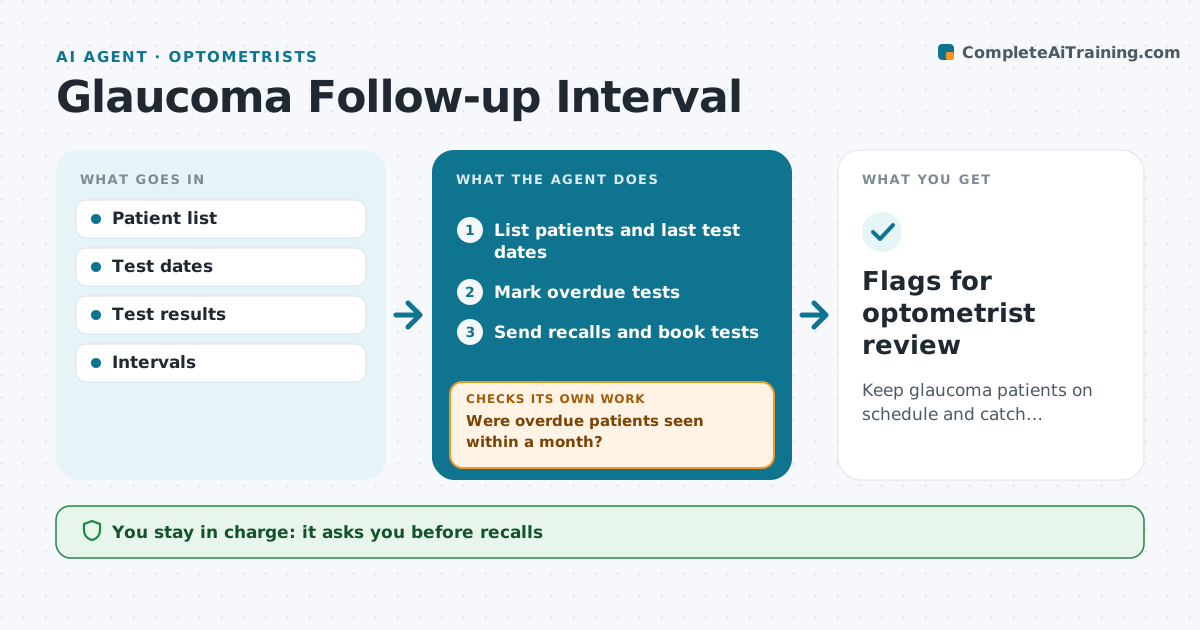
Keep glaucoma patients on schedule and catch progression
What it does
Glaucoma care depends on regular pressure checks, visual fields and OCT scans, and patients who slip past their interval can lose vision unnoticed. This agent lists all glaucoma and glaucoma suspect patients, checks the date of each last test against the interval the optometrist set, and finds who is overdue. It drafts recall messages and books tests. When new results arrive, it compares them with prior tests and flags changes beyond the set threshold for review. A month later it checks whether overdue patients were seen. If not, it sends a second recall and then adds them to a call list. The optometrist approves recalls and decides every treatment change. Edge case: visual fields marked unreliable are flagged for a repeat test instead of being added to the trend.
How it works
Follow the arrows from top to bottom. The orange dashed arrow is the loop: when a check fails, the agent goes back and tries again.
Read the steps as a list
- Monthly review
- List patients and last test dates
- Mark overdue tests
- Staff approve recall messagesThe agent waits here for your OK.
- Send recalls and book tests
- Were overdue patients seen within a month?If not: send second recall, then call. Back to step 4.
- Compare new results with prior
- Flags for optometrist review
How it decides
Overdue tests trigger recall. Results beyond threshold change are flagged.
- Unreliable fields are repeated
- Pressure above target is flagged
- Overdue more than 3 months goes to phone call
Make it yours
Every agent is a starting point. You choose these settings for your own situation.
- Intervals by severity
- Thresholds
- Recall channels
- Review day
What keeps you in control
It always asks you first
- Recalls
- Treatment changes
Hard limits
- No treatment advice sent
- Results reviewed by optometrist
It stops when
- Done: all current
- Stop: patient discharged to another provider
Set it up
We guide you through the set-up, step by step
Members get the full set-up guide for this agent. No technical skills needed: you copy, paste and upload.
- One set of instructions to paste into your AI, with the clicks for ChatGPT, Claude, Microsoft 365 Copilot, Gemini and Grok
- The agent then walks you through connecting your own data, one source at a time
- A downloadable copy with the flow chart, the rules and the full guide