AI agent for legal operations managers
Matter Budget Evidence Agent
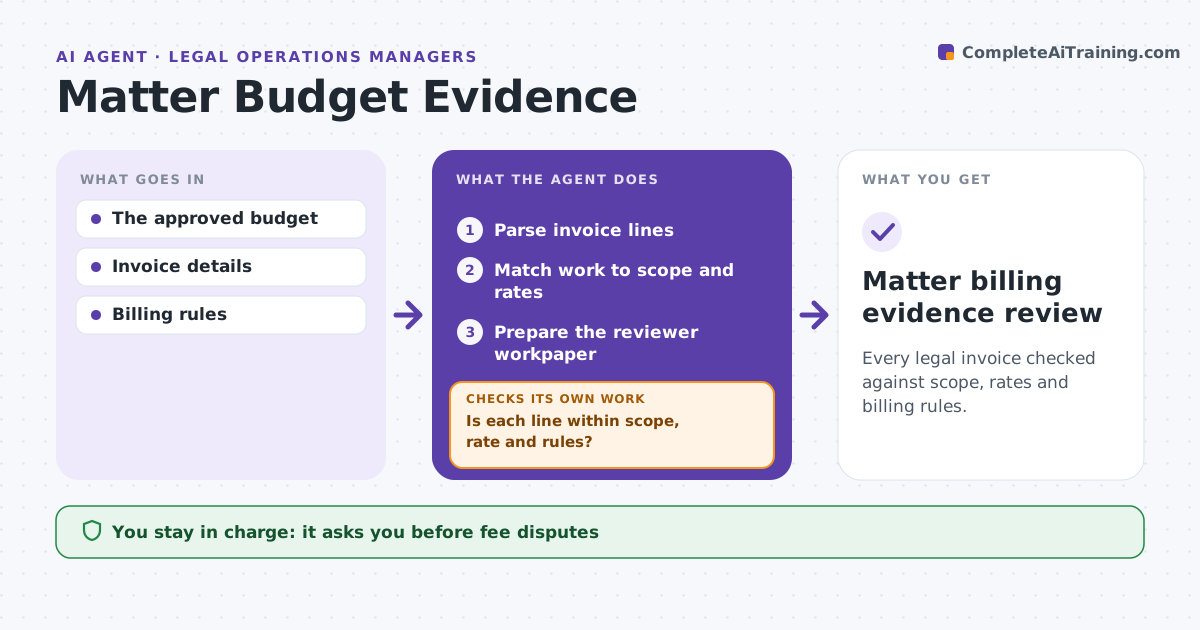
Every legal invoice checked against scope, rates and billing rules.
What it does
Outside-counsel invoices often bill work outside the agreed scope, at unapproved rates or against billing rules. When an invoice arrives, this agent parses every line and matches the work to the approved matter scope and rate card. It checks dates, timekeepers, task codes and rules such as block billing or minimum increments. Any line outside scope, rate or rules is recorded as a discrepancy with the evidence. Rate changes count only with approved evidence. It prepares a reviewer workpaper. Legal ops decides on disputes and payment. Edge case: a partner bills at a new rate from January 1, but no approved rate letter exists, so the difference is listed.
How it works
Follow the arrows from top to bottom. The orange dashed arrow is the loop: when a check fails, the agent goes back and tries again.
Read the steps as a list
- Invoice arrives
- Parse invoice lines
- Match work to scope and rates
- Is each line within scope, rate and rules?If not: record a discrepancy for review. Back to step 3.
- Prepare the reviewer workpaper
- Legal ops decides on disputes and paymentThe agent waits here for your OK.
- Matter billing evidence review
How it decides
It investigates the largest unexplained differences first.
- Rate changes need approved evidence.
- Lines outside scope are listed, not reduced.
- Discrepancies below the threshold are summarized together.
Make it yours
Every agent is a starting point. You choose these settings for your own situation.
- Billing rules applied
- Rate card and approved rate letters
- Discrepancy amount that needs review (default $100)
- Who decides disputes and payment
What keeps you in control
It always asks you first
- Fee disputes
- Payments
- Legal strategy
Hard limits
- No payment decisions.
It stops when
- Done: all lines checked.
Set it up
We guide you through the set-up, step by step
Members get the full set-up guide for this agent. No technical skills needed: you copy, paste and upload.
- One set of instructions to paste into your AI, with the clicks for ChatGPT, Claude, Microsoft 365 Copilot, Gemini and Grok
- The agent then walks you through connecting your own data, one source at a time
- A downloadable copy with the flow chart, the rules and the full guide