AI agent for grant managers
Grant Budget Burn Rate Monitor Agent
A monthly burn rate view per award with early warning on under or overspend
What it does
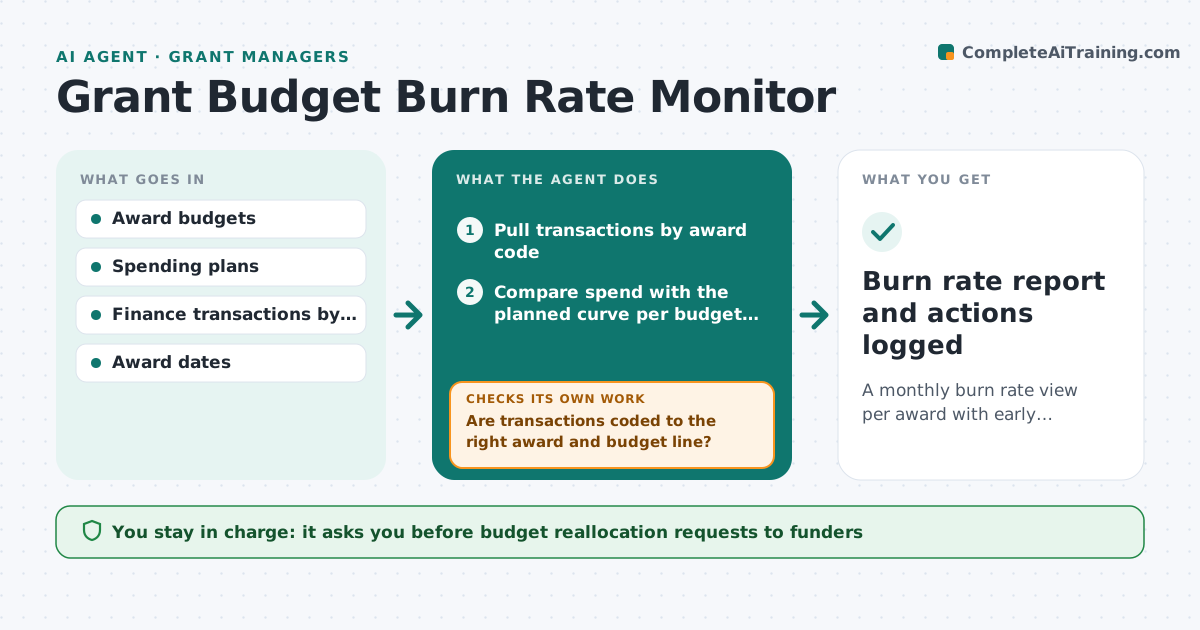
Each grant has a budget by category and a time window, and burn rate is often checked only when the funder report is due. Each month this agent pulls spending from the finance system and maps it to each award's budget lines. It first checks every transaction is coded to the right award, and asks finance to confirm when coding looks wrong. It compares spending with the planned curve, not straight-line time, since a large purchase may be planned for month ten. If an award spends too slowly or too fast, it finds the driving lines and drafts a note for the project lead. It checks the lead replied before the next close. The grant manager approves any reallocation request to the funder.
How it works
Follow the arrows from top to bottom. The orange dashed arrow is the loop: when a check fails, the agent goes back and tries again.
Read the steps as a list
- Month closes in the finance system
- Pull transactions by award code
- Are transactions coded to the right award and budget line?If not: send questionable items to finance for confirmation. Back to step 2.
- Compare spend with the planned curve per budget line
- Is every award within the tolerance band?If not: identify driving lines and draft a note to the project lead. Back to step 4.
- Track the project lead's reply and plan
- Grant manager approves any reallocation request to the funderThe agent waits here for your OK.
- Burn rate report and actions logged
How it decides
It compares spend with the planned spending curve and flags awards outside the tolerance band.
- Spend outside 15% of the planned curve triggers a note
- Lines over budget by any amount are listed
- Coding questions are resolved before totals are reported
Make it yours
Every agent is a starting point. You choose these settings for your own situation.
- Tolerance band (default 15%)
- Use straight-line or spending plan
- Awards in scope
- Report recipients
What keeps you in control
It always asks you first
- Budget reallocation requests to funders
- No-cost extension requests
Hard limits
- Never moves costs between awards
- Never contacts funders
It stops when
- Done: all awards reviewed and notes sent
- Stop: finance export incomplete
Set it up
We guide you through the set-up, step by step
Members get the full set-up guide for this agent. No technical skills needed: you copy, paste and upload.
- One set of instructions to paste into your AI, with the clicks for ChatGPT, Claude, Microsoft 365 Copilot, Gemini and Grok
- The agent then walks you through connecting your own data, one source at a time
- A downloadable copy with the flow chart, the rules and the full guide