AI agent for research associates
Grant Evaluation Data Collection Agent
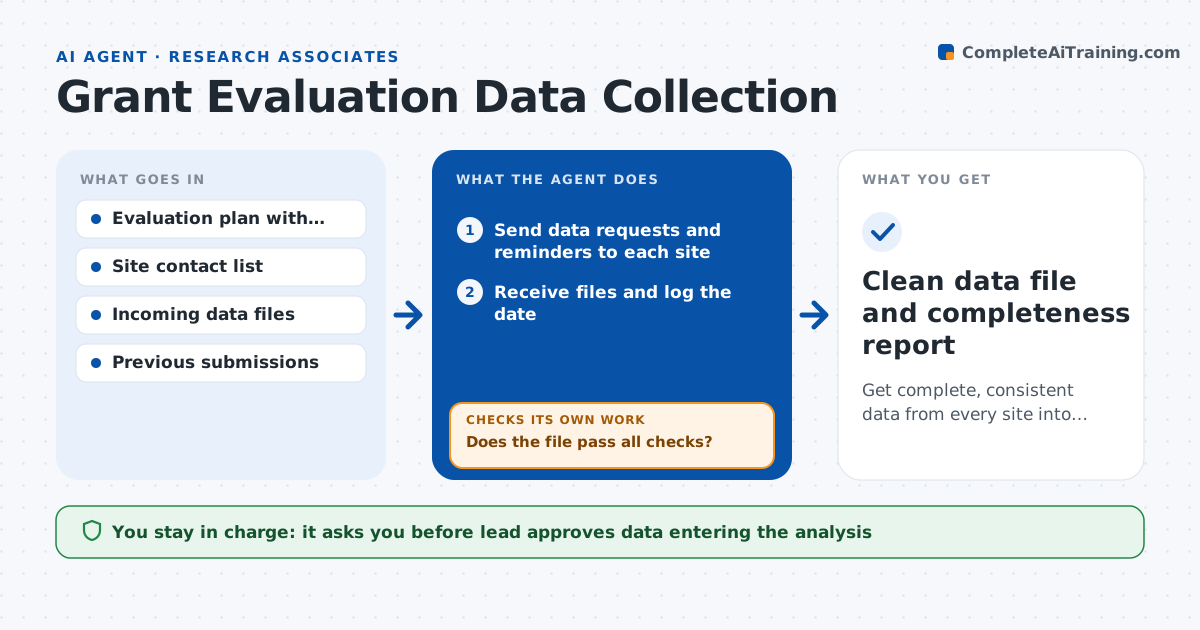
Get complete, consistent data from every site into the analysis file.
What it does
An evaluation depends on data from many sites, and every site sends it late, in its own format, with gaps. This agent tracks the data request to each site and checks incoming files against the evaluation plan for missing fields, odd values, duplicate ids and wrong date formats. It sends a specific correction request to the site, then checks the new file. It repeats until the site passes or the deadline is reached, and reports completeness by site. It keeps a log of every change so the analysis can be traced. Edge case: a site that submits near perfect data suddenly shifting, such as all values identical, is flagged for review. The lead approves what enters the analysis.
How it works
Follow the arrows from top to bottom. The orange dashed arrow is the loop: when a check fails, the agent goes back and tries again.
Read the steps as a list
- Collection deadline approaches
- Send data requests and reminders to each site
- Receive files and log the date
- Check required fields, ranges, duplicate ids and formats
- Does the file pass all checks?If not: send a correction request listing each problem and check the revised file. Back to step 4.
- Compare with the site's earlier submissions for odd shifts
- Update the completeness report by site
- Is every site at or above the completeness target?If not: send reminders and offer help to the lagging sites. Back to step 2.
- Lead approves data for analysisThe agent waits here for your OK.
- Clean data file and completeness report
How it decides
It accepts a file only when required fields are complete and values are within valid ranges, and otherwise requests a specific fix.
- Require 95 percent completeness on key fields
- Flag values outside the ranges in the plan
- Flag any site where more than 80 percent of values repeat
- Remind sites 7 days and 2 days before the deadline
Make it yours
Every agent is a starting point. You choose these settings for your own situation.
- Completeness target (default 95 percent)
- Required fields and valid ranges
- Reminder days
- Number of correction rounds before escalation (default 3)
What keeps you in control
It always asks you first
- Lead approves data entering the analysis
- Lead approves excluding a site from the analysis
Hard limits
- Never alters site data itself
- Keeps a log of every correction request
It stops when
- Done: all sites pass or are documented as exceptions
- Stop: more than half of the sites miss the final deadline
Set it up
We guide you through the set-up, step by step
Members get the full set-up guide for this agent. No technical skills needed: you copy, paste and upload.
- One set of instructions to paste into your AI, with the clicks for ChatGPT, Claude, Microsoft 365 Copilot, Gemini and Grok
- The agent then walks you through connecting your own data, one source at a time
- A downloadable copy with the flow chart, the rules and the full guide