AI agent for team leads
Group Project Coordination Agent
A group project that is fairly divided, on track and integrates before the deadline
What it does
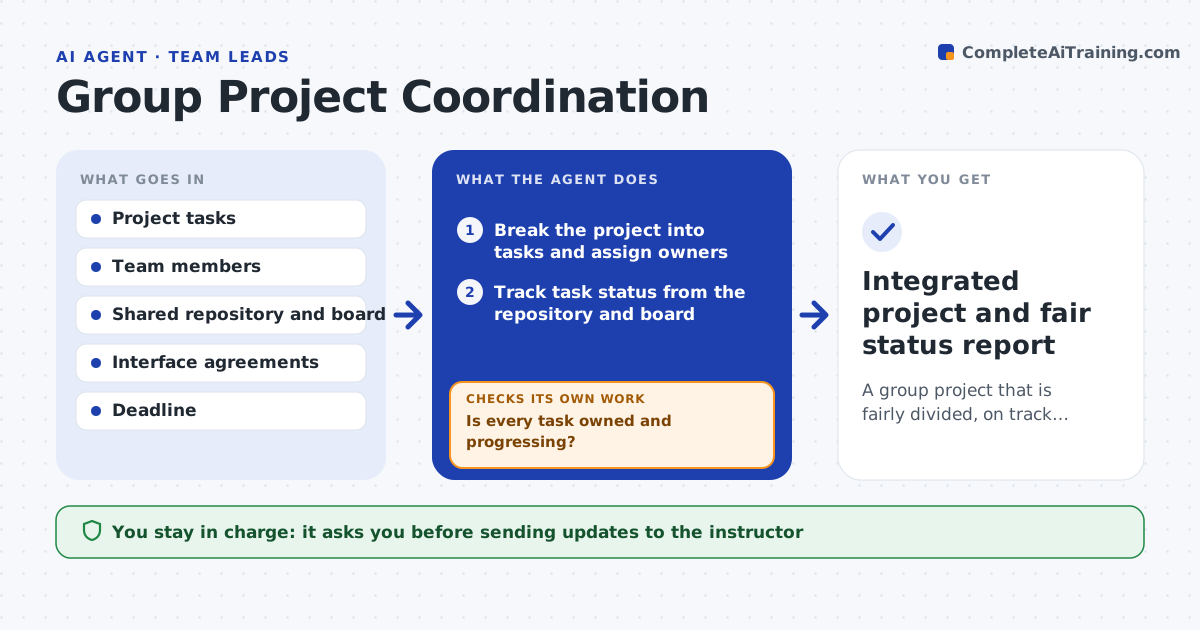
Student group projects often fail on coordination rather than coding: unclear tasks, uneven contribution and a panicked merge the night before the deadline. This agent helps the group break the project into tasks, assign owners and set checkpoints. It tracks each task's status from the shared repository and board, and flags tasks with no progress or no owner. Before each checkpoint it checks that the pieces actually fit together by building the project and confirming the agreed interfaces match, instead of assuming. If integration is broken, it points to the exact mismatch and the owners involved, then rechecks after the fix. It drafts fair status updates for the group and instructor. The group makes all decisions. Edge case: a member with no contributions is raised privately with the facts, never shamed publicly.
How it works
Follow the arrows from top to bottom. The orange dashed arrow is the loop: when a check fails, the agent goes back and tries again.
Read the steps as a list
- Group project begins
- Break the project into tasks and assign owners
- Track task status from the repository and board
- Is every task owned and progressing?If not: flag unowned or stalled tasks to the group. Back to step 3.
- Check the project builds and interfaces match
- Do the pieces integrate?If not: point to the mismatch and the owners to fix it. Back to step 5.
- Group approves status updates to the instructorThe agent waits here for your OK.
- Integrated project and fair status report
How it decides
It flags tasks that are unowned or stalled and confirms integration by a real build and interface check, not assumption.
- Flag unowned or stalled tasks
- Confirm integration by building, not assuming
- Report contribution facts privately to the group
Make it yours
Every agent is a starting point. You choose these settings for your own situation.
- Checkpoint frequency
- Repository and board sources
- Interface agreements
- How contribution is reported
What keeps you in control
It always asks you first
- Sending updates to the instructor
Hard limits
- Does not do members' work
- Reports contribution facts without judgment
It stops when
- Done: project integrates and status is fair
- Stop: there is no shared repository to track
Set it up
We guide you through the set-up, step by step
Members get the full set-up guide for this agent. No technical skills needed: you copy, paste and upload.
- One set of instructions to paste into your AI, with the clicks for ChatGPT, Claude, Microsoft 365 Copilot, Gemini and Grok
- The agent then walks you through connecting your own data, one source at a time
- A downloadable copy with the flow chart, the rules and the full guide