AI agent for ecologists
Habitat Monitoring Trend Report Agent
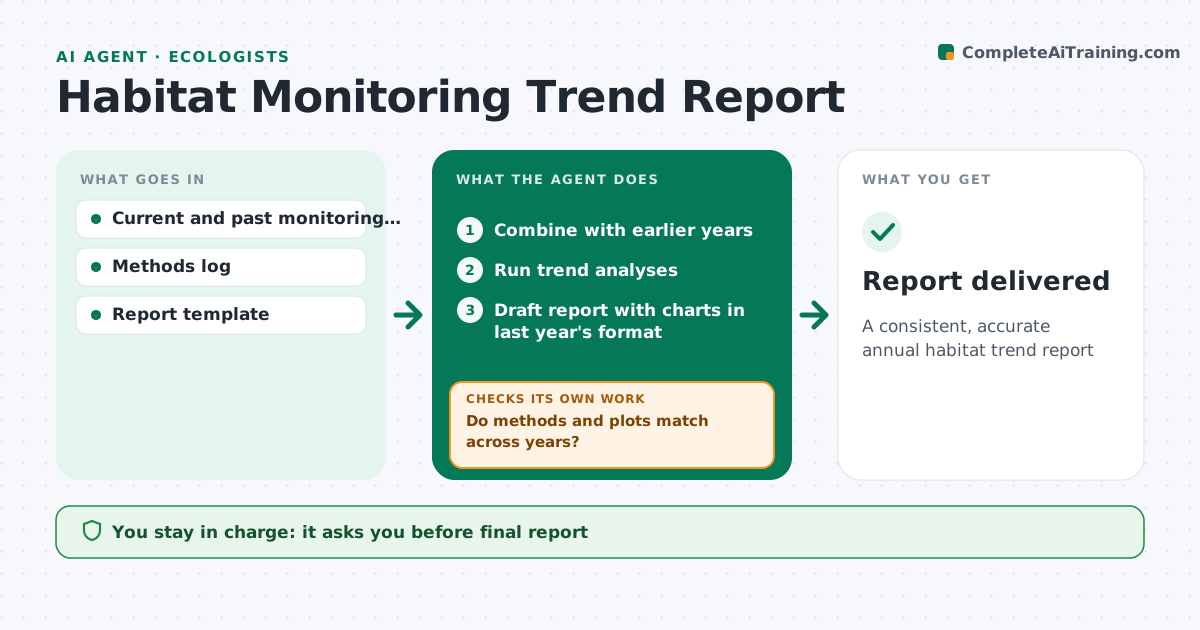
A consistent, accurate annual habitat trend report
What it does
Long-term monitoring is only useful if trends are reported the same way each year. When the season's data is approved, this agent combines it with earlier years and checks that methods and plots match across years. Plots that changed method or were added or lost are separated and noted. It runs the agreed trend analyses on indicators such as cover, species richness and condition scores. It then checks whether each change is statistically meaningful before calling it a trend. Changes that are not are reported as stable or uncertain. It drafts the trend report with charts in the same format as last year, and checks the charts match the analysis results. The ecologist reviews the interpretation and approves. Edge case: a plot that changed survey method is analyzed separately rather than mixed into the trend.
How it works
Follow the arrows from top to bottom. The orange dashed arrow is the loop: when a check fails, the agent goes back and tries again.
Read the steps as a list
- Season data approved
- Combine with earlier years
- Do methods and plots match across years?If not: separate changed plots and note them. Back to step 2.
- Run trend analyses
- Is each reported change statistically meaningful?If not: report it as stable or uncertain instead of a trend. Back to step 4.
- Draft report with charts in last year's format
- Ecologist approves interpretationThe agent waits here for your OK.
- Report delivered
How it decides
It includes only plots with matching methods and reports changes as meaningful only when they pass the agreed statistical test.
- Analyze method changes separately
- Report only meaningful changes as trends
- Keep last year's chart format
Make it yours
Every agent is a starting point. You choose these settings for your own situation.
- Indicators
- Statistical test
- Report template
- Plots to include
What keeps you in control
It always asks you first
- Final report
Hard limits
- Never changes raw data
- Never publishes the report
It stops when
- Done: report delivered
- Stop: earlier data missing; ask the data manager
Set it up
We guide you through the set-up, step by step
Members get the full set-up guide for this agent. No technical skills needed: you copy, paste and upload.
- One set of instructions to paste into your AI, with the clicks for ChatGPT, Claude, Microsoft 365 Copilot, Gemini and Grok
- The agent then walks you through connecting your own data, one source at a time
- A downloadable copy with the flow chart, the rules and the full guide