AI agent for project managers
Hackathon Project Handoff Agent
Move the best hackathon projects into real follow-up work within 30 days or close them cleanly
What it does
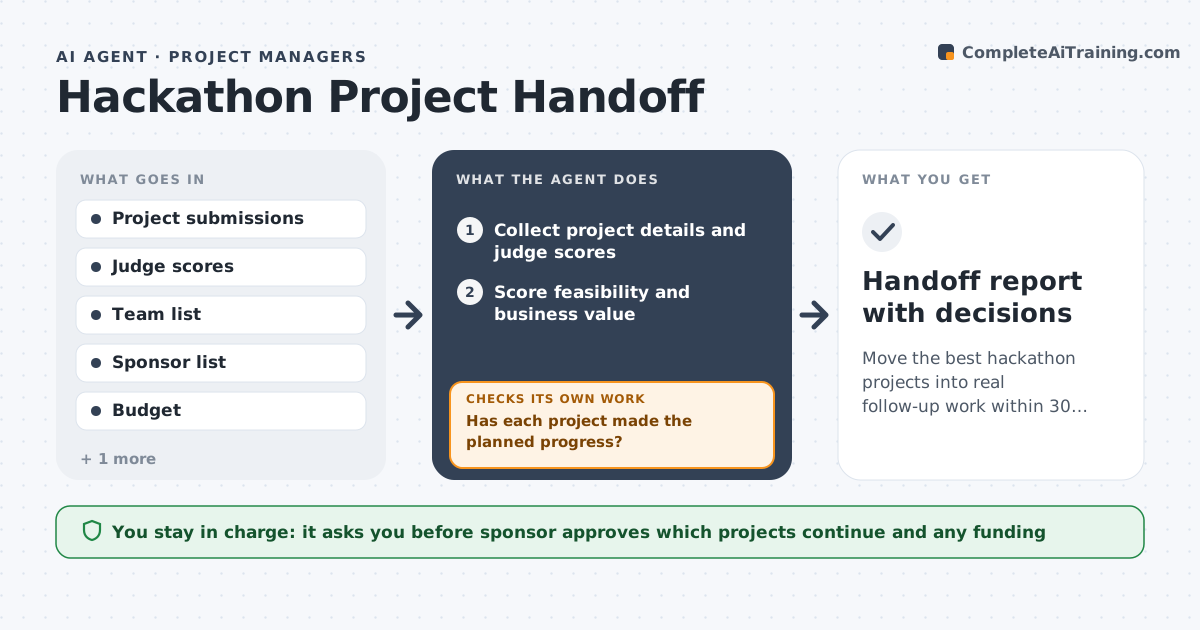
A hackathon ends with applause and twenty prototypes that nobody touches again. This agent collects each project's details right after judging: the problem, demo link, team and what it would take to continue. It scores them against feasibility and business value and picks those worth following up. For each chosen project it assigns an owner, drafts a 30-day plan and sets check dates at 10, 20 and 30 days. At each date it asks the owner for progress and compares it with the plan. If a project stalls, it asks the owner and the sponsor for a decision to continue, change scope or stop. It keeps the status list current. The sponsor approves funding. Edge case: a project whose owner left the company is reassigned or closed within a week.
How it works
Follow the arrows from top to bottom. The orange dashed arrow is the loop: when a check fails, the agent goes back and tries again.
Read the steps as a list
- Hackathon judging ends
- Collect project details and judge scores
- Score feasibility and business value
- Assign owners and draft a 30-day plan for the top projects
- Sponsor approves projects and any fundingThe agent waits here for your OK.
- Ask each owner for progress at day 10, 20 and 30
- Has each project made the planned progress?If not: Ask owner and sponsor to continue, narrow the scope or stop. Back to step 6.
- Update the status list and flag blockers
- Is every project continuing, handed off or closed?If not: Escalate unresolved projects to the sponsor. Back to step 6.
- Handoff report with decisions
How it decides
It ranks projects by feasibility and value and carries forward those above the cutoff. A project is stalled when no progress is reported by a check date.
- Carry forward the top 20 percent by score
- Mark a project stalled when no update arrives by the check date
- Reassign within 7 days when an owner leaves
- Require a named owner and sponsor before funding
Make it yours
Every agent is a starting point. You choose these settings for your own situation.
- Cutoff for follow-up (default top 20 percent)
- Check dates (default days 10, 20, 30)
- Scoring criteria (default feasibility and value)
- Reassignment time (default 7 days)
What keeps you in control
It always asks you first
- Sponsor approves which projects continue and any funding
Hard limits
- Never commit funding or staff
- Never contact teams outside the hackathon list
- Keep a record of each decision
It stops when
- Done: Every project continued, handed off or closed
- Stop: No sponsor is found, so hand to the innovation lead
Set it up
We guide you through the set-up, step by step
Members get the full set-up guide for this agent. No technical skills needed: you copy, paste and upload.
- One set of instructions to paste into your AI, with the clicks for ChatGPT, Claude, Microsoft 365 Copilot, Gemini and Grok
- The agent then walks you through connecting your own data, one source at a time
- A downloadable copy with the flow chart, the rules and the full guide