AI agent for public health officers
Health Education Material Readability Agent
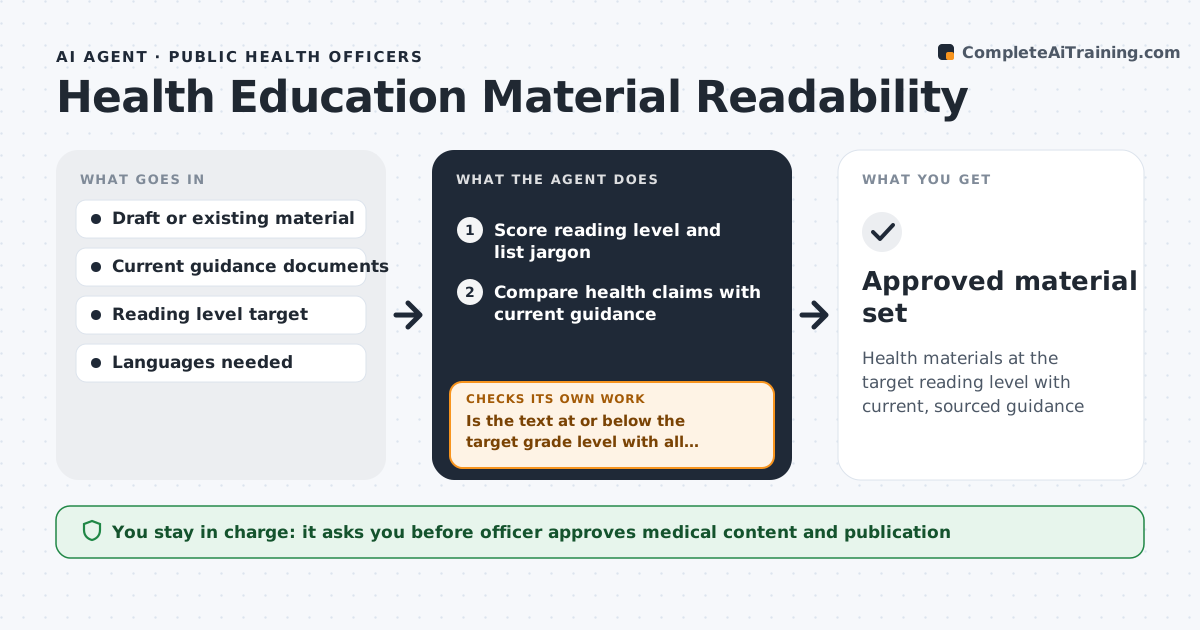
Health materials at the target reading level with current, sourced guidance
What it does
Fact sheets and flyers must be easy to read and match current guidance, but many were written years ago in clinical language. This agent takes a draft or old material, scores its reading level and lists jargon. It compares every health claim with current guidance from health authorities. It rewrites hard or outdated sections, then re-scores. If the text is still above the target grade, which defaults to grade 6, or a claim is still out of date, it simplifies further or updates the claim and scores again. It then prepares translated versions that keep the same structure and pass the same checks. The officer reviews medical content and approves publishing. Edge case: if guidance changed recently and sources disagree, it keeps the authority's newest official wording and notes the change.
How it works
Follow the arrows from top to bottom. The orange dashed arrow is the loop: when a check fails, the agent goes back and tries again.
Read the steps as a list
- Material submitted for review
- Score reading level and list jargon
- Compare health claims with current guidance
- Rewrite hard or outdated sections
- Is the text at or below the target grade level with all claims current?If not: simplify further or update claims and re-score. Back to step 4.
- Prepare translated versions
- Officer approves content and publishingThe agent waits here for your OK.
- Approved material set
How it decides
Text must score at or below the target grade level, and every health claim must match current official guidance.
- Default target is grade 6
- Official guidance overrides older wording
- Translations keep the same structure and checks
Make it yours
Every agent is a starting point. You choose these settings for your own situation.
- Target reading level (default grade 6)
- Guidance sources
- Languages
- Review cycle (default yearly)
What keeps you in control
It always asks you first
- Officer approves medical content and publication
Hard limits
- Never publishes materials
- Never adds medical advice not in official guidance
It stops when
- Done: material approved
- Stop: no current guidance on the topic
Set it up
We guide you through the set-up, step by step
Members get the full set-up guide for this agent. No technical skills needed: you copy, paste and upload.
- One set of instructions to paste into your AI, with the clicks for ChatGPT, Claude, Microsoft 365 Copilot, Gemini and Grok
- The agent then walks you through connecting your own data, one source at a time
- A downloadable copy with the flow chart, the rules and the full guide