AI agent for statisticians
Public Survey Quality Check Agent
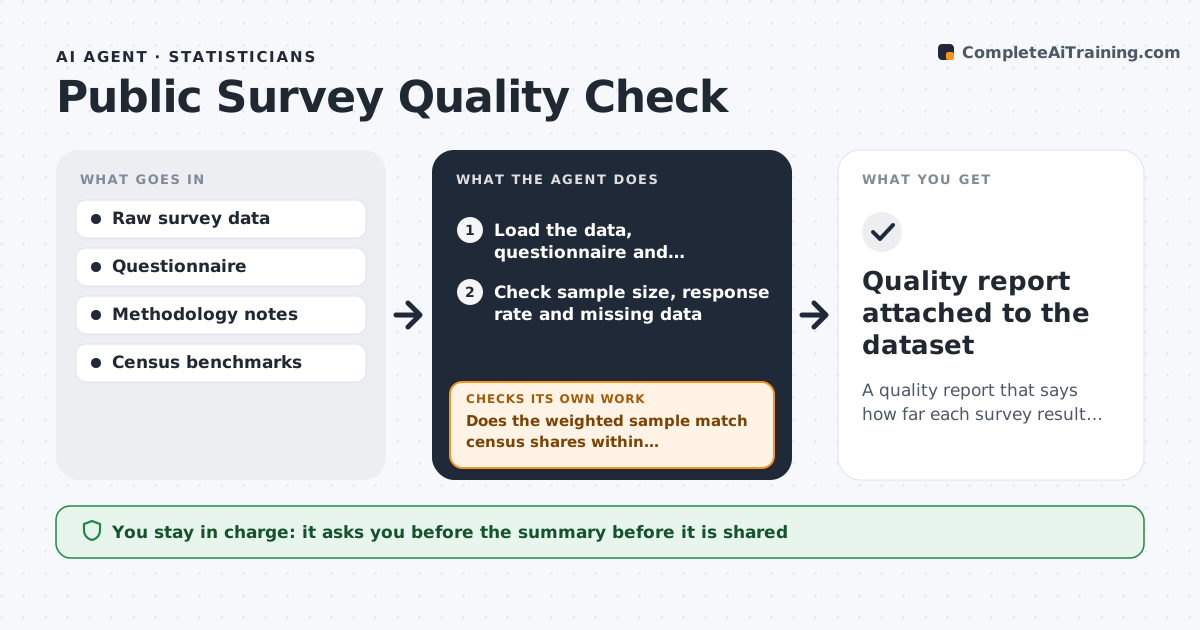
A quality report that says how far each survey result can be trusted, with corrected results and ranges
What it does
A survey result goes into a briefing with no check on who answered, and later someone finds it overstates one group. This agent checks sample size, response rates, question wording and weighting for any survey a team plans to use. It compares the sample with census data on age, income, region and other traits to see who is over- or under-represented. It reads the questions for leading or double-barreled wording. When it finds problems, it recomputes the headline results with corrected weights and reports ranges instead of one number. It checks that the corrected weights bring the sample close to the population and that the weighted results do not hinge on a handful of respondents. The analyst approves the summary. Edge case: a result based on only 18 respondents in a subgroup is reported as not reliable.
How it works
Follow the arrows from top to bottom. The orange dashed arrow is the loop: when a check fails, the agent goes back and tries again.
Read the steps as a list
- Survey dataset received
- Load the data, questionnaire and methodology notes
- Check sample size, response rate and missing data
- Compare sample traits with census benchmarks
- Review question wording for bias
- Recompute headline results with corrected weights
- Does the weighted sample match census shares within tolerance?If not: adjust the weights or collapse categories and recompute. Back to step 6.
- Do results hold when the largest weights are trimmed?If not: cap extreme weights and report a wider range. Back to step 6.
- Write the summary with ranges and unreliable subgroups
- Analyst approves the summaryThe agent waits here for your OK.
- Quality report attached to the dataset
How it decides
A result is reliable when the sample is large enough and the weighted sample is close to census shares. Subgroups with small samples are reported as not reliable.
- Mark subgroups under 30 respondents as unreliable
- Require weighted shares within 2 points of census shares
- Flag leading or double-barreled questions
- Report a range, not a single number, when weights are trimmed
Make it yours
Every agent is a starting point. You choose these settings for your own situation.
- Benchmark source
- Subgroup minimum (default 30)
- Weighting variables
- Tolerance (default 2 points)
What keeps you in control
It always asks you first
- The summary before it is shared
Hard limits
- Never changes the raw data
- Does not decide whether to use the survey
It stops when
- Done: the report and corrected results are approved
- Stop: data has no way to be weighted
Set it up
We guide you through the set-up, step by step
Members get the full set-up guide for this agent. No technical skills needed: you copy, paste and upload.
- One set of instructions to paste into your AI, with the clicks for ChatGPT, Claude, Microsoft 365 Copilot, Gemini and Grok
- The agent then walks you through connecting your own data, one source at a time
- A downloadable copy with the flow chart, the rules and the full guide