AI agent for technical writers
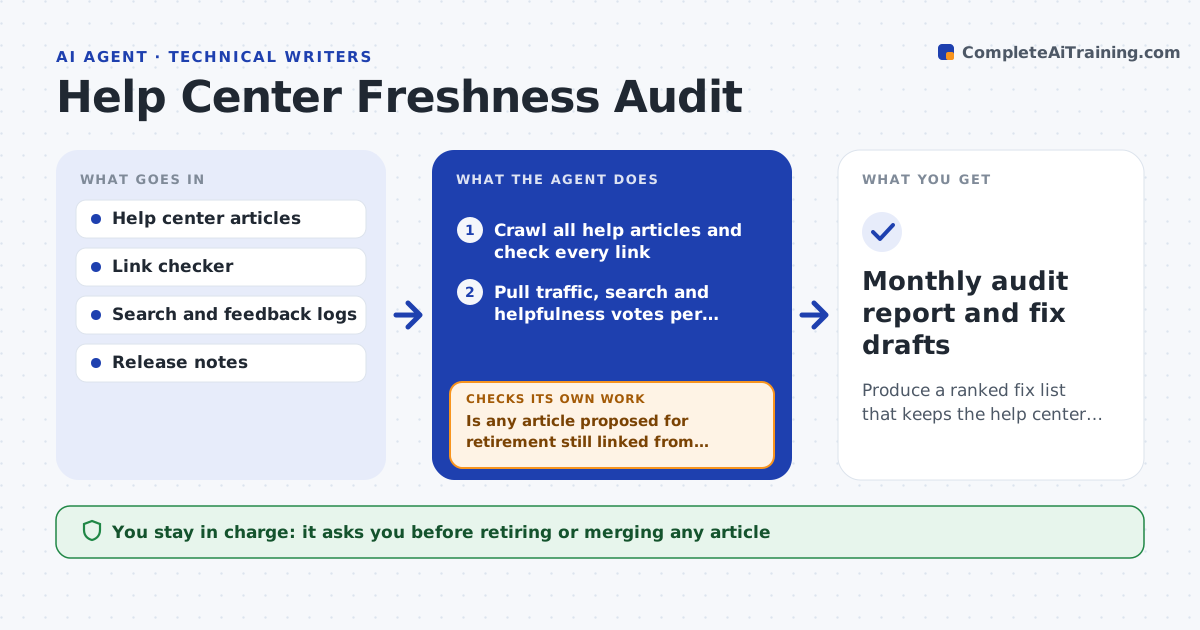
Help Center Freshness Audit Agent
Produce a ranked fix list that keeps the help center accurate and trusted
What it does
Help centers grow to hundreds of articles, and nobody can reread them all. This agent runs a monthly audit. It checks every link, notes articles not edited in over a year, and reads search logs and feedback votes to find articles readers land on but rate as unhelpful. It cross-checks article steps against the latest release notes to spot features that changed. Each article gets a score and a suggested action: fix, merge, retire or keep. Before suggesting retirement it checks whether other articles or the product link to it; if they do, it lists them so nothing breaks. It re-runs the link check after any fix. The writer decides what to retire and what to rewrite. Edge case: an old article with steady traffic and good ratings is kept, even if not edited for years.
How it works
Follow the arrows from top to bottom. The orange dashed arrow is the loop: when a check fails, the agent goes back and tries again.
Read the steps as a list
- Monthly audit starts
- Crawl all help articles and check every link
- Pull traffic, search and helpfulness votes per article
- Match article steps against recent release notes
- Score each article and suggest fix, merge, retire or keep
- Is any article proposed for retirement still linked from elsewhere?If not: list the incoming links and change the action to merge or redirect. Back to step 5.
- Draft fixes for the top 10 articles
- Re-run the link check on fixed drafts
- Are all links in the drafts working?If not: replace or remove the broken links. Back to step 7.
- Writer approves fixes and retirementsThe agent waits here for your OK.
- Monthly audit report and fix drafts
How it decides
Articles are ranked by reader impact: traffic times unhelpful votes, plus a penalty for broken links and features changed in release notes.
- Keep articles with high ratings regardless of age
- Propose retirement only with zero incoming product links
- Rank by traffic times unhelpful votes
- Draft fixes for the top 10 only each month
Make it yours
Every agent is a starting point. You choose these settings for your own situation.
- Audit day (default first business day of the month)
- Articles drafted per month (default 10)
- Age that counts as stale (default 12 months)
- Unhelpful vote rate that triggers review (default 30%)
What keeps you in control
It always asks you first
- Retiring or merging any article
- Publishing fixes
Hard limits
- Never deletes articles
- Never changes product links
It stops when
- Done: report delivered and fixes approved
- Stop: analytics data unavailable this month
Set it up
We guide you through the set-up, step by step
Members get the full set-up guide for this agent. No technical skills needed: you copy, paste and upload.
- One set of instructions to paste into your AI, with the clicks for ChatGPT, Claude, Microsoft 365 Copilot, Gemini and Grok
- The agent then walks you through connecting your own data, one source at a time
- A downloadable copy with the flow chart, the rules and the full guide