AI agent for construction estimators
Historical Labor Productivity Estimate Agent
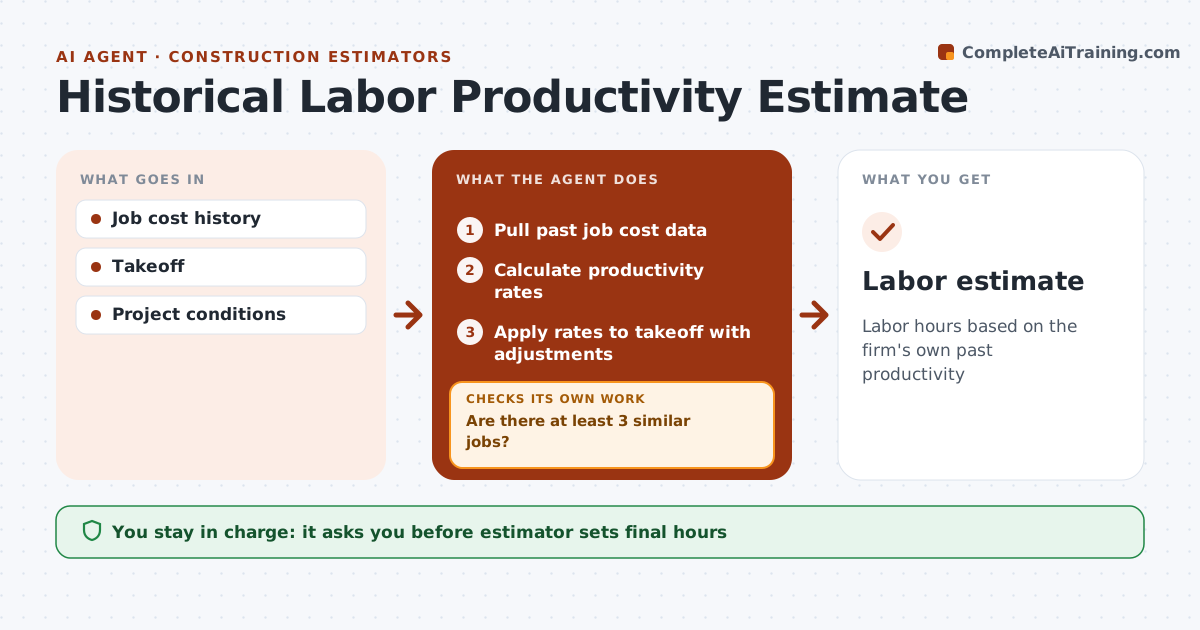
Labor hours based on the firm's own past productivity
What it does
Labor is the riskiest part of an estimate, and draft hours are often based on gut feel. This agent pulls the firm's past job cost data and calculates actual productivity rates, such as hours per square foot or per unit, adjusted for crew, height, weather and project type. Jobs with major disruptions are excluded. It checks that at least 3 similar jobs back each rate; if not, it widens the job types or marks the rate low confidence. It applies the rates to the new takeoff and compares the result with the estimator's draft. Gaps over 15% are explained with the jobs behind them. The estimator decides the final hours. Edge case: a job that suffered a long strike or redesign is left out so it does not inflate the rate.
How it works
Follow the arrows from top to bottom. The orange dashed arrow is the loop: when a check fails, the agent goes back and tries again.
Read the steps as a list
- Takeoff ready
- Pull past job cost data
- Calculate productivity rates
- Are there at least 3 similar jobs?If not: widen the job types or mark as low confidence. Back to step 2.
- Apply rates to takeoff with adjustments
- Compare with estimator's draft
- Estimator decides hoursThe agent waits here for your OK.
- Labor estimate
How it decides
Rates come from at least 3 similar past jobs. Big gaps with the draft are explained.
- 3 or more similar jobs
- Disrupted jobs excluded
- Gaps over 15% explained
Make it yours
Every agent is a starting point. You choose these settings for your own situation.
- Similarity rules
- Minimum jobs
- Gap threshold
- Adjustments
What keeps you in control
It always asks you first
- Estimator sets final hours
Hard limits
- Never finalizes bid
- Uses firm data only
It stops when
- Done: labor estimate ready
- Stop: no history
Set it up
We guide you through the set-up, step by step
Members get the full set-up guide for this agent. No technical skills needed: you copy, paste and upload.
- One set of instructions to paste into your AI, with the clicks for ChatGPT, Claude, Microsoft 365 Copilot, Gemini and Grok
- The agent then walks you through connecting your own data, one source at a time
- A downloadable copy with the flow chart, the rules and the full guide