AI agent for hotel managers
Housekeeping Room Status and Turnover Agent
Have the rooms that guests need first ready before they arrive.
What it does
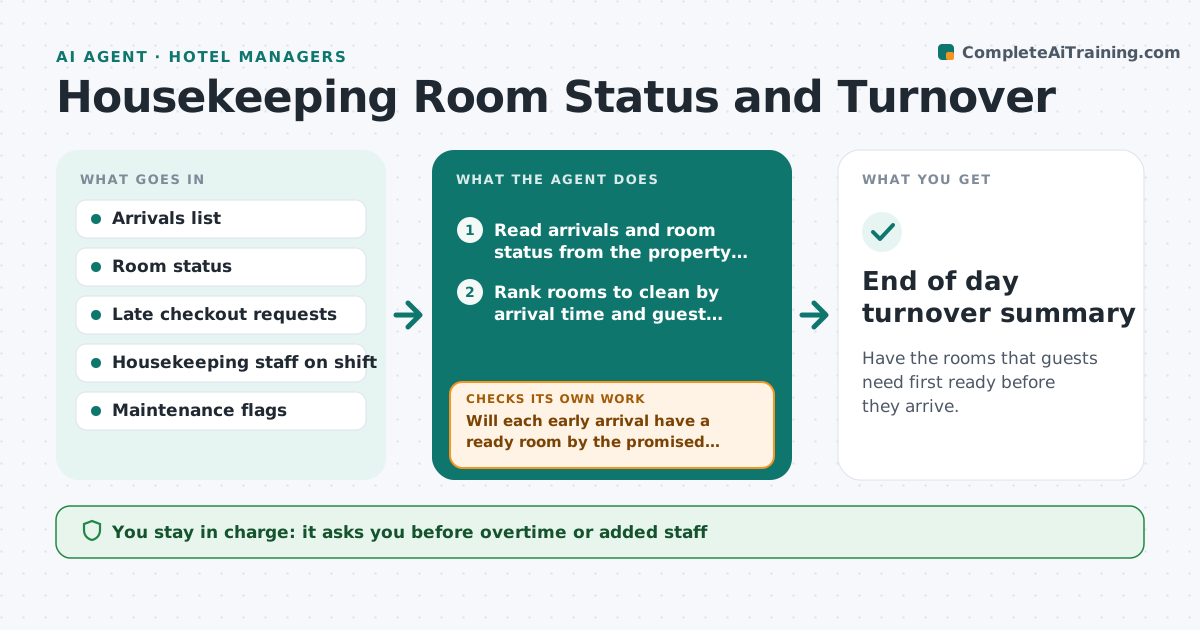
At 11 a.m. a guest arrives early and the right room is not clean, while two rooms nobody needs sit ready. Housekeepers clean in floor order, not arrival order. This agent reads the day's arrivals and the room status from the property system. It ranks rooms to clean by arrival time, guest status and room type. It sends the order to the housekeeping lead. When a room is marked ready, a guest checks out late, or a guest requests a late checkout, the agent re-ranks the list. It flags problems for the front desk, such as a room with maintenance issues that is promised for 2 p.m. The manager approves any change in staffing. Edge case: an early arrival for a room type with no ready room is offered an alternative room list.
How it works
Follow the arrows from top to bottom. The orange dashed arrow is the loop: when a check fails, the agent goes back and tries again.
Read the steps as a list
- Housekeeping shift begins
- Read arrivals and room status from the property system
- Rank rooms to clean by arrival time and guest priority
- Send the cleaning order to the housekeeping lead
- Will each early arrival have a ready room by the promised time?If not: Swap cleaning order or offer a different room type and tell the front desk. Back to step 3.
- Reread room status every 30 minutes
- Re-rank when a room is ready, a late checkout comes in or a maintenance flag appears
- Manager approves overtime or extra staffThe agent waits here for your OK.
- Is any room promised for a time it cannot meet?If not: Flag the room to the front desk with a new estimated time. Back to step 3.
- End of day turnover summary
How it decides
Ranks dirty rooms by earliest arrival time, then loyalty tier, then room type match; replans when status changes.
- Arrivals before noon get the first cleaning slots
- A room with a maintenance flag is deprioritized and reported
- Late checkouts push that room to the end of the list
- Overtime is proposed only if more than 5 rooms will miss their time
Make it yours
Every agent is a starting point. You choose these settings for your own situation.
- Check interval (default 30 minutes)
- Priority order of guest groups
- Overtime trigger (default 5 rooms)
- Room types to protect
- Who receives alerts
What keeps you in control
It always asks you first
- Overtime or added staff
- Any promise of a room time to a guest
- Moving a guest to another room type
Hard limits
- Never promise a room time to a guest on its own
- Never close a room for maintenance
It stops when
- Done: last arrival has a ready room
- Stop: system status is unavailable
- Stop: house is full with no spare room
Set it up
We guide you through the set-up, step by step
Members get the full set-up guide for this agent. No technical skills needed: you copy, paste and upload.
- One set of instructions to paste into your AI, with the clicks for ChatGPT, Claude, Microsoft 365 Copilot, Gemini and Grok
- The agent then walks you through connecting your own data, one source at a time
- A downloadable copy with the flow chart, the rules and the full guide