AI agent for hvac technicians
HVAC Repair Quote Agent
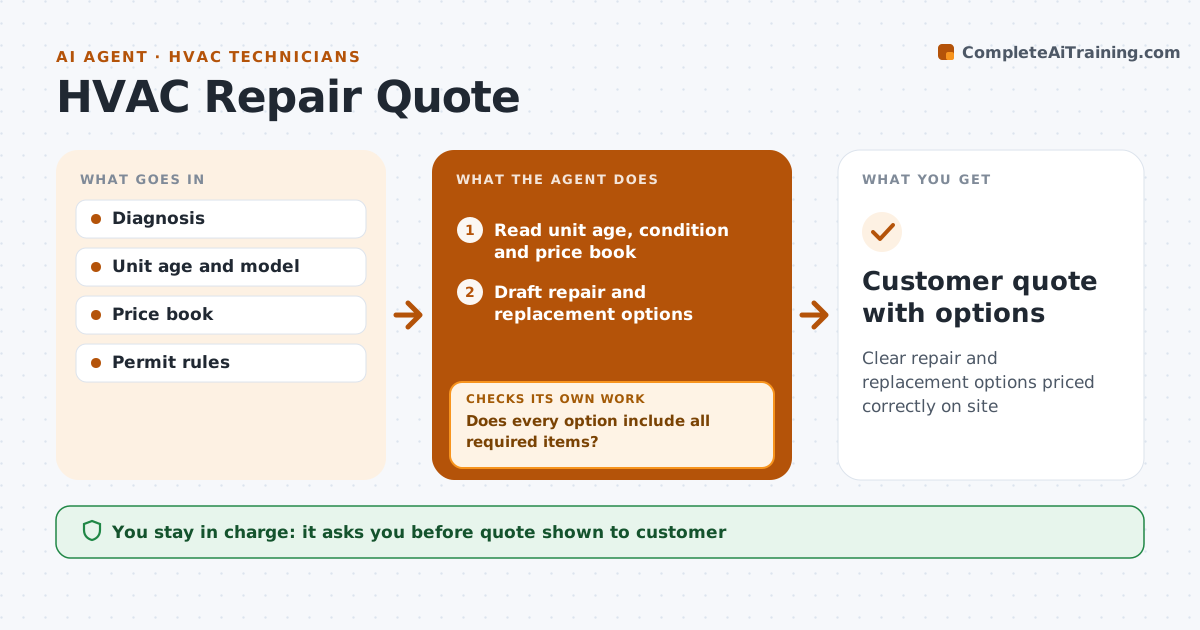
Clear repair and replacement options priced correctly on site
What it does
After diagnosing a fault, the technician often has to quote a repair or a replacement on the spot, and quotes that miss permits or refrigerant cause disputes later. When a diagnosis is recorded, this agent reads the unit's age and condition and the company price book. It drafts options: repair, repair with related parts like a capacitor and contactor, and replacement with matched equipment. Replacement is offered when repair costs more than half of replacement or the unit is past its expected life. It checks each option for required permits, refrigerant and other items. If anything is missing, it adds it and reprices. Refrigerant is shown as its own line. A second check confirms every price matches the current price book. The technician approves the quote before showing the customer. Edge case: a unit using phased-out refrigerant shows that refrigerant's cost clearly.
How it works
Follow the arrows from top to bottom. The orange dashed arrow is the loop: when a check fails, the agent goes back and tries again.
Read the steps as a list
- Diagnosis recorded
- Read unit age, condition and price book
- Draft repair and replacement options
- Check permits, refrigerant and items required
- Does every option include all required items?If not: add missing items and reprice. Back to step 3.
- Does every line match the current price book?If not: update outdated prices and reprice. Back to step 3.
- Prepare customer-friendly quote with options side by side
- Technician approves the quoteThe agent waits here for your OK.
- Customer quote with options
How it decides
It offers replacement as an option when repair cost exceeds a set share of replacement cost or the unit is past its expected life.
- Replacement offered when repair cost is over half of replacement or unit is old
- Refrigerant shown separately
- Permits included
Make it yours
Every agent is a starting point. You choose these settings for your own situation.
- Price book
- Replacement rule
- Option tiers
- Permit fees
What keeps you in control
It always asks you first
- Quote shown to customer
- Discounts
Hard limits
- Never gives discounts
- Never pressures the customer
It stops when
- Done: quote approved
- Stop: equipment model unknown
Set it up
We guide you through the set-up, step by step
Members get the full set-up guide for this agent. No technical skills needed: you copy, paste and upload.
- One set of instructions to paste into your AI, with the clicks for ChatGPT, Claude, Microsoft 365 Copilot, Gemini and Grok
- The agent then walks you through connecting your own data, one source at a time
- A downloadable copy with the flow chart, the rules and the full guide