AI agent for seo specialists
Image Weight and Alt Text Cleanup Agent
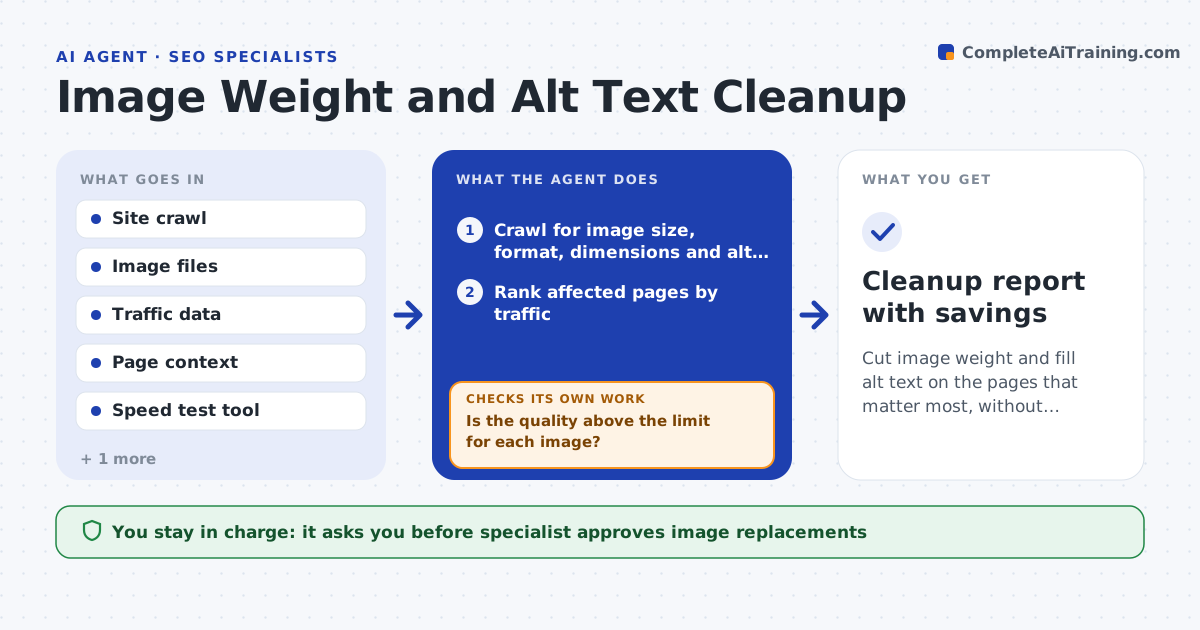
Cut image weight and fill alt text on the pages that matter most, without hurting quality
What it does
A product page loads 9 MB of images and half of them have no alt text. This agent crawls the site for heavy images, oversized dimensions, wrong formats and missing or poor alt text. It ranks pages by traffic so the most visited pages come first. It compresses copies of the images and compares the visual quality with the originals. It then drafts alt text from the page context, such as the heading, nearby text and product name, in a plain and specific style. After the specialist approves the swap, it retests page speed and checks that the images still look right. If speed does not improve or quality drops, it adjusts the settings. Edge case: a decorative image needs empty alt text, so the agent marks it.
How it works
Follow the arrows from top to bottom. The orange dashed arrow is the loop: when a check fails, the agent goes back and tries again.
Read the steps as a list
- Monthly crawl or big upload
- Crawl for image size, format, dimensions and alt text
- Rank affected pages by traffic
- Compress copies and compare the visual quality with the originals
- Is the quality above the limit for each image?If not: use gentler settings or a different format and compare again. Back to step 3.
- Draft alt text from page context and mark decorative images
- Specialist approves the replacements and the alt textThe agent waits here for your OK.
- Swap images and add alt text on a staging copy
- Run speed tests on the changed pages
- Did page weight and load time improve with images still rendering correctly?If not: adjust size or format settings and test again. Back to step 3.
- Cleanup report with savings
How it decides
It chooses compression settings that stay above a visual quality limit and proposes alt text only when the page context describes the image.
- Start with pages that have the highest traffic
- Compress to the lowest size above the visual quality limit
- Write alt text only from facts on the page
- Leave alt text empty for decorative images
Make it yours
Every agent is a starting point. You choose these settings for your own situation.
- Maximum image size (default 200 KB)
- Visual quality limit
- Formats allowed
- Alt text style
- Pages to process first
What keeps you in control
It always asks you first
- Specialist approves image replacements
- Content owner approves alt text for key pages
Hard limits
- Never overwrite original images
- Never invent details in alt text
It stops when
- Done: the target pages meet weight and alt text goals
- Stop: images are served by a system the team cannot change
Set it up
We guide you through the set-up, step by step
Members get the full set-up guide for this agent. No technical skills needed: you copy, paste and upload.
- One set of instructions to paste into your AI, with the clicks for ChatGPT, Claude, Microsoft 365 Copilot, Gemini and Grok
- The agent then walks you through connecting your own data, one source at a time
- A downloadable copy with the flow chart, the rules and the full guide