AI agent for process improvement analysts
Improvement Benefit Verification Agent
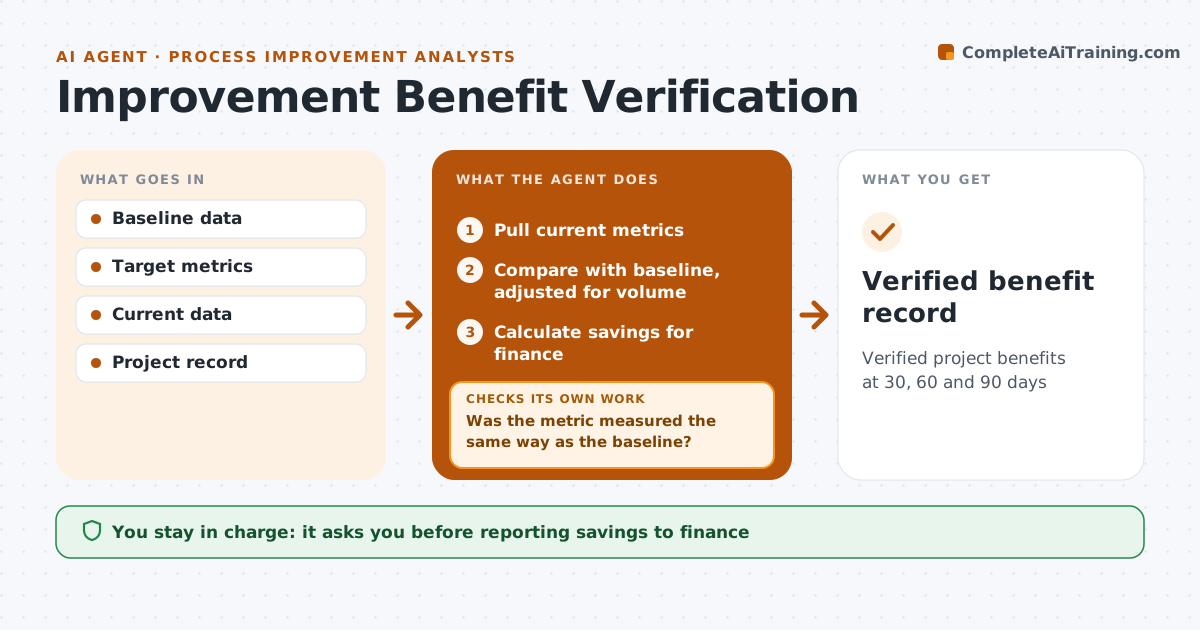
Verified project benefits at 30, 60 and 90 days
What it does
After an improvement project, the expected savings often fade or were never real, and nobody checks. This agent takes the project's baseline and target metrics and pulls the same metrics after the change at set points, such as 30, 60 and 90 days. It confirms the data uses the same method as the baseline. It compares results with the baseline and adjusts for volume, using savings per unit when volume changed a lot. If the gain is below target, it looks for causes, such as staff going back to the old way, drafts a follow-up action and rechecks at the next checkpoint. It drafts a benefit report. The improvement analyst approves reported savings before they go to finance.
How it works
Follow the arrows from top to bottom. The orange dashed arrow is the loop: when a check fails, the agent goes back and tries again.
Read the steps as a list
- Checkpoint date
- Pull current metrics
- Was the metric measured the same way as the baseline?If not: rebuild the measure with the baseline method. Back to step 2.
- Compare with baseline, adjusted for volume
- Is the gain at or above target?If not: look for causes, draft a follow-up action and recheck at the next checkpoint. Back to step 2.
- Calculate savings for finance
- Draft benefit report
- Analyst approves reported savingsThe agent waits here for your OK.
- Verified benefit record
How it decides
It compares like-for-like metrics adjusted for volume and flags any gain under target.
- Use same calculation as baseline
- Adjust for volume
- Target missed twice means project review
Make it yours
Every agent is a starting point. You choose these settings for your own situation.
- Checkpoints
- Metrics
- Volume adjustment
- Report format
What keeps you in control
It always asks you first
- Reporting savings to finance
Hard limits
- Never reports unverified savings
It stops when
- Done: 90 day benefit verified
- Stop: data source changed; ask for mapping
Set it up
We guide you through the set-up, step by step
Members get the full set-up guide for this agent. No technical skills needed: you copy, paste and upload.
- One set of instructions to paste into your AI, with the clicks for ChatGPT, Claude, Microsoft 365 Copilot, Gemini and Grok
- The agent then walks you through connecting your own data, one source at a time
- A downloadable copy with the flow chart, the rules and the full guide