AI agent for sales and marketings
Inbound Lead Qualification Agent
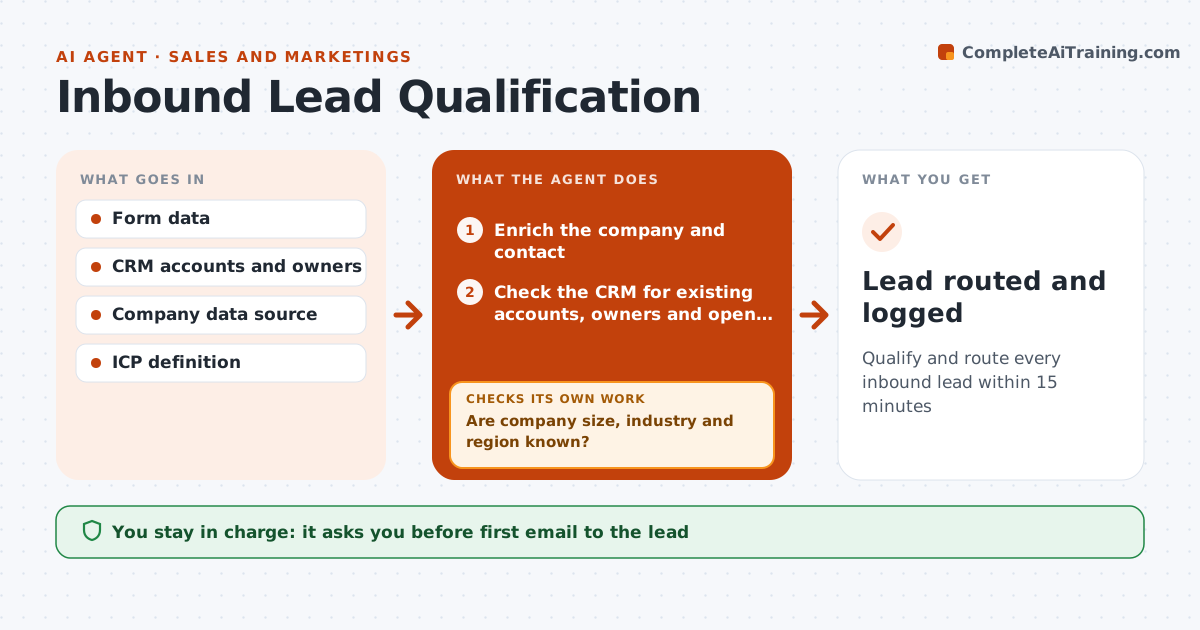
Qualify and route every inbound lead within 15 minutes
What it does
Inbound leads go cold quickly, and wrong routing wastes the first hours. When a form arrives, this agent enriches the company and contact. It checks that company size, industry and region are known; if not, it tries a second data source or the website of the email domain. Free email domains need a second check before any rejection. It then checks the CRM for existing accounts, owners and open deals; leads at accounts with open deals go to the deal owner, never to round robin. It scores fit against the ideal customer profile and intent from the form, and routes the lead to an account owner, an SDR, nurture or rejection as spam. It drafts the first response. The SDR approves the first email and any routing exception. Edge case: a lead from a company with an open deal goes to that deal's owner.
How it works
Follow the arrows from top to bottom. The orange dashed arrow is the loop: when a check fails, the agent goes back and tries again.
Read the steps as a list
- New inbound form
- Enrich the company and contact
- Are company size, industry and region known?If not: try a second data source or the email domain website. Back to step 2.
- Check the CRM for existing accounts, owners and open deals
- Score fit and intent and pick a route
- Draft the first response
- SDR approves the first email and any routing exceptionThe agent waits here for your OK.
- Lead routed and logged
How it decides
Fit score from the ICP plus intent from the form. Existing owners always take priority over round robin.
- Leads at accounts with open deals go to the deal owner
- Below-threshold fit goes to nurture
- Free email domains need a second check before rejection
Make it yours
Every agent is a starting point. You choose these settings for your own situation.
- ICP fields and weights
- Fit threshold for SDR versus nurture
- Response time target (default 15 minutes)
- Data sources
What keeps you in control
It always asks you first
- First email to the lead
- Rejecting a lead as unfit
Hard limits
- Never sends the first email without approval
- Never overwrites existing owner fields
It stops when
- Done: lead routed
- Stop: form data clearly spam
Set it up
We guide you through the set-up, step by step
Members get the full set-up guide for this agent. No technical skills needed: you copy, paste and upload.
- One set of instructions to paste into your AI, with the clicks for ChatGPT, Claude, Microsoft 365 Copilot, Gemini and Grok
- The agent then walks you through connecting your own data, one source at a time
- A downloadable copy with the flow chart, the rules and the full guide