AI agent for tax analysts
Indirect Tax Filing Preparation Agent
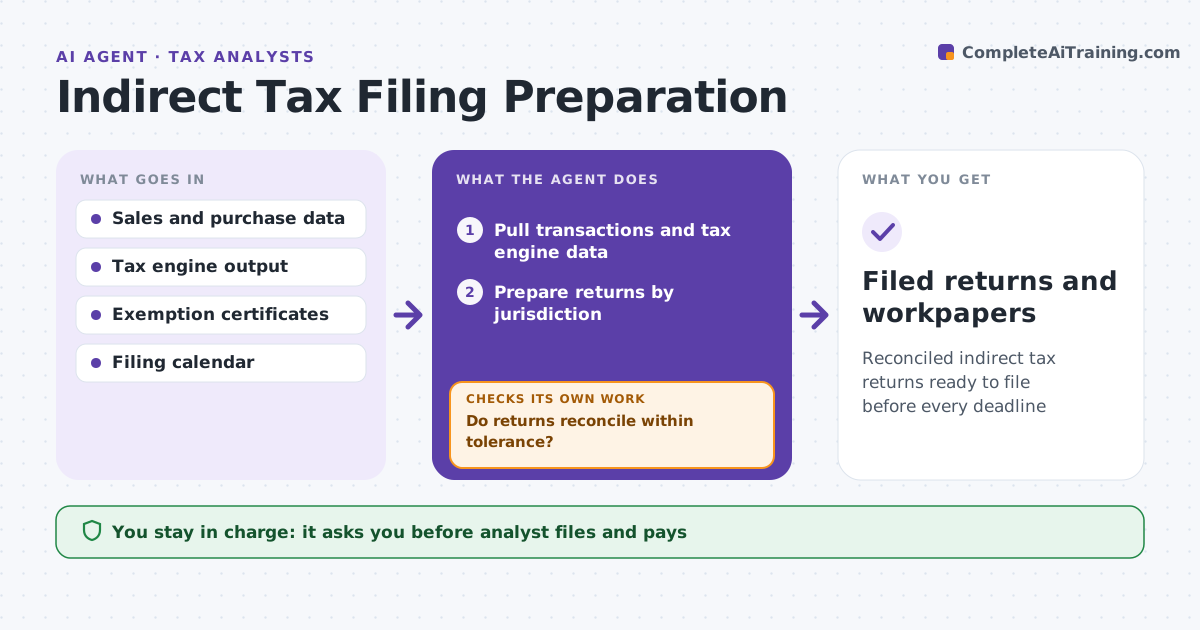
Reconciled indirect tax returns ready to file before every deadline
What it does
Companies file sales, use or VAT returns in many jurisdictions on monthly, quarterly and annual schedules, and errors bring penalties. After the books close, this agent pulls sales and purchase transactions and the tax engine output, prepares each return and reconciles it with the general ledger tax accounts and the prior period. A return must reconcile within $100. If it does not, the agent searches for the cause, such as a duplicated credit memo or a wrong ship-to address, and corrects it or asks the analyst. Large changes from the prior period are reviewed. It then checks customer exemption certificates. The analyst reviews and files every return. Edge case: sales covered by an expired exemption certificate are flagged as possibly taxable rather than silently left exempt.
How it works
Follow the arrows from top to bottom. The orange dashed arrow is the loop: when a check fails, the agent goes back and tries again.
Read the steps as a list
- Books close
- Pull transactions and tax engine data
- Prepare returns by jurisdiction
- Reconcile with ledger and prior periods
- Do returns reconcile within tolerance?If not: find the cause and correct or ask the analyst. Back to step 3.
- Check exemption certificates
- Analyst files returnsThe agent waits here for your OK.
- Filed returns and workpapers
How it decides
Returns must reconcile to the ledger within a small tolerance. Rate and exemption errors are flagged.
- Reconcile within $100 per return
- Expired certificates make sales possibly taxable
- Large changes from prior period are reviewed
Make it yours
Every agent is a starting point. You choose these settings for your own situation.
- Reconciliation tolerance
- Jurisdictions
- Filing calendar
- Certificate expiry warning window
What keeps you in control
It always asks you first
- Analyst files and pays
Hard limits
- Never files or pays
- Never changes the ledger
It stops when
- Done: all returns filed
- Stop: books not closed
Set it up
We guide you through the set-up, step by step
Members get the full set-up guide for this agent. No technical skills needed: you copy, paste and upload.
- One set of instructions to paste into your AI, with the clicks for ChatGPT, Claude, Microsoft 365 Copilot, Gemini and Grok
- The agent then walks you through connecting your own data, one source at a time
- A downloadable copy with the flow chart, the rules and the full guide