AI agent for preschool teachers
Injury and Incident Report Follow-Up Agent
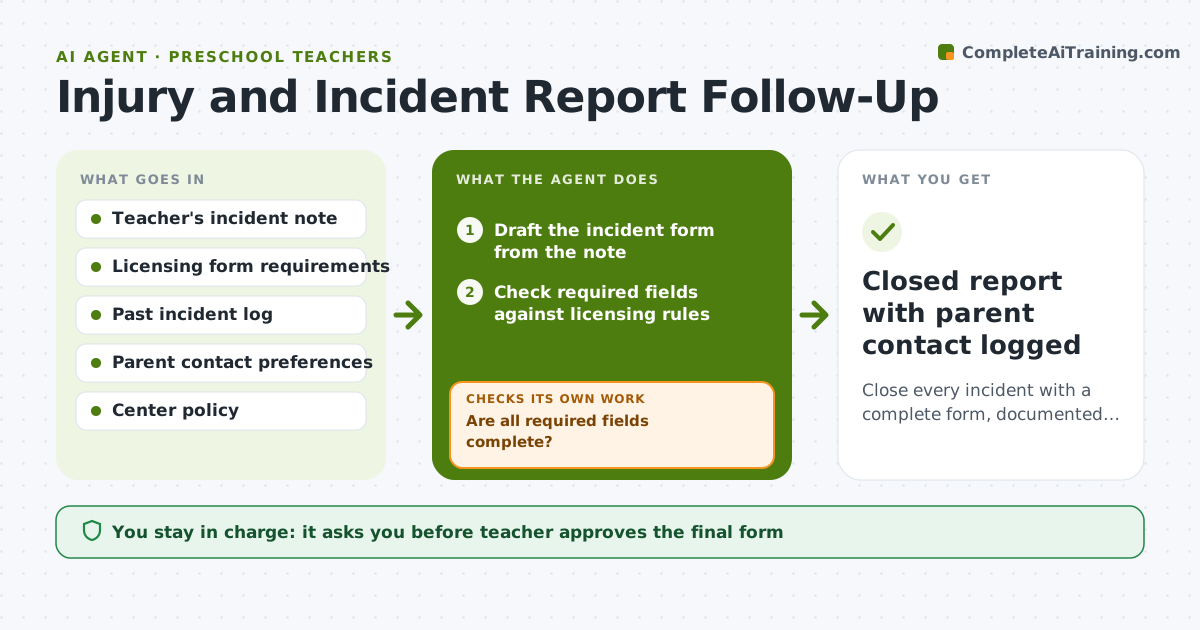
Close every incident with a complete form, documented parent contact and any pattern flagged
What it does
After a bump, bite or fall, the teacher is busy and the paperwork slips. This agent turns a quick note into a draft incident form and checks it for every field the licensing rules require: time, place, witnesses, first aid, and who was told. It then checks whether the parent was informed the same day and in what way. If something is missing, it asks the teacher. It scans earlier reports for repeat places, times of day or children, and flags any pattern for the director. It keeps checking until the form is complete, signed and the parent follow-up is logged. The teacher approves the form and any parent message. Edge case: if two children are involved, it keeps each child's name out of the other's report.
How it works
Follow the arrows from top to bottom. The orange dashed arrow is the loop: when a check fails, the agent goes back and tries again.
Read the steps as a list
- Teacher enters an incident note
- Draft the incident form from the note
- Check required fields against licensing rules
- Are all required fields complete?If not: List missing fields and ask the teacher for them, then redraft. Back to step 2.
- Check whether the parent was told today and how
- Search past reports for repeat places, times or children
- Is the parent notice logged and is there no unflagged pattern?If not: Draft a parent message and flag any pattern to the director, then recheck. Back to step 5.
- Teacher approves the form and parent messageThe agent waits here for your OK.
- Route the signed form to the director and file
- Closed report with parent contact logged
How it decides
It marks a report complete only when all required fields are filled and parent notice is logged. It flags a pattern when the same place or child appears 3 times in 30 days.
- Require parent notice within the same day for head injuries and bites
- Flag a pattern when 3 incidents share a place or child within 30 days
- Escalate to the director immediately for any injury needing medical care
- Keep other children's names out of the report
Make it yours
Every agent is a starting point. You choose these settings for your own situation.
- State or licensing form fields (default the center's current form)
- Pattern threshold (default 3 in 30 days)
- Parent notice deadline (default same day)
- Preferred parent contact method (default phone then message)
What keeps you in control
It always asks you first
- Teacher approves the final form
- Teacher approves each parent message
- Director reviews flagged patterns
Hard limits
- Never send a parent message without teacher approval
- Never alter facts the teacher entered
- Keep reports private to staff and licensing
It stops when
- Done: Form complete, signed and parent contact logged
- Stop: Serious injury, so stop and alert the director and emergency contacts
Set it up
We guide you through the set-up, step by step
Members get the full set-up guide for this agent. No technical skills needed: you copy, paste and upload.
- One set of instructions to paste into your AI, with the clicks for ChatGPT, Claude, Microsoft 365 Copilot, Gemini and Grok
- The agent then walks you through connecting your own data, one source at a time
- A downloadable copy with the flow chart, the rules and the full guide