AI agent for customer service representatives
Insurance Claim Intake Completeness Agent
Complete claim files handed to adjusters fast
What it does
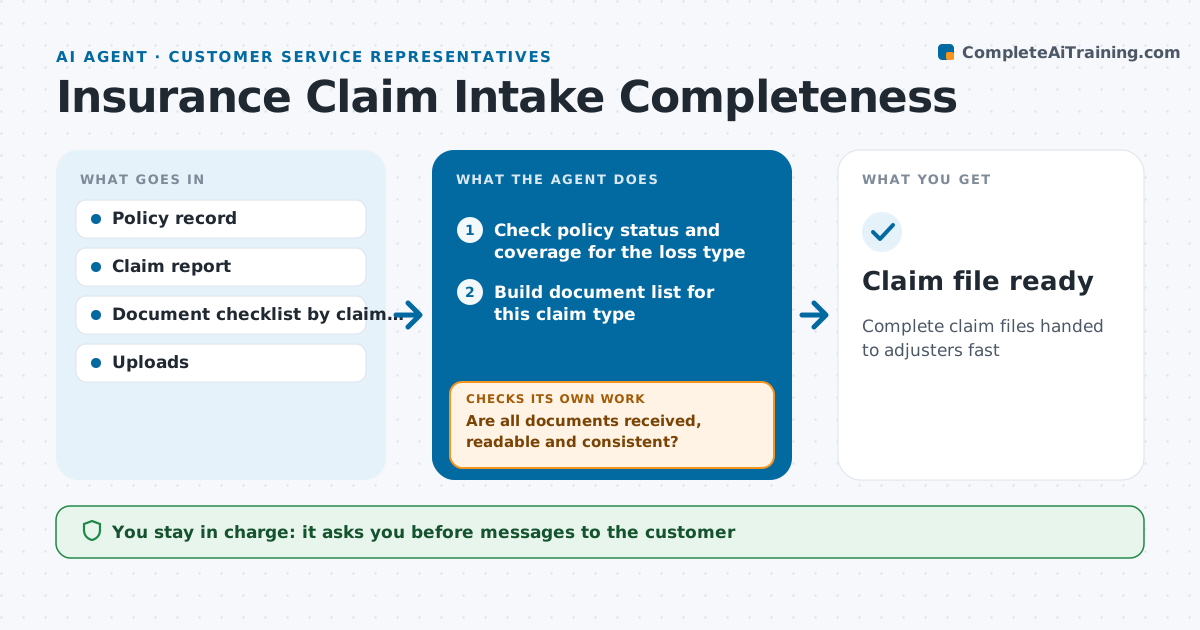
Claims stall for weeks when a document is missing or does not match, and customers grow frustrated. When a customer reports a claim, this agent creates a draft claim file and checks the policy is active and the loss type is covered. It lists the documents needed for that claim type, such as photos, repair estimates or a police report, and drafts a plain-language request to the customer. As documents arrive, it checks each one is readable, complete and matches the claim, for example the date on the police report. Missing or unclear items trigger a new request. When the file is complete, it hands it to the adjuster with a summary. The representative approves every customer message. Edge case: a loss date before the policy start is flagged for review, not rejected.
How it works
Follow the arrows from top to bottom. The orange dashed arrow is the loop: when a check fails, the agent goes back and tries again.
Read the steps as a list
- Claim reported
- Check policy status and coverage for the loss type
- Build document list for this claim type
- Draft document request to the customer
- Representative approves the requestThe agent waits here for your OK.
- Are all documents received, readable and consistent?If not: draft a follow-up request for the missing or unclear items. Back to step 4.
- Hand complete file to adjuster with summary
- Claim file ready
How it decides
It uses the checklist for the claim type and checks each document's dates and details against the claim.
- Loss before policy start is flagged for the adjuster
- Blurry or partial documents count as missing
- Two unanswered requests trigger a phone call task
Make it yours
Every agent is a starting point. You choose these settings for your own situation.
- Document checklists by claim type
- Follow-up timing
- Message channel
- Adjuster summary format
What keeps you in control
It always asks you first
- Messages to the customer
Hard limits
- Never approves or denies claims
- Never tells customers whether they are covered
It stops when
- Done: file sent to adjuster
- Stop: customer withdraws claim
Set it up
We guide you through the set-up, step by step
Members get the full set-up guide for this agent. No technical skills needed: you copy, paste and upload.
- One set of instructions to paste into your AI, with the clicks for ChatGPT, Claude, Microsoft 365 Copilot, Gemini and Grok
- The agent then walks you through connecting your own data, one source at a time
- A downloadable copy with the flow chart, the rules and the full guide