AI agent for financial advisors
Insurance Coverage Gap Review Agent
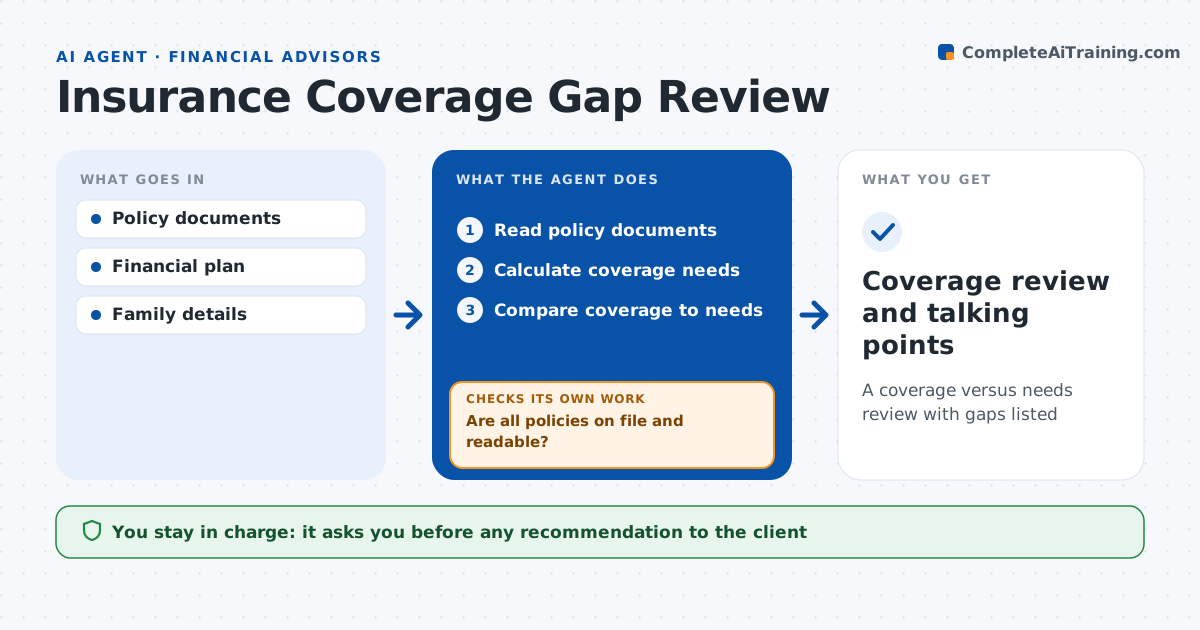
A coverage versus needs review with gaps listed
What it does
Clients often carry the wrong amount of insurance, or name an ex-spouse as beneficiary, without anyone noticing for years. Once a year this agent reviews each client's coverage. It reads policy documents for life, disability, long-term care and umbrella coverage and lists amounts, terms and beneficiaries. If a policy document is missing or unreadable, it requests it and checks again when it arrives. It calculates the client's needs from income, debts, dependents and goals in the plan, compares coverage to needs, and lists gaps and overlaps. Gaps over $100,000 and outdated beneficiaries are marked urgent. It drafts talking points for the advisor. The advisor decides what to recommend. Edge case: a term policy expires in two years while the youngest child is 12, so the agent flags the term gap.
How it works
Follow the arrows from top to bottom. The orange dashed arrow is the loop: when a check fails, the agent goes back and tries again.
Read the steps as a list
- Annual insurance review
- Read policy documents
- Are all policies on file and readable?If not: request missing policies and re-read. Back to step 2.
- Calculate coverage needs
- Compare coverage to needs
- Advisor decides recommendationsThe agent waits here for your OK.
- Coverage review and talking points
How it decides
It calculates needs from income, debts and dependents and flags gaps above a set amount.
- Life coverage gap over $100,000: flag
- Term ends before last dependent turns 22: flag
- Beneficiary is ex-spouse: urgent item
Make it yours
Every agent is a starting point. You choose these settings for your own situation.
- Needs method
- Gap thresholds
- Coverage types in scope
- Talking point format
What keeps you in control
It always asks you first
- Any recommendation to the client
Hard limits
- Never sells or recommends specific products
- Never contacts insurers
It stops when
- Done: review ready
- Stop: client declines to share policies
Set it up
We guide you through the set-up, step by step
Members get the full set-up guide for this agent. No technical skills needed: you copy, paste and upload.
- One set of instructions to paste into your AI, with the clicks for ChatGPT, Claude, Microsoft 365 Copilot, Gemini and Grok
- The agent then walks you through connecting your own data, one source at a time
- A downloadable copy with the flow chart, the rules and the full guide