AI agent for insurance agents
Insurance Quote Comparison Agent
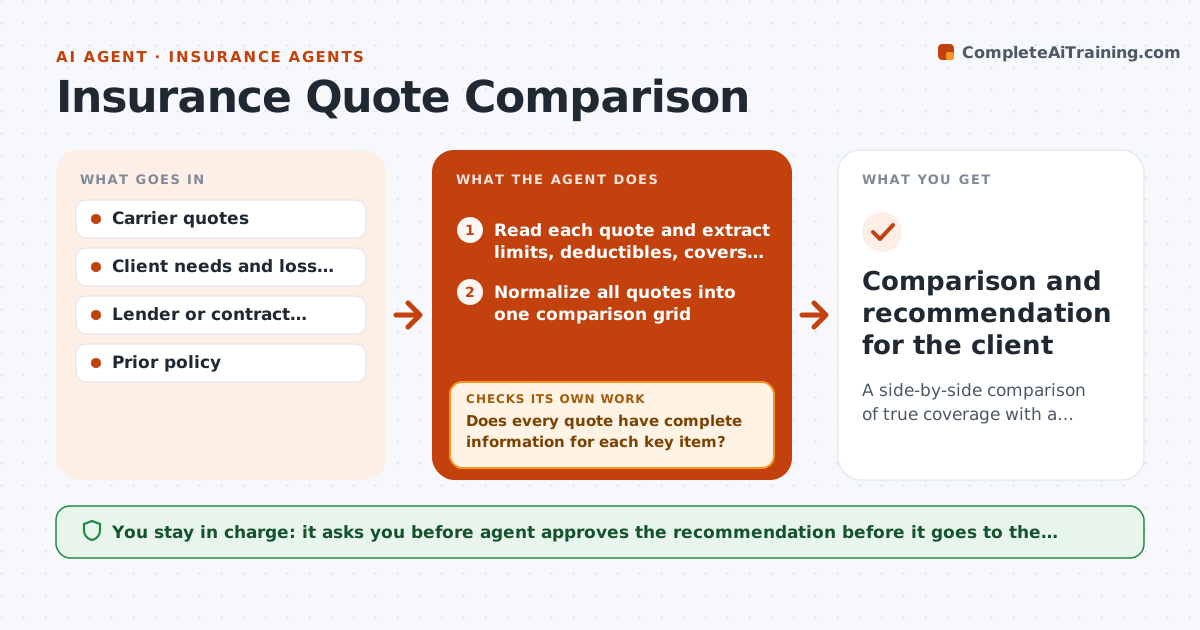
A side-by-side comparison of true coverage with a recommendation matched to the client's needs
What it does
Two quotes with the same price can protect a client very differently. Limits, deductibles and exclusions hide in different places in each carrier's document. This agent collects the quotes and rewrites them in one grid: limits, deductibles, key coverages, exclusions and conditions. It compares each against the client's needs: the property, operations and loss history. It flags gaps such as a missing flood cover or a low liability limit. If key information is missing it asks the carrier and rechecks when the answer comes. The agent then drafts a recommendation with the trade-offs. The agent approves it before it goes to the client. Edge case: the cheapest quote excludes a cover the client's lender requires.
How it works
Follow the arrows from top to bottom. The orange dashed arrow is the loop: when a check fails, the agent goes back and tries again.
Read the steps as a list
- Quotes received
- Read each quote and extract limits, deductibles, covers and exclusions
- Normalize all quotes into one comparison grid
- Compare each with the client's needs and requirements
- Does every quote have complete information for each key item?If not: ask the carrier for the missing item and update the grid. Back to step 2.
- Flag gaps and rank the eligible quotes
- Draft a short recommendation with trade-offs
- Does the recommended quote meet every required cover?If not: drop it from the list and revise the recommendation. Back to step 6.
- Agent approves the recommendationThe agent waits here for your OK.
- Comparison and recommendation for the client
How it decides
A quote is eligible only if it meets required covers and limits. Eligible quotes are compared by price and gaps, with the best fit named.
- Rule out any quote that misses a required cover
- Treat lower liability limits as a gap, not a saving
- Request missing data before comparing
- Show premium and out-of-pocket exposure together
Make it yours
Every agent is a starting point. You choose these settings for your own situation.
- Required covers
- Comparison grid fields
- Carrier list
- Client needs template
What keeps you in control
It always asks you first
- Agent approves the recommendation before it goes to the client
- Agent approves any question to a carrier about the client
Hard limits
- Never bind coverage
- Do not present gaps as minor if required
- Quote the policy text
It stops when
- Done: client receives a comparison and decides
- Stop: no quote meets the requirements and the agent seeks other carriers
Set it up
We guide you through the set-up, step by step
Members get the full set-up guide for this agent. No technical skills needed: you copy, paste and upload.
- One set of instructions to paste into your AI, with the clicks for ChatGPT, Claude, Microsoft 365 Copilot, Gemini and Grok
- The agent then walks you through connecting your own data, one source at a time
- A downloadable copy with the flow chart, the rules and the full guide