AI agent for ux writers
Interface Copy Audit Agent
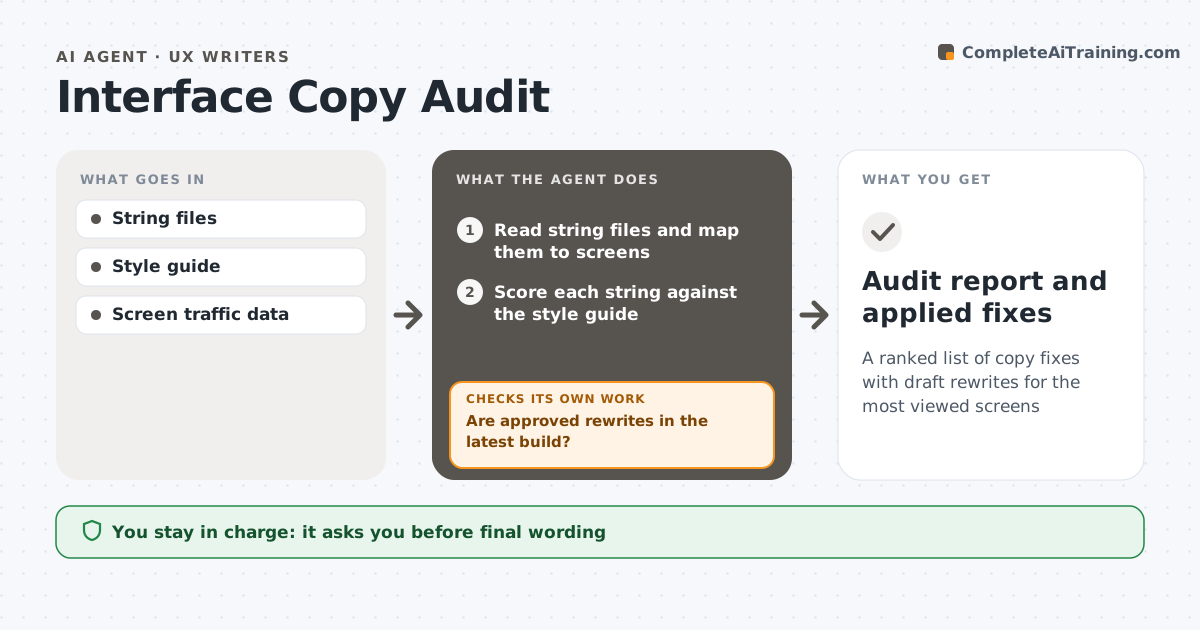
A ranked list of copy fixes with draft rewrites for the most viewed screens
What it does
Auditing interface copy by hand takes weeks, so it rarely happens. This agent reads the product's string files and maps each string to the screens where it appears. It scores every string against your style guide: length, voice, button verb style, capitalization and error message structure. It groups problems by screen and type, and ranks fixes by monthly screen views and severity, so the most-seen screens come first. It drafts rewrites for the top items. Strings reused in several places get one rewrite with a list of every place they appear. The UX writer edits and approves the rewrites. After the next build, the agent checks that the approved rewrites are really there and lists any missing ones for the developer. Edge case: an error message without a next step is always flagged, even on a low-traffic screen.
How it works
Follow the arrows from top to bottom. The orange dashed arrow is the loop: when a check fails, the agent goes back and tries again.
Read the steps as a list
- Audit starts
- Read string files and map them to screens
- Score each string against the style guide
- Rank fixes by traffic and severity
- Draft rewrites for top items
- UX writer edits and approves rewritesThe agent waits here for your OK.
- Are approved rewrites in the latest build?If not: list missing strings for the developer and recheck. Back to step 5.
- Audit report and applied fixes
How it decides
It scores strings against style rules and ranks fixes by screen traffic and severity.
- Rank by monthly screen views
- Rewrite shared strings once
- Flag error messages missing a next step
Make it yours
Every agent is a starting point. You choose these settings for your own situation.
- Style rules to score
- Number of top fixes (default 40)
- Traffic source
- Audit frequency
What keeps you in control
It always asks you first
- Final wording
- Creating developer tickets
Hard limits
- Never pushes copy live
- Keeps old strings for rollback
It stops when
- Done: top fixes shipped
- Stop: strings not mapped to screens; ask engineering
Set it up
We guide you through the set-up, step by step
Members get the full set-up guide for this agent. No technical skills needed: you copy, paste and upload.
- One set of instructions to paste into your AI, with the clicks for ChatGPT, Claude, Microsoft 365 Copilot, Gemini and Grok
- The agent then walks you through connecting your own data, one source at a time
- A downloadable copy with the flow chart, the rules and the full guide