AI agent for interior designers
Interior Project Budget Tracking Agent
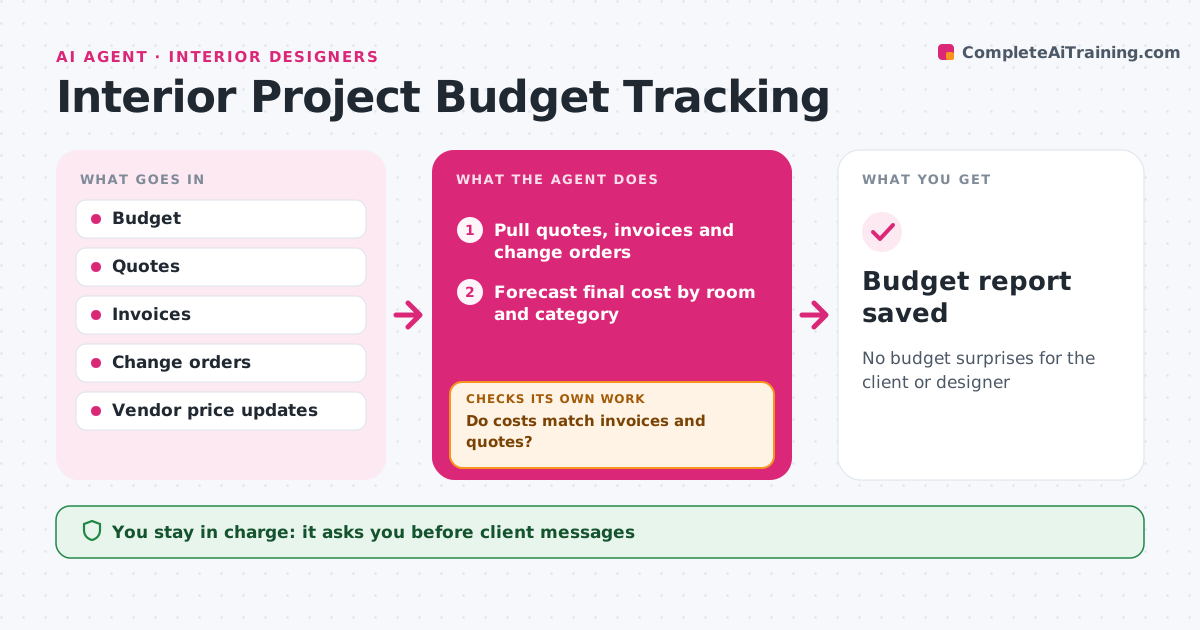
No budget surprises for the client or designer
What it does
Interior project budgets drift through small price increases and add-ons until the client is surprised at the end. Each week this agent compares committed and spent costs with the agreed budget by room and category: furniture, finishes, labor, fees and contingency. It adds approved change orders and vendor price changes. It checks every cost against its invoice and quote, and queries vendors about mismatches before correcting records. It then forecasts the final cost. When the forecast passes the alert share of the budget, it drafts a client update with options, such as swapping items or moving a phase. It checks that each option actually brings the forecast back under the line before showing it. The designer approves every client message and change order. Edge case: a price increase after client approval is shown separately so the client sees why.
How it works
Follow the arrows from top to bottom. The orange dashed arrow is the loop: when a check fails, the agent goes back and tries again.
Read the steps as a list
- Weekly budget review
- Pull quotes, invoices and change orders
- Do costs match invoices and quotes?If not: query vendors and correct records. Back to step 2.
- Forecast final cost by room and category
- Draft client update and options when over threshold
- Does each option bring the forecast under the alert line?If not: replace weak options with larger savings. Back to step 5.
- Designer approves client messagesThe agent waits here for your OK.
- Budget report saved
How it decides
It forecasts final cost and alerts when it passes the agreed share of the budget.
- Alert at 95% of budget forecast
- Price increases shown separately
- Change orders need client sign-off
Make it yours
Every agent is a starting point. You choose these settings for your own situation.
- Alert threshold
- Categories
- Review day
- Update format
What keeps you in control
It always asks you first
- Client messages
- Change orders
Hard limits
- Never sends client messages without approval
- Never changes approved budgets
It stops when
- Done: project closed
- Stop: client pauses project
Set it up
We guide you through the set-up, step by step
Members get the full set-up guide for this agent. No technical skills needed: you copy, paste and upload.
- One set of instructions to paste into your AI, with the clicks for ChatGPT, Claude, Microsoft 365 Copilot, Gemini and Grok
- The agent then walks you through connecting your own data, one source at a time
- A downloadable copy with the flow chart, the rules and the full guide