AI agent for quality control inspectors
Internal Audit Schedule Agent
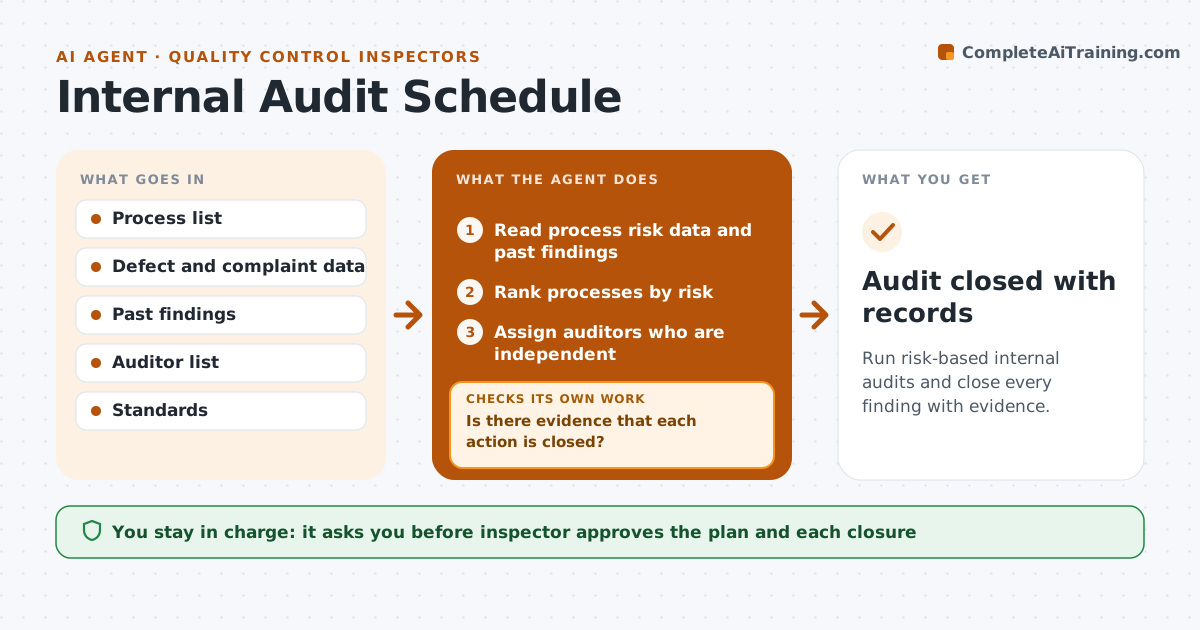
Run risk-based internal audits and close every finding with evidence.
What it does
Internal audits slip when the quarter gets busy, and the same processes are audited while risky ones are skipped. This agent builds the annual audit plan by risk, using defects, complaints and past findings. It assigns auditors, books dates and sends the checklist. After the audit it collects the findings, tracks the actions and sends reminders. After findings are fixed it checks the evidence of closure before marking the audit done. The inspector approves the plan and closures. Each audit gets a checklist drawn from the standard and the past findings, so repeat issues are looked at first. Overdue actions are chased on a schedule and shown on the plan. Edge case: an auditor assigned to their own area is swapped for an independent one.
How it works
Follow the arrows from top to bottom. The orange dashed arrow is the loop: when a check fails, the agent goes back and tries again.
Read the steps as a list
- Annual planning
- Read process risk data and past findings
- Rank processes by risk
- Assign auditors who are independent
- Inspector approves the planThe agent waits here for your OK.
- Book the dates and send checklists
- Collect the audit findings
- Create actions with owners and dates
- Check progress and send reminders
- Is there evidence that each action is closed?If not: Chase the owner and escalate overdue actions. Back to step 8.
- Audit closed with records
How it decides
It ranks processes by risk and assigns audit frequency, and closes a finding only with evidence.
- Audit high risk processes at least twice a year
- Do not audit your own area
- Set action dates by severity
- Require evidence to close
Make it yours
Every agent is a starting point. You choose these settings for your own situation.
- Audit frequency by risk
- Action due dates by severity
- Auditors list
- Reminder timing
What keeps you in control
It always asks you first
- Inspector approves the plan and each closure
Hard limits
- Never close a finding without evidence
- Never assign an auditor to their own area
It stops when
- Done: audits are complete and all findings closed
- Stop: an audit cannot be held and the inspector reschedules
Set it up
We guide you through the set-up, step by step
Members get the full set-up guide for this agent. No technical skills needed: you copy, paste and upload.
- One set of instructions to paste into your AI, with the clicks for ChatGPT, Claude, Microsoft 365 Copilot, Gemini and Grok
- The agent then walks you through connecting your own data, one source at a time
- A downloadable copy with the flow chart, the rules and the full guide