AI agent for vice president of its
IT Hiring Pipeline Skills Gap Agent
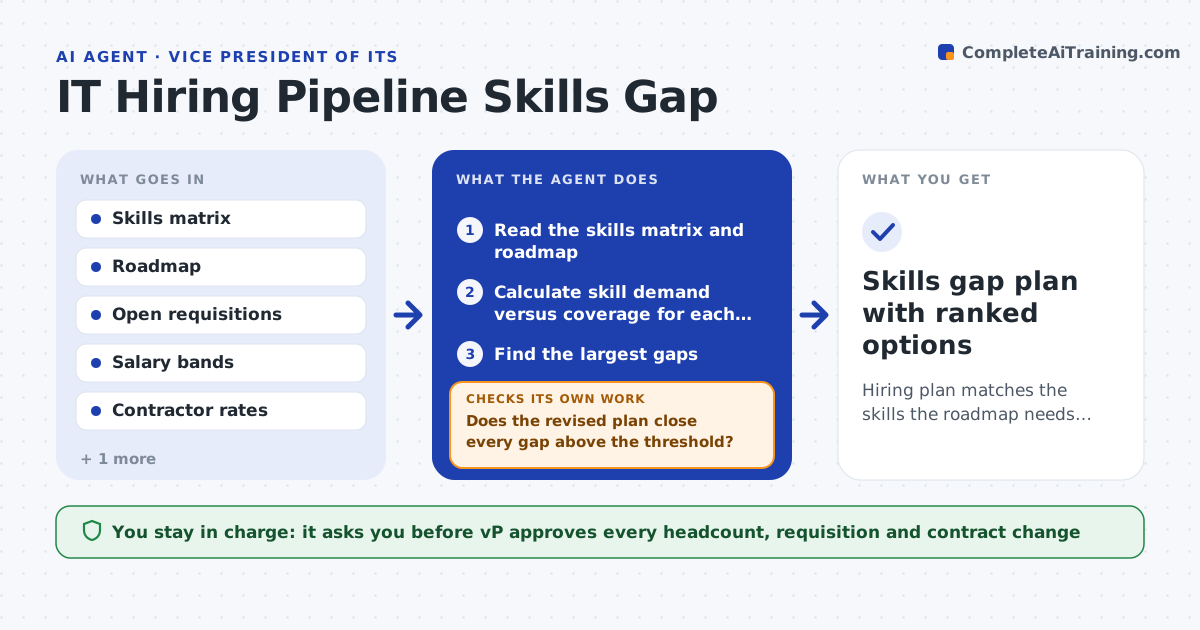
Hiring plan matches the skills the roadmap needs, with build, hire or contract options for each gap.
What it does
Open requisitions are often filled in the order they were created, not by the skills the team is missing. Then a cloud project starts and nobody on the team knows the platform. This agent compares the team skills matrix with the roadmap for the next year and finds the gaps. It checks each open requisition against those gaps and drafts adjusted role priorities with three options per gap: build through training, hire, or contract. It costs each option and recomputes the plan after every hire or departure. If a change closes one gap but opens another, it keeps iterating. It never changes headcount or posts a role. Edge case: the roadmap needs two security engineers but the open role is a general developer, so the agent flags the mismatch and shows the cost of retitling it.
How it works
Follow the arrows from top to bottom. The orange dashed arrow is the loop: when a check fails, the agent goes back and tries again.
Read the steps as a list
- Quarter planning begins or the team changes
- Read the skills matrix and roadmap
- Calculate skill demand versus coverage for each quarter
- Find the largest gaps
- Compare open requisitions to the gaps
- Draft build, hire and contract options with costs
- Does the revised plan close every gap above the threshold?If not: add or change options for the remaining gaps and recost. Back to step 4.
- Draft adjusted role priorities and the rationale
- VP approves any headcount or requisition changeThe agent waits here for your OK.
- Skills gap plan with ranked options
How it decides
It counts a gap when roadmap demand exceeds team coverage in a skill. It recommends build when time allows and the learner exists, contract for short peaks, hire for lasting needs.
- Count a gap when demand exceeds coverage by one person or more
- Recommend contract when the need lasts under 6 months
- Recommend build only when a person can reach the skill within 3 months
- Flag requisitions that fill no gap
Make it yours
Every agent is a starting point. You choose these settings for your own situation.
- Gap threshold in people (default 1)
- Planning horizon in quarters
- Skill list and levels
- Cost sources
- Recheck triggers
What keeps you in control
It always asks you first
- VP approves every headcount, requisition and contract change
Hard limits
- Never post, change or cancel a job requisition
- Never compare people on personal data beyond the skills matrix
It stops when
- Done: no gap above threshold remains uncovered
- Stop: a gap has no feasible option within budget
Set it up
We guide you through the set-up, step by step
Members get the full set-up guide for this agent. No technical skills needed: you copy, paste and upload.
- One set of instructions to paste into your AI, with the clicks for ChatGPT, Claude, Microsoft 365 Copilot, Gemini and Grok
- The agent then walks you through connecting your own data, one source at a time
- A downloadable copy with the flow chart, the rules and the full guide