AI agent for ctos
IT Project Portfolio Status Agent
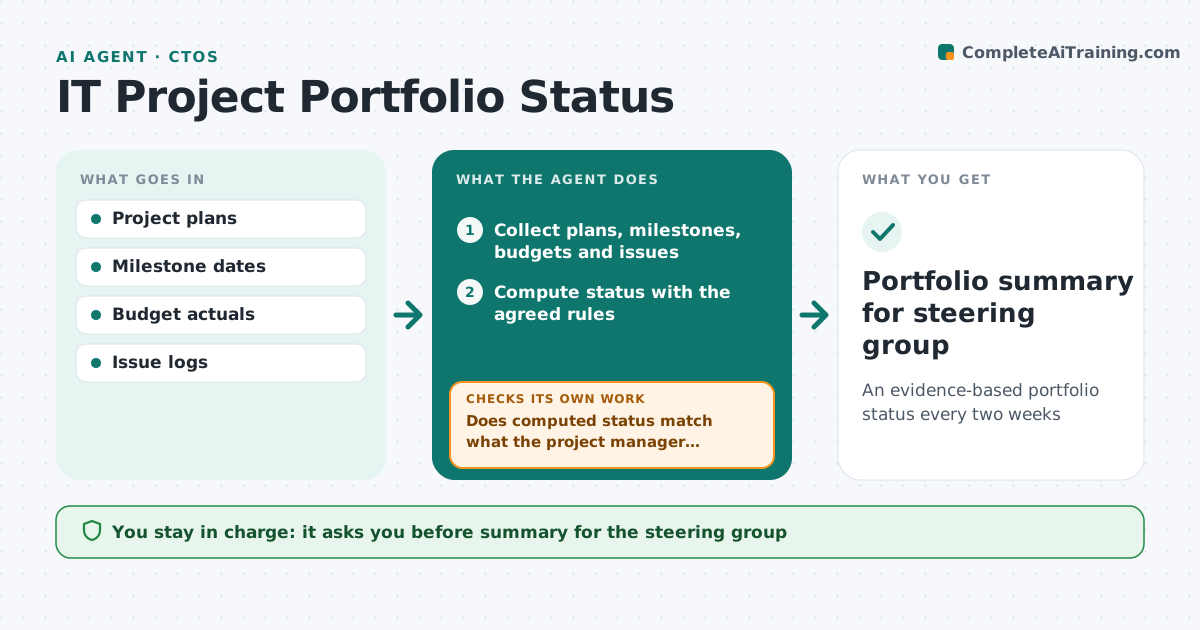
An evidence-based portfolio status every two weeks
What it does
IT leaders need an honest view of all projects, but self-reported status often stays green until it suddenly turns red. Two weeks before each steering meeting, this agent collects plans, milestone dates, budget spend and open issues for every project and computes a status from fixed rules: red when a key milestone slips more than two weeks or budget is over by more than 10 percent, amber for smaller slips. It compares that with what each project manager reported. Where they differ, it asks for an explanation and a recovery plan, then recomputes. It also checks that every project has an update from the last two weeks and marks stale ones as unknown. It drafts a portfolio summary with explanations recorded next to each status. The IT leader approves before it goes to the steering group. Edge case: an unknown project never keeps its last color.
How it works
Follow the arrows from top to bottom. The orange dashed arrow is the loop: when a check fails, the agent goes back and tries again.
Read the steps as a list
- Two weeks before steering meeting
- Collect plans, milestones, budgets and issues
- Compute status with the agreed rules
- Does computed status match what the project manager reported?If not: ask the project manager for an explanation and recovery plan, then recompute. Back to step 3.
- Has every project been updated in the last two weeks?If not: mark stale projects unknown and ask their managers for an update. Back to step 2.
- Record explanations next to each status
- Draft portfolio summary
- IT leader approves the summaryThe agent waits here for your OK.
- Portfolio summary for steering group
How it decides
Status is red when a key milestone slips more than two weeks or budget is more than 10 percent over; amber for smaller slips.
- Slip and budget rules are fixed in advance
- Stale projects show as unknown
- Explanations are recorded with the status
Make it yours
Every agent is a starting point. You choose these settings for your own situation.
- Status rules
- Reporting cycle
- Projects in scope
- Summary format
What keeps you in control
It always asks you first
- Summary for the steering group
Hard limits
- Never changes project plans
- Uses neutral wording, no blame
It stops when
- Done: approved summary
- Stop: project data missing for more than a third of projects
Set it up
We guide you through the set-up, step by step
Members get the full set-up guide for this agent. No technical skills needed: you copy, paste and upload.
- One set of instructions to paste into your AI, with the clicks for ChatGPT, Claude, Microsoft 365 Copilot, Gemini and Grok
- The agent then walks you through connecting your own data, one source at a time
- A downloadable copy with the flow chart, the rules and the full guide