AI agent for chefs
Kitchen Waste Reduction Agent
Lower food waste cost week by week
What it does
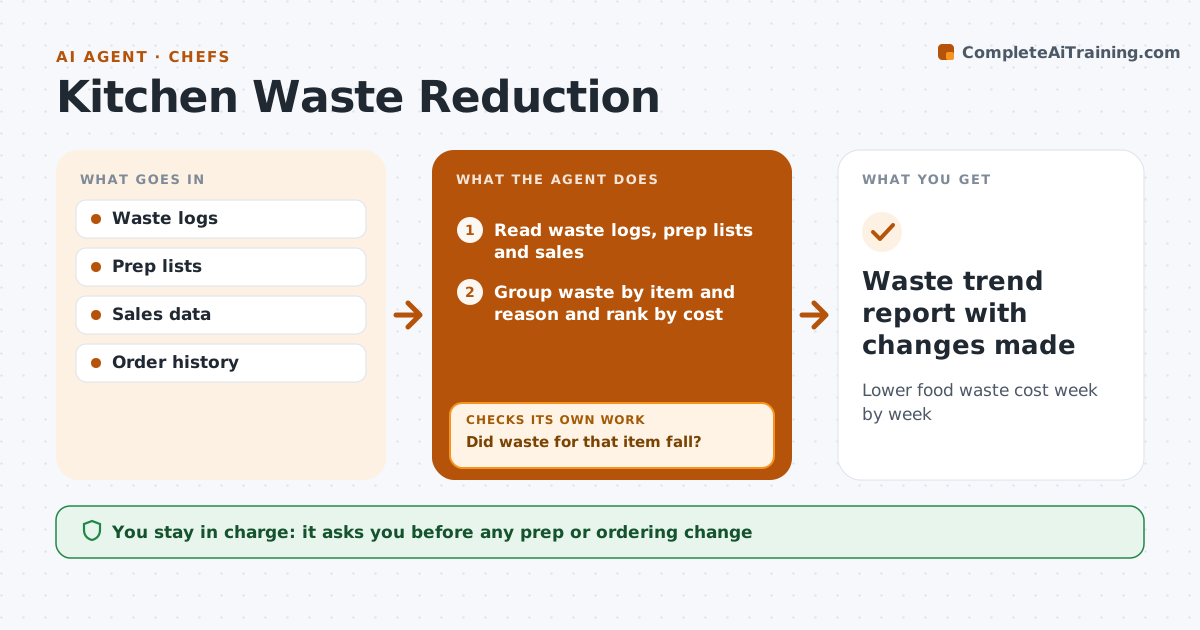
Waste logs record what gets thrown away, but they are rarely analyzed, so the same food is binned every week. Each week this agent reads waste logs, prep lists and sales and groups waste by item and reason, such as over-prep, spoilage or plate returns. It ranks causes by cost and targets the highest one first. Waste from one-off events or a power cut is excluded from the trend. It suggests one change per item at a time, such as smaller prep batches or a different order day. The chef approves every change. Two weeks later it compares waste for that item again. A change is kept only if waste dropped. If it did not drop enough, the agent looks for another cause and suggests a different change. Edge case: a menu change in the same period is noted so the comparison stays fair.
How it works
Follow the arrows from top to bottom. The orange dashed arrow is the loop: when a check fails, the agent goes back and tries again.
Read the steps as a list
- Weekly review
- Read waste logs, prep lists and sales
- Group waste by item and reason and rank by cost
- Suggest a change for the top cause
- Chef approves the changeThe agent waits here for your OK.
- Compare waste two weeks later
- Did waste for that item fall?If not: look for another cause and suggest a different change. Back to step 4.
- Waste trend report with changes made
How it decides
It targets the highest-cost waste cause first and keeps a change only if waste for that item drops after two weeks.
- Highest cost first
- One-off events are excluded
- One change per item at a time
Make it yours
Every agent is a starting point. You choose these settings for your own situation.
- Review day
- Waste reason categories
- Excluded events
- Cost target
What keeps you in control
It always asks you first
- Any prep or ordering change
Hard limits
- Never changes the menu
- Never names individual staff
It stops when
- Done: waste for the item is down
- Stop: waste logs incomplete for the week
Set it up
We guide you through the set-up, step by step
Members get the full set-up guide for this agent. No technical skills needed: you copy, paste and upload.
- One set of instructions to paste into your AI, with the clicks for ChatGPT, Claude, Microsoft 365 Copilot, Gemini and Grok
- The agent then walks you through connecting your own data, one source at a time
- A downloadable copy with the flow chart, the rules and the full guide