AI agent for data scientists
Label Quality Audit Agent
Find and fix the label errors that hold model quality down, and prove the fix with a retrained comparison
What it does
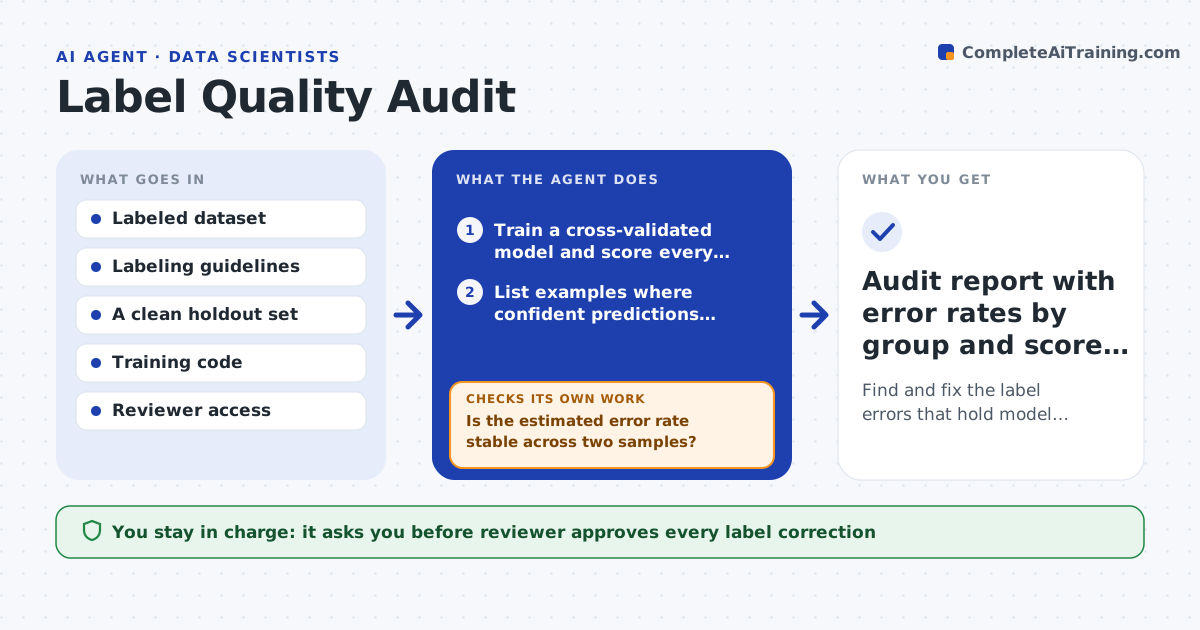
A model can only be as good as its labels, but nobody has time to reread 200,000 rows. This agent trains a quick model with cross-validation and lists the examples where the model is confident and the label disagrees. It groups those cases by class, source and labeler so patterns show up, such as one annotator mixing two classes. It pulls a sample from each group for a human reviewer and uses the reviewed sample to estimate the true error rate. After the reviewer approves corrections, it retrains on the fixed labels and compares scores on a clean holdout set. If scores do not improve, it checks whether the corrections were consistent and samples again. Edge case: a group the model disagrees with turns out to be a genuinely new subtype, so the agent suggests a new class instead of a fix.
How it works
Follow the arrows from top to bottom. The orange dashed arrow is the loop: when a check fails, the agent goes back and tries again.
Read the steps as a list
- Retrain planned or quality plateau noticed
- Train a cross-validated model and score every example out-of-fold
- List examples where confident predictions disagree with the label
- Group the suspects by class, source and labeler
- Sample from each group and send to the reviewer
- Is the estimated error rate stable across two samples?If not: draw a larger sample from the unstable groups and send it for review. Back to step 5.
- Reviewer approves the corrected labelsThe agent waits here for your OK.
- Retrain on corrected labels and score on the clean holdout
- Did holdout quality improve beyond noise?If not: check correction consistency, widen the suspect list with a lower confidence cutoff, and review again. Back to step 3.
- Audit report with error rates by group and score comparison
How it decides
It ranks examples by model confidence against the given label and samples more heavily from groups with a high disagreement rate. It trusts a correction only when the reviewer's answer matches the guidelines.
- Flag an example when the model confidence in another class is above 0.9 and out-of-fold
- Sample at least 50 examples per group, more when the group disagreement rate is above 20%
- Suggest a new class when over 30% of a reviewed group fits no existing label
- Count an improvement only when it exceeds the spread of 5 repeated training runs
Make it yours
Every agent is a starting point. You choose these settings for your own situation.
- Confidence cutoff for flagging (default 0.9)
- Sample size per group (default 50)
- Model type used for the audit (default gradient boosting)
- Metric for comparison (default macro F1)
- Reviewer or review tool to send samples to
What keeps you in control
It always asks you first
- Reviewer approves every label correction
- Data owner approves any change to the labeling guidelines
Hard limits
- Never change a label without reviewer approval
- Never score on data the model was trained on
It stops when
- Done: corrected labels are approved and the retrained score is compared with the baseline
- Stop: reviewers disagree with each other on more than 30% of the sample, so the guidelines need fixing first
Set it up
We guide you through the set-up, step by step
Members get the full set-up guide for this agent. No technical skills needed: you copy, paste and upload.
- One set of instructions to paste into your AI, with the clicks for ChatGPT, Claude, Microsoft 365 Copilot, Gemini and Grok
- The agent then walks you through connecting your own data, one source at a time
- A downloadable copy with the flow chart, the rules and the full guide