AI agent for geologists
Landowner Access Permission Agent
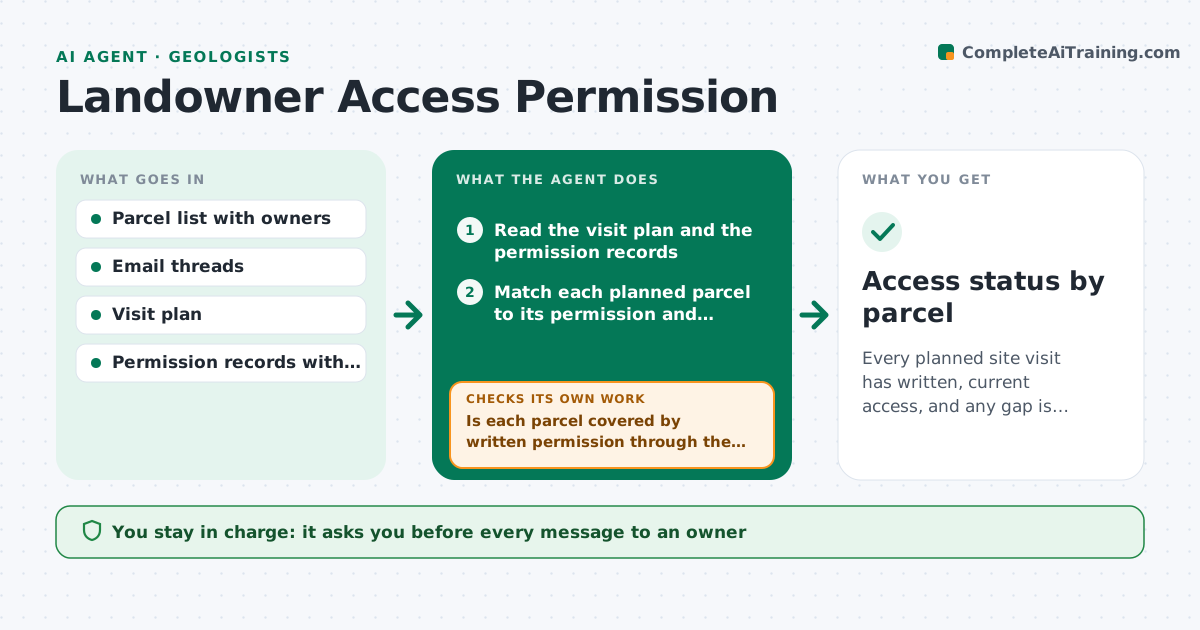
Every planned site visit has written, current access, and any gap is raised weeks before the visit.
What it does
The team shows up at a parcel and the owner says the permission ended last month. This agent tracks access permissions by parcel and owner and reads the email threads and notes that hold them. It flags permissions that will expire before the planned visits, and drafts access requests or renewals with the dates, the purpose and the crew. It checks for replies each week, updates the site list, and escalates silent owners to the project lead. It also lists the conditions each owner set, such as phoning ahead or avoiding certain months. You approve every message. Edge case: a permission given verbally is marked unconfirmed until it is written down.
How it works
Follow the arrows from top to bottom. The orange dashed arrow is the loop: when a check fails, the agent goes back and tries again.
Read the steps as a list
- Weekly run or visit added
- Read the visit plan and the permission records
- Match each planned parcel to its permission and conditions
- Is each parcel covered by written permission through the visit date?If not: add the parcel to the request list with the reason. Back to step 3.
- Draft access requests and renewals with dates and purpose
- Scientist approves every messageThe agent waits here for your OK.
- Check the inbox for replies
- Has the owner replied in writing within 7 days?If not: draft a reminder, then escalate to the project lead after the second. Back to step 5.
- Update the site list and conditions
- Access status by parcel
How it decides
A permission is valid if written and in force through the visit date. Visits within the warning window without valid permission get a request.
- Permission expires within 30 days of a planned visit: send a renewal
- Verbal permission only: mark unconfirmed and ask for it in writing
- No reply after two reminders: escalate to the project lead
- Owner sets a condition such as no visits in lambing season: add it to the visit plan
Make it yours
Every agent is a starting point. You choose these settings for your own situation.
- Warning window in days (default 30)
- Reminder interval
- Escalation contact
- Message tone
- Condition types to track
What keeps you in control
It always asks you first
- Every message to an owner
- Visits to parcels without confirmed permission
Hard limits
- Never visit or plan a visit on unconfirmed access
- Never share an owner's contact details outside the project
It stops when
- Done: all planned parcels have valid permission
- Stop: owner refuses access, parcel removed from plan
Set it up
We guide you through the set-up, step by step
Members get the full set-up guide for this agent. No technical skills needed: you copy, paste and upload.
- One set of instructions to paste into your AI, with the clicks for ChatGPT, Claude, Microsoft 365 Copilot, Gemini and Grok
- The agent then walks you through connecting your own data, one source at a time
- A downloadable copy with the flow chart, the rules and the full guide