AI agent for health coachs
Lapsed Client Re-engagement Agent
Win back lapsed clients
What it does
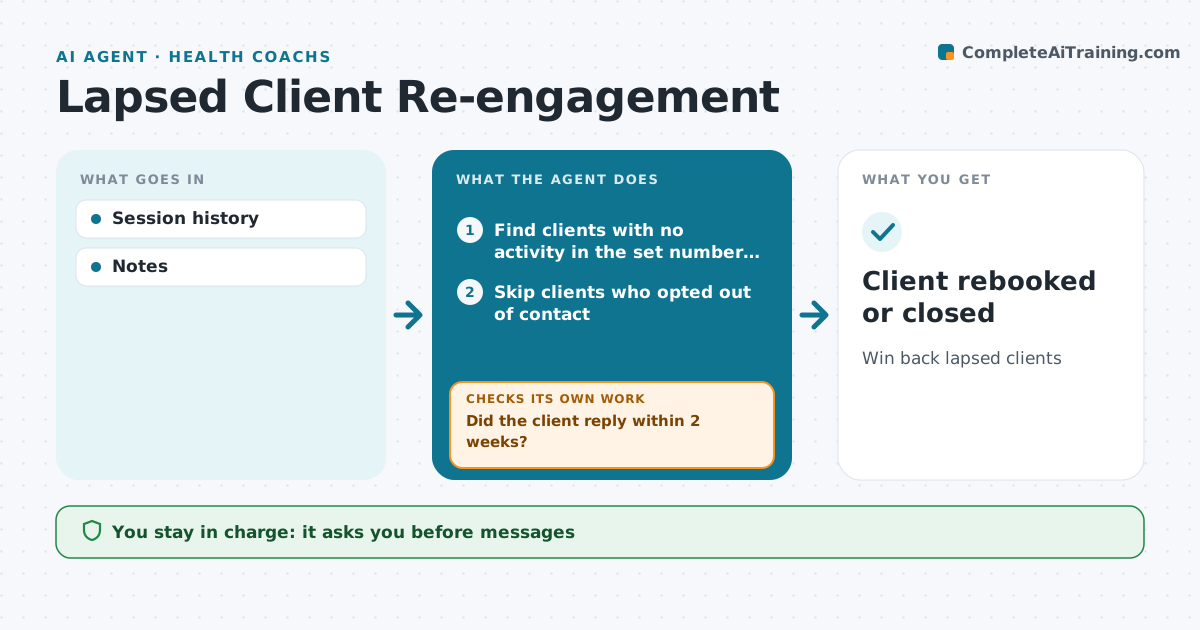
Clients often stop coming without saying why, and a well-timed personal message can bring many back. This agent finds clients with no session or check-in for the set number of weeks. It reviews their last notes for likely reasons, such as a schedule change, cost or an injury. It drafts a personal message for the professional to send, such as an offer of a shorter session or a new time. It tracks replies and books returning clients. After two weeks with no reply, it drafts one final message. If that also goes unanswered, it closes the client as lapsed so they are not contacted again. The professional approves every message. Edge case: clients who asked not to be contacted are skipped entirely.
How it works
Follow the arrows from top to bottom. The orange dashed arrow is the loop: when a check fails, the agent goes back and tries again.
Read the steps as a list
- Weekly scan of session and check-in history
- Find clients with no activity in the set number of weeks
- Skip clients who opted out of contact
- Read last session notes for likely reasons
- Draft a personal message with a fitting offer
- Professional edits and sends the messageThe agent waits here for your OK.
- Did the client reply within 2 weeks?If not: draft one final message if only one was sent, otherwise close the client as lapsed. Back to step 5.
- Book returning clients into the calendar
- Client rebooked or closed
How it decides
No activity in the set weeks marks lapsed.
- Lapsed after 3 weeks
- Two messages max
- Opt-outs skipped
Make it yours
Every agent is a starting point. You choose these settings for your own situation.
- Lapse weeks
- Messages
- Offers
- Tone
What keeps you in control
It always asks you first
- Messages
Hard limits
- No pressure tactics
It stops when
- Done: rebooked
- Stop: no reply after two
Set it up
We guide you through the set-up, step by step
Members get the full set-up guide for this agent. No technical skills needed: you copy, paste and upload.
- One set of instructions to paste into your AI, with the clicks for ChatGPT, Claude, Microsoft 365 Copilot, Gemini and Grok
- The agent then walks you through connecting your own data, one source at a time
- A downloadable copy with the flow chart, the rules and the full guide