AI agent for chief product officers
Launch Readiness Gate Agent
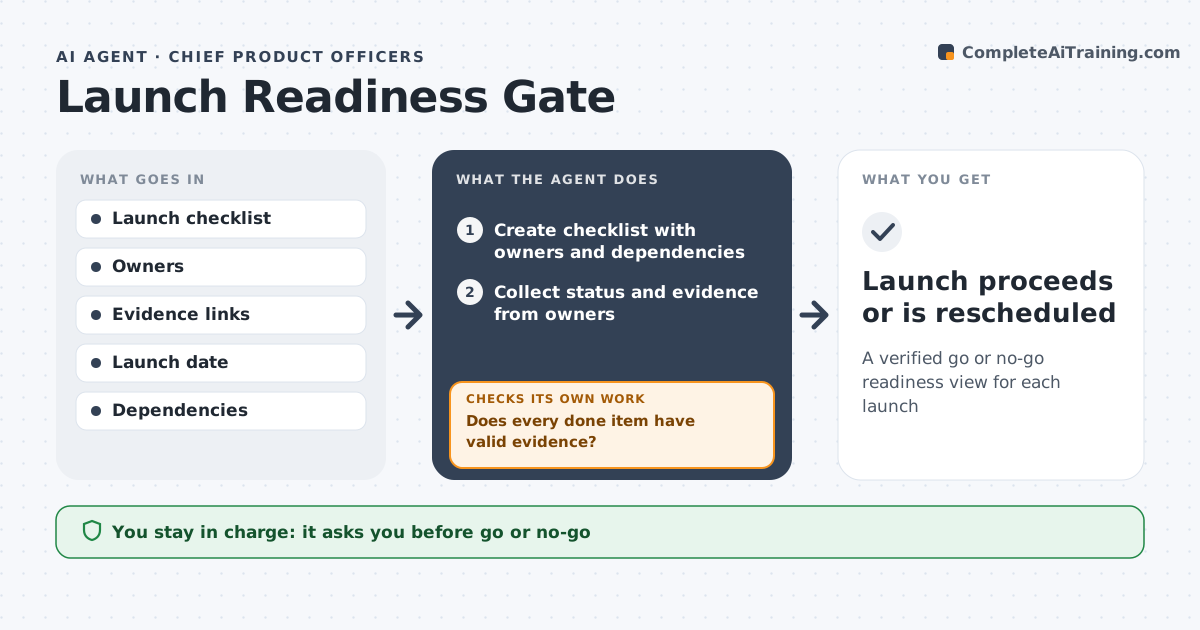
A verified go or no-go readiness view for each launch
What it does
A product launch needs engineering, marketing, sales, support and legal ready on the same day, and launches often go out with gaps. This agent holds the launch checklist, asks each team owner for status and evidence, and checks the evidence, such as a published help article, completed sales training or a signed legal review. Items marked done without evidence are reopened. If pricing changes late, it reopens every item that depends on price. Two weeks and three days before launch it reports readiness and blockers. If a critical item is still open at the final gate, it recommends a delay or a reduced launch. The CPO makes the go or no-go call.
How it works
Follow the arrows from top to bottom. The orange dashed arrow is the loop: when a check fails, the agent goes back and tries again.
Read the steps as a list
- Launch date is set
- Create checklist with owners and dependencies
- Collect status and evidence from owners
- Does every done item have valid evidence?If not: reopen the item and ask the owner for proof. Back to step 3.
- Reopen items affected by late changes
- Prepare readiness report with blockers
- CPO makes go or no-go decisionThe agent waits here for your OK.
- Launch proceeds or is rescheduled
How it decides
It counts items as ready only with evidence and blocks go when any critical item is open.
- Critical items open at the final gate mean no-go recommendation
- Late changes reopen dependent items
- Evidence must be a link or file, not a comment
Make it yours
Every agent is a starting point. You choose these settings for your own situation.
- Checklist items and which are critical
- Gate dates
- Evidence rules
- Report recipients
What keeps you in control
It always asks you first
- Go or no-go
- Announcing launch externally
Hard limits
- Does not publish anything
- Does not change launch date itself
It stops when
- Done: launch decision made
- Stop: launch cancelled
Set it up
We guide you through the set-up, step by step
Members get the full set-up guide for this agent. No technical skills needed: you copy, paste and upload.
- One set of instructions to paste into your AI, with the clicks for ChatGPT, Claude, Microsoft 365 Copilot, Gemini and Grok
- The agent then walks you through connecting your own data, one source at a time
- A downloadable copy with the flow chart, the rules and the full guide