AI agent for education consultants
Learning Materials Review Agent
Consistent evidence-based materials decisions
What it does
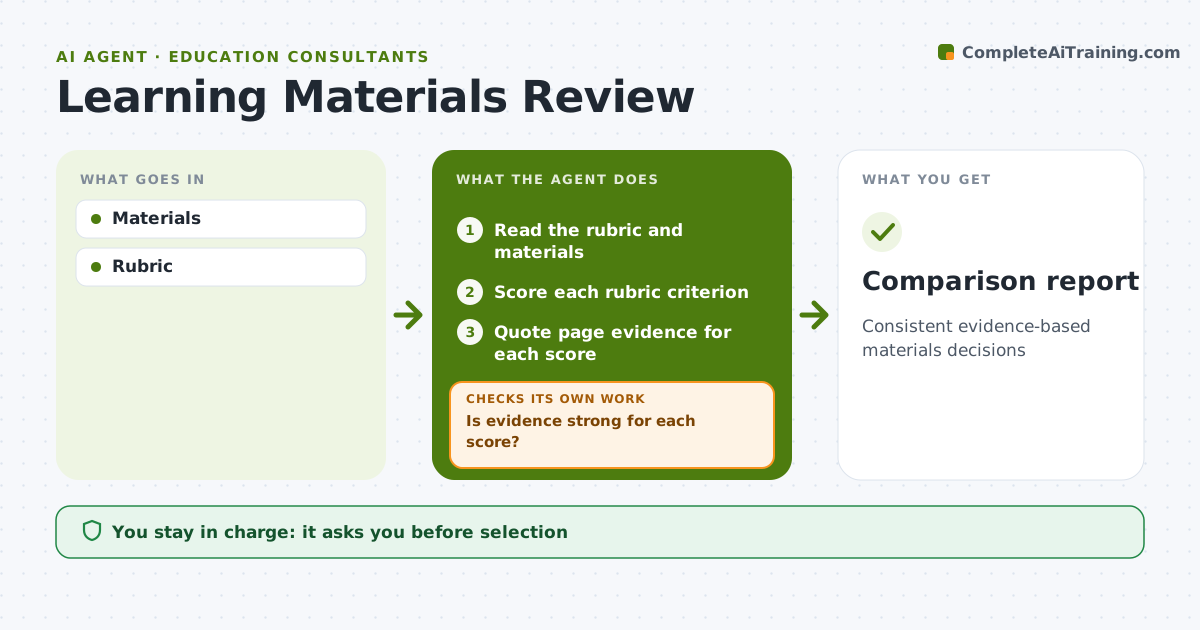
Choosing textbooks and learning materials needs a consistent review against criteria like standards alignment, accessibility, cultural relevance, bias, teacher support and cost. Reviewers often score differently without evidence. This agent applies the agreed rubric to each material under review and collects page references as evidence for each score. It builds a side-by-side comparison of all options. Where evidence for a score is thin, it reads more sections and rescores, and if it is still unsure, it marks the criterion and asks a human reviewer to check before the score stands. The selection committee makes the final decision. Edge case: when only sample chapters are available, scores based on them are marked as partial evidence so the committee can weigh them.
How it works
Follow the arrows from top to bottom. The orange dashed arrow is the loop: when a check fails, the agent goes back and tries again.
Read the steps as a list
- Review starts
- Read the rubric and materials
- Score each rubric criterion
- Quote page evidence for each score
- Is evidence strong for each score?If not: read more sections and rescore. Back to step 3.
- Build the comparison report
- Committee decidesThe agent waits here for your OK.
- Comparison report
How it decides
Rubric scores with evidence.
- Evidence required for every score
- Partial evidence marked
- Bias checks included
Make it yours
Every agent is a starting point. You choose these settings for your own situation.
- Rubric
- Weights
- Evidence rules
- Format
What keeps you in control
It always asks you first
- Selection
Hard limits
- No vendor contact
It stops when
- Done: report
- Stop: materials withdrawn
Set it up
We guide you through the set-up, step by step
Members get the full set-up guide for this agent. No technical skills needed: you copy, paste and upload.
- One set of instructions to paste into your AI, with the clicks for ChatGPT, Claude, Microsoft 365 Copilot, Gemini and Grok
- The agent then walks you through connecting your own data, one source at a time
- A downloadable copy with the flow chart, the rules and the full guide