AI agent for instructional designers
Learning Objective to Assessment Alignment Agent
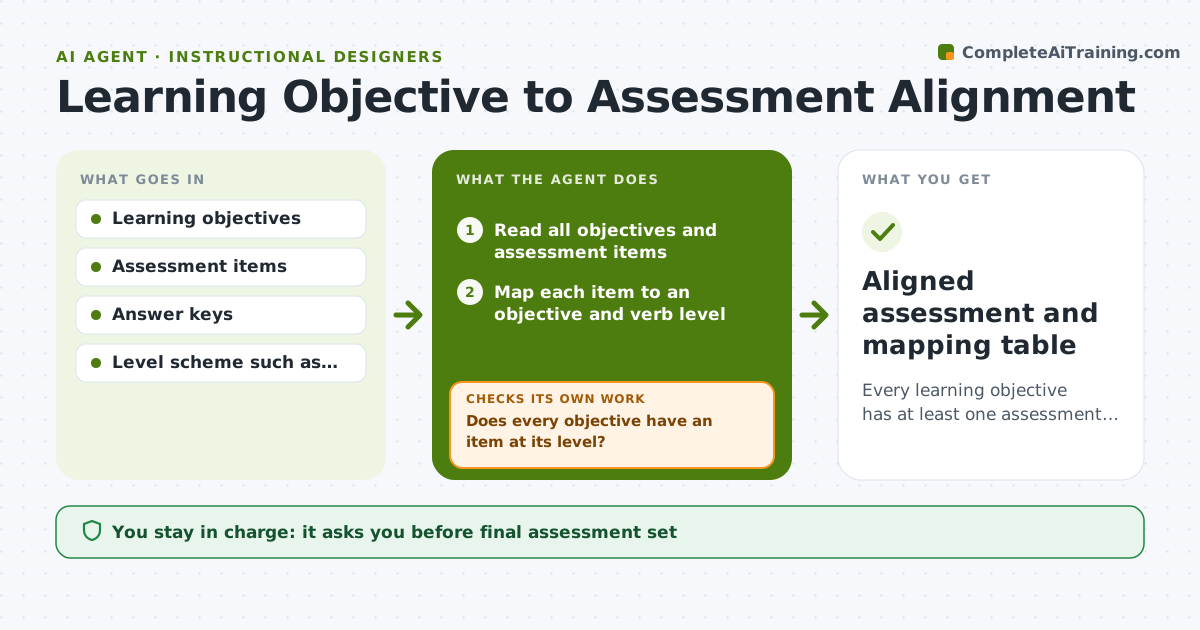
Every learning objective has at least one assessment item at the right level.
What it does
You read the objectives, which say learners will apply a method, then see the quiz, which asks them to recall definitions. This agent reads each objective and each assessment item and maps items to objectives and to the verb level, such as recall, apply or analyze. It lists objectives with no item or with an item at the wrong level. For each gap it drafts replacement or new items at the right level, then re-maps the whole set to confirm every objective is covered. Edge case: an objective that says evaluate is covered only by multiple choice recall items, so the agent drafts a short scenario question instead. The designer approves the final set.
How it works
Follow the arrows from top to bottom. The orange dashed arrow is the loop: when a check fails, the agent goes back and tries again.
Read the steps as a list
- Designer shares objectives and assessment
- Read all objectives and assessment items
- Map each item to an objective and verb level
- Does every objective have an item at its level?If not: list the gaps and draft new or replacement items. Back to step 3.
- Draft items for the gaps with answer keys
- Re-map the full set after the changes
- Is any item left that matches no objective?If not: flag it for removal or link it to an objective. Back to step 3.
- Produce an alignment table
- Designer approves the final setThe agent waits here for your OK.
- Aligned assessment and mapping table
How it decides
It matches each item to an objective by content and verb level, and flags any objective without a match at its own level or higher.
- An objective needs an item at its verb level or above.
- An item that matches no objective is flagged for removal.
- Apply and analyze objectives need scenario items, not recall.
- Each objective should have at least two items for reliability.
Make it yours
Every agent is a starting point. You choose these settings for your own situation.
- Level scheme
- Items per objective (default 2)
- Item types allowed
- Course format
- Naming style
What keeps you in control
It always asks you first
- Final assessment set
- Removal of any existing items
Hard limits
- Do not change objectives without approval.
- Do not publish items without answer keys.
It stops when
- Done: every objective is covered at the right level and approved
- Stop: objectives are too vague to map, so the agent asks the designer to restate them
Set it up
We guide you through the set-up, step by step
Members get the full set-up guide for this agent. No technical skills needed: you copy, paste and upload.
- One set of instructions to paste into your AI, with the clicks for ChatGPT, Claude, Microsoft 365 Copilot, Gemini and Grok
- The agent then walks you through connecting your own data, one source at a time
- A downloadable copy with the flow chart, the rules and the full guide