AI agent for legal assistants
Legal Hold Records Freeze Agent
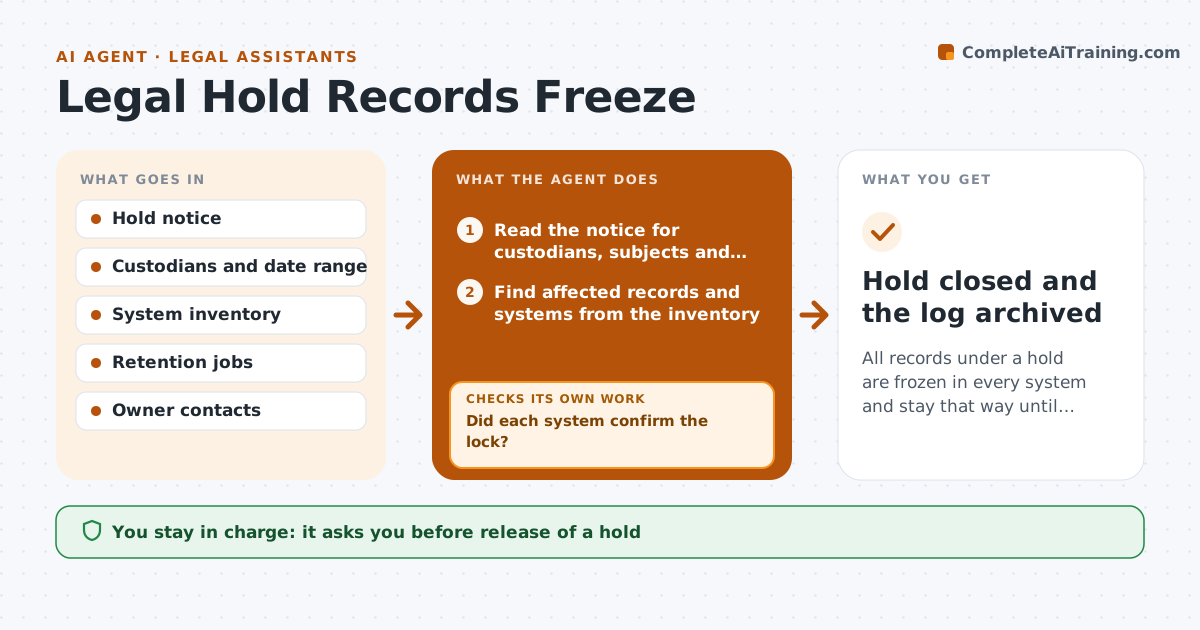
All records under a hold are frozen in every system and stay that way until legal lifts the hold
What it does
Records under legal hold are altered or purged by routine processes because nobody applied the freeze everywhere. On a hold notice, this agent identifies the affected records and systems from the matter description and the custodian list. It applies freezes using the system's own functions, checks each system for the lock and reports gaps. If a lock fails, it retries and escalates to the system owner. It watches for new records that fall under the hold. Legal approves release of a hold. Edge case: a backup system still runs a deletion job on schedule, so the agent flags the job and asks for it to be paused.
How it works
Follow the arrows from top to bottom. The orange dashed arrow is the loop: when a check fails, the agent goes back and tries again.
Read the steps as a list
- A legal hold notice arrives
- Read the notice for custodians, subjects and dates
- Find affected records and systems from the inventory
- Apply freezes and pause retention jobs
- Did each system confirm the lock?If not: retry the freeze and ask the system owner for help. Back to step 3.
- Report confirmed systems and gaps to legal
- Scan daily for new records under the hold
- Are new records captured by the freeze?If not: extend the freeze and report the gap. Back to step 3.
- Legal approves release of the holdThe agent waits here for your OK.
- Hold closed and the log archived
How it decides
A system is covered only when a test confirms the lock. Anything not confirmed is treated as a gap and escalated.
- Treat an unconfirmed lock as a gap
- Pause deletion jobs for affected systems
- Escalate gaps after 24 hours
- Never lift a hold without legal approval
Make it yours
Every agent is a starting point. You choose these settings for your own situation.
- Escalation time (default 24 hours)
- Systems in scope
- Scan frequency (default daily)
- Legal contact
What keeps you in control
It always asks you first
- Release of a hold
Hard limits
- Never lift a hold
- Never alter held records
It stops when
- Done: hold released by legal and the log kept
- Stop: hold notice is unclear
Set it up
We guide you through the set-up, step by step
Members get the full set-up guide for this agent. No technical skills needed: you copy, paste and upload.
- One set of instructions to paste into your AI, with the clicks for ChatGPT, Claude, Microsoft 365 Copilot, Gemini and Grok
- The agent then walks you through connecting your own data, one source at a time
- A downloadable copy with the flow chart, the rules and the full guide