AI agent for headteachers
Lesson Observation Feedback Cycle Agent
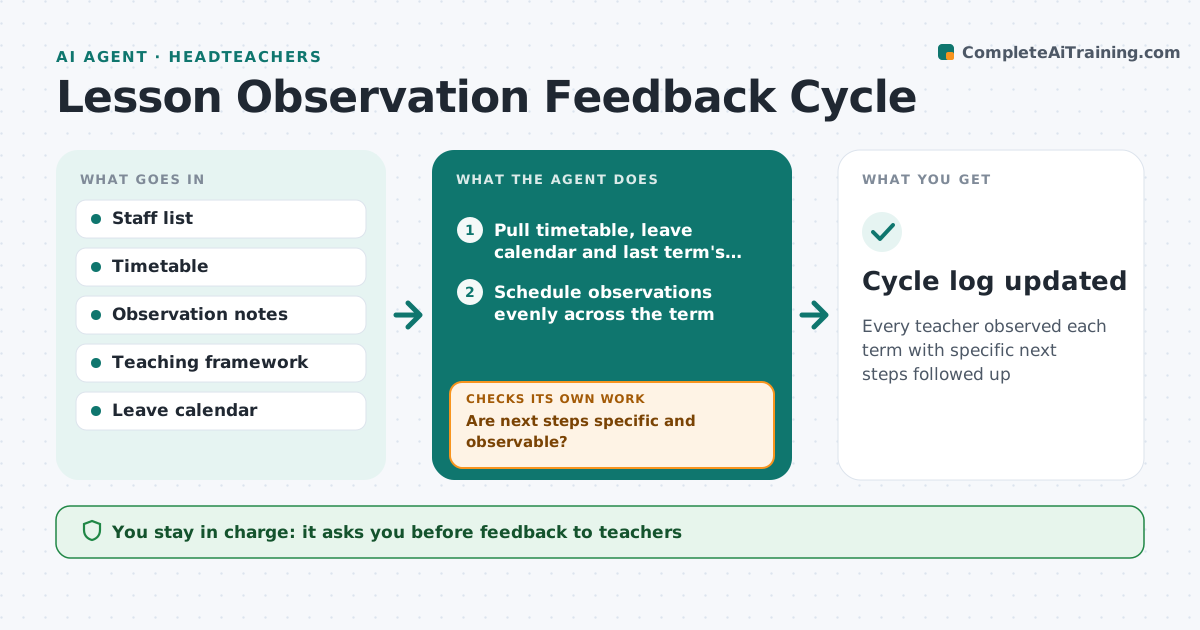
Every teacher observed each term with specific next steps followed up
What it does
School leaders observe lessons and agree development steps with teachers, but cycles drift and next steps are often too vague to check. This agent schedules observations from the timetable and leave calendar so every teacher is seen at least once a term. It collects observation notes and drafts feedback that links strengths and next steps to the school's teaching framework. It checks that each next step names a visible change; vague ones go back to the observer to sharpen. The leader approves feedback before it reaches the teacher. The agent then books a follow-up visit and checks whether the step was met; if not, it suggests coaching or training. Edge case: a teacher is on leave during the observation window, so the agent reschedules and keeps the cycle balanced across the term.
How it works
Follow the arrows from top to bottom. The orange dashed arrow is the loop: when a check fails, the agent goes back and tries again.
Read the steps as a list
- Term starts
- Pull timetable, leave calendar and last term's cycle
- Schedule observations evenly across the term
- Draft feedback from observation notes
- Are next steps specific and observable?If not: send back to observer to sharpen. Back to step 4.
- Leader approves feedbackThe agent waits here for your OK.
- Schedule follow-up visit and record outcome
- Was the next step met at follow-up?If not: suggest coaching or training and book another visit. Back to step 7.
- Cycle log updated
How it decides
It schedules evenly across the term and only accepts next steps that name an observable change.
- Each teacher observed at least once per term
- Next steps must describe a visible change
- Unmet steps lead to coaching suggestions
Make it yours
Every agent is a starting point. You choose these settings for your own situation.
- Observations per term
- Framework
- Follow-up interval
- Feedback template
What keeps you in control
It always asks you first
- Feedback to teachers
- Coaching plans
Hard limits
- Notes visible only to the teacher and leaders
- Not used for pay decisions
It stops when
- Done: all teachers observed
- Stop: staffing changes, reschedule
Set it up
We guide you through the set-up, step by step
Members get the full set-up guide for this agent. No technical skills needed: you copy, paste and upload.
- One set of instructions to paste into your AI, with the clicks for ChatGPT, Claude, Microsoft 365 Copilot, Gemini and Grok
- The agent then walks you through connecting your own data, one source at a time
- A downloadable copy with the flow chart, the rules and the full guide