AI agent for 3d artists
Lighting Setup Preset Matching Agent
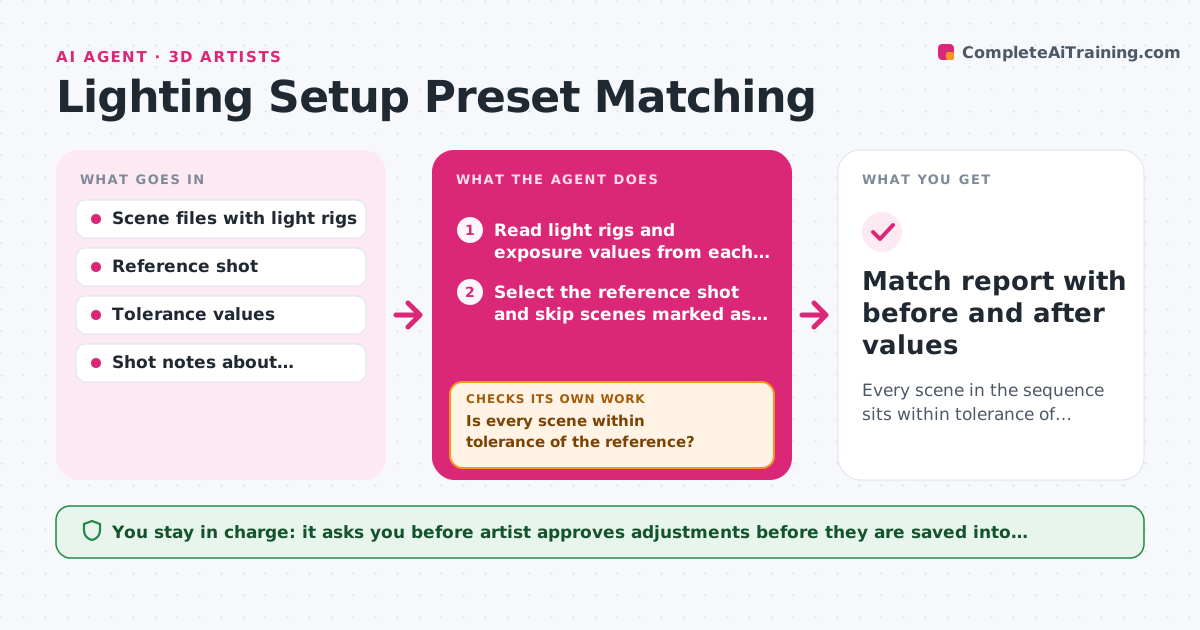
Every scene in the sequence sits within tolerance of the reference shot for brightness and color temperature
What it does
In a sequence, each scene is often lit by a different artist or on a different day, and small changes in exposure or color temperature make shots look like they belong to different films. This agent picks a reference shot, then reads the light rigs and exposure values from every scene in the sequence. It runs low-resolution test renders and measures average luminance and color temperature for each one. Scenes that stray from the reference by more than the tolerance are flagged, and the agent proposes specific adjustments, such as lowering the key light by half a stop or warming the fill. It renders the test again, re-measures and repeats until the values fall inside tolerance or it runs out of safe moves. The artist approves the final changes before they are applied to the production scenes. Edge case: a scene meant to be night is excluded from the match by a shot note.
How it works
Follow the arrows from top to bottom. The orange dashed arrow is the loop: when a check fails, the agent goes back and tries again.
Read the steps as a list
- Sequence ready for a lighting match
- Read light rigs and exposure values from each scene
- Select the reference shot and skip scenes marked as intentional exceptions
- Run low-resolution test renders of each scene
- Measure average luminance and color temperature
- Is every scene within tolerance of the reference?If not: Propose the smallest adjustment for each stray scene, apply it to a test copy and re-render. Back to step 4.
- Artist approves the final adjustmentsThe agent waits here for your OK.
- Apply the approved changes to the scene files
- Does a final test render of the changed scenes stay within tolerance?If not: Revert that scene's change and return it to the artist with the measured values. Back to step 4.
- Match report with before and after values
How it decides
It compares measured luminance and color temperature with the reference, skips scenes marked as intentional exceptions, and chooses the smallest adjustment that moves the measurement toward tolerance.
- Tolerance default is 0.3 stops of luminance and 300 K of color temperature
- Never adjust a scene marked as an intentional exception
- Adjust exposure before touching individual light colors
- Stop after 4 adjustment rounds on one scene and hand it to the artist
Make it yours
Every agent is a starting point. You choose these settings for your own situation.
- Luminance and color temperature tolerance
- Which shot is the reference
- Test render resolution
- Maximum adjustment rounds (default 4)
- Scenes treated as exceptions
What keeps you in control
It always asks you first
- Artist approves adjustments before they are saved into production scenes
Hard limits
- Work on test copies until the artist approves
- Never change geometry or materials, only lighting values
It stops when
- Done: All scenes are within tolerance of the reference
- Stop: A scene still fails after 4 rounds, so the agent reports the values and the moves it tried
Set it up
We guide you through the set-up, step by step
Members get the full set-up guide for this agent. No technical skills needed: you copy, paste and upload.
- One set of instructions to paste into your AI, with the clicks for ChatGPT, Claude, Microsoft 365 Copilot, Gemini and Grok
- The agent then walks you through connecting your own data, one source at a time
- A downloadable copy with the flow chart, the rules and the full guide