AI agent for actors
Line Memorization Drill Agent
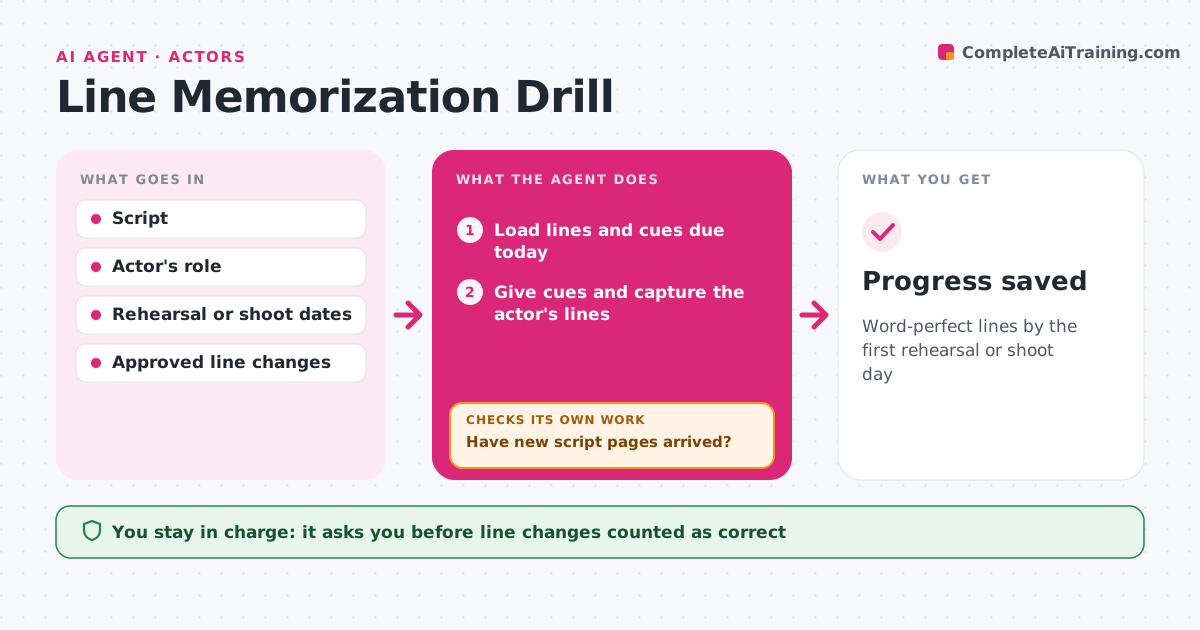
Word-perfect lines by the first rehearsal or shoot day
What it does
Learning lines word-perfect takes repetition, and rewrites late in rehearsal make it harder. This agent loads the script and splits the actor's lines into chunks by scene and beat, then gives the cue lines aloud or in text. The actor speaks or types their line. It compares with the script word for word and marks dropped, added or changed words. Lines with errors come back sooner; correct ones are spaced out. At the end of each session it checks accuracy by scene. Scenes under the target go back into the next session. It plans sessions backwards from the rehearsal or shoot date. The actor sets the schedule and marks line changes the director approved. Edge case: when rewrite pages arrive, only the changed lines are re-drilled.
How it works
Follow the arrows from top to bottom. The orange dashed arrow is the loop: when a check fails, the agent goes back and tries again.
Read the steps as a list
- Drill session starts
- Load lines and cues due today
- Have new script pages arrived?If not: find the changed lines and add only those to today's drill. Back to step 2.
- Give cues and capture the actor's lines
- Compare with the script word for word
- Is each scene at the accuracy target?If not: bring missed lines back sooner in this and the next session. Back to step 4.
- Actor confirms the schedule and approved line changesThe agent waits here for your OK.
- Progress saved
How it decides
It brings back missed lines sooner and spaces out lines already known.
- Missed lines return within the session
- Scene target is 100% for the shoot
- Director-approved changes replace script lines
Make it yours
Every agent is a starting point. You choose these settings for your own situation.
- Accuracy target
- Session length
- Cue mode (audio or text)
- Target dates
What keeps you in control
It always asks you first
- Line changes counted as correct
Hard limits
- Never shares the script
- Stores practice recordings only on the actor's device
It stops when
- Done: all scenes at target
- Stop: target date passed
Set it up
We guide you through the set-up, step by step
Members get the full set-up guide for this agent. No technical skills needed: you copy, paste and upload.
- One set of instructions to paste into your AI, with the clicks for ChatGPT, Claude, Microsoft 365 Copilot, Gemini and Grok
- The agent then walks you through connecting your own data, one source at a time
- A downloadable copy with the flow chart, the rules and the full guide