AI agent for manufacturing engineers
Line Rebalancing Agent
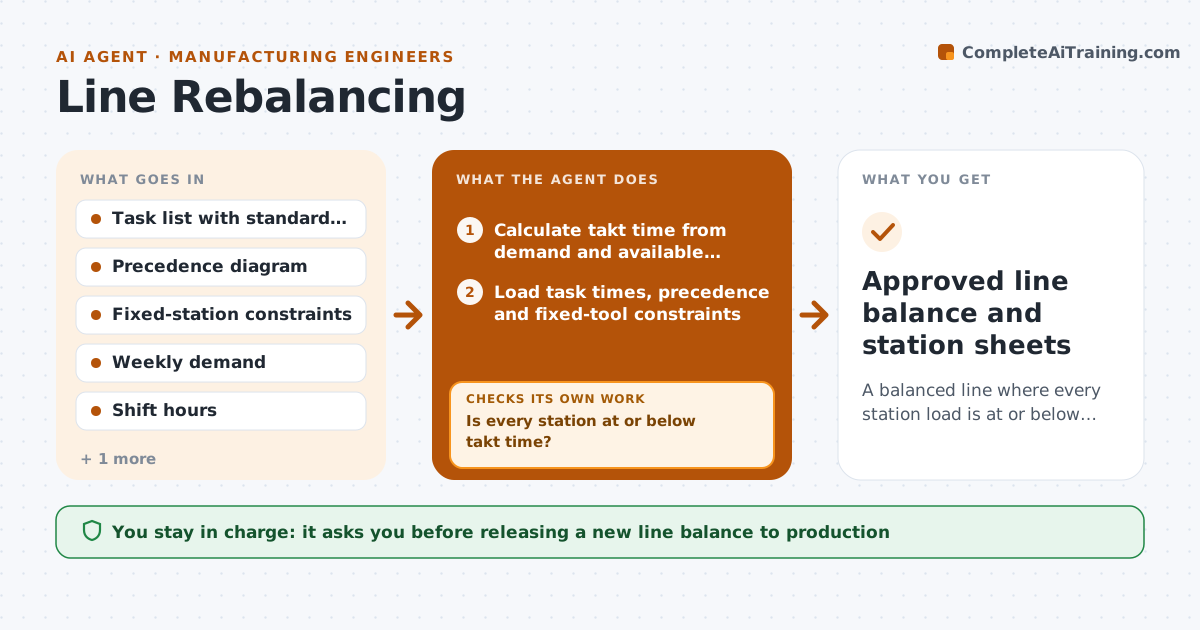
A balanced line where every station load is at or below takt time and precedence is respected
What it does
When demand or staffing changes, an assembly line needs its tasks spread again so no station runs over takt time, and doing it by hand on a spreadsheet takes most of a day. When new demand or headcount is entered, this agent calculates the new takt time from available minutes. It loads task times, precedence rules and fixed-tool constraints, then assigns tasks in precedence order to the least loaded allowed station. A task that needs a fixed tool stays at its station, and the agent balances around it. It checks every station against takt. If a station is over, it moves unconstrained tasks to neighbors and reassigns. After three failed tries, it shows the best option and the blocking tasks. It calculates balance loss and operator count, and drafts station sheets and a change list. The engineer approves before anything reaches the floor.
How it works
Follow the arrows from top to bottom. The orange dashed arrow is the loop: when a check fails, the agent goes back and tries again.
Read the steps as a list
- New demand or headcount is entered
- Calculate takt time from demand and available minutes
- Load task times, precedence and fixed-tool constraints
- Assign tasks to stations in precedence order
- Is every station at or below takt time?If not: move unconstrained tasks from the overloaded station to its neighbors and reassign. Back to step 4.
- Calculate balance loss and operator count
- Draft station layout and change list for the floor
- Engineer approves the new balance before releaseThe agent waits here for your OK.
- Approved line balance and station sheets
How it decides
It assigns tasks in precedence order to the least loaded allowed station and accepts a plan only when no station exceeds takt and balance loss is under the set limit.
- A task with a fixed tool stays at its station
- Reject any plan with a station above takt
- If balance loss stays above the limit after three tries, show the best option and the blocking tasks
Make it yours
Every agent is a starting point. You choose these settings for your own situation.
- Maximum balance loss accepted (default 10%)
- Tasks locked to a station
- Shift length and planned breaks
- Output format for station sheets
What keeps you in control
It always asks you first
- Releasing a new line balance to production
Hard limits
- Never changes live MES routings
- Never removes a quality check task to make takt
It stops when
- Done: all stations at or below takt and change list approved
- Stop: precedence rules make takt impossible with current headcount; report needed operators
Set it up
We guide you through the set-up, step by step
Members get the full set-up guide for this agent. No technical skills needed: you copy, paste and upload.
- One set of instructions to paste into your AI, with the clicks for ChatGPT, Claude, Microsoft 365 Copilot, Gemini and Grok
- The agent then walks you through connecting your own data, one source at a time
- A downloadable copy with the flow chart, the rules and the full guide