AI agent for production planners
Load Leveling Agent
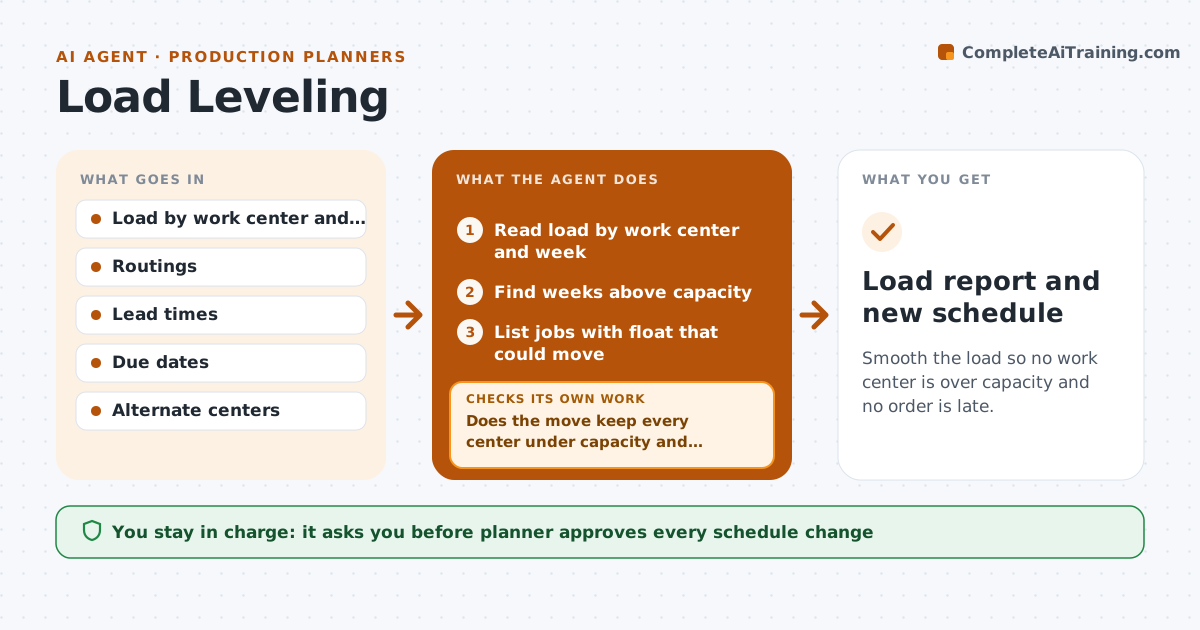
Smooth the load so no work center is over capacity and no order is late.
What it does
Some weeks the machine shop is buried and others it sits idle, because load is only seen when the jobs arrive. This agent reads the load by work center for the coming weeks and finds the peaks above capacity. It proposes moving jobs earlier or later within their lead times, or to another center that can run them. After each move it recalculates the load on every center and keeps going until no peak remains or no move is left. It checks that no job moves past its due date. The planner approves the changes. Edge case: a move that fixes one center but creates a new peak at the next is rejected and another move is tried.
How it works
Follow the arrows from top to bottom. The orange dashed arrow is the loop: when a check fails, the agent goes back and tries again.
Read the steps as a list
- Weekly load review
- Read load by work center and week
- Find weeks above capacity
- List jobs with float that could move
- Propose a move for the largest peak
- Does the move keep every center under capacity and every job on time?If not: Reject the move and try the next job or center. Back to step 4.
- Recalculate load for all centers
- Is any peak still above capacity?If not: Propose the next move. Back to step 4.
- Planner approves the changesThe agent waits here for your OK.
- Update the schedule
- Load report and new schedule
How it decides
It moves the job with the most float first and accepts a move only if no other center goes over capacity and no due date is missed.
- Move jobs with the most float first
- Never move a job past its due date
- Allow alternate centers only if the routing is approved
- Stop when no peak above 100 percent remains
Make it yours
Every agent is a starting point. You choose these settings for your own situation.
- Capacity limit (default 100 percent)
- Planning horizon (default 8 weeks)
- Alternate centers allowed
- Float rule
What keeps you in control
It always asks you first
- Planner approves every schedule change
Hard limits
- Never change due dates
- Never move work without approval
It stops when
- Done: no center is over capacity and no due date is missed
- Stop: peaks remain after all possible moves and the planner decides on overtime or outsourcing
Set it up
We guide you through the set-up, step by step
Members get the full set-up guide for this agent. No technical skills needed: you copy, paste and upload.
- One set of instructions to paste into your AI, with the clicks for ChatGPT, Claude, Microsoft 365 Copilot, Gemini and Grok
- The agent then walks you through connecting your own data, one source at a time
- A downloadable copy with the flow chart, the rules and the full guide