AI agent for pharmaceutical sales representatives
Meal and Expense Compliance Agent
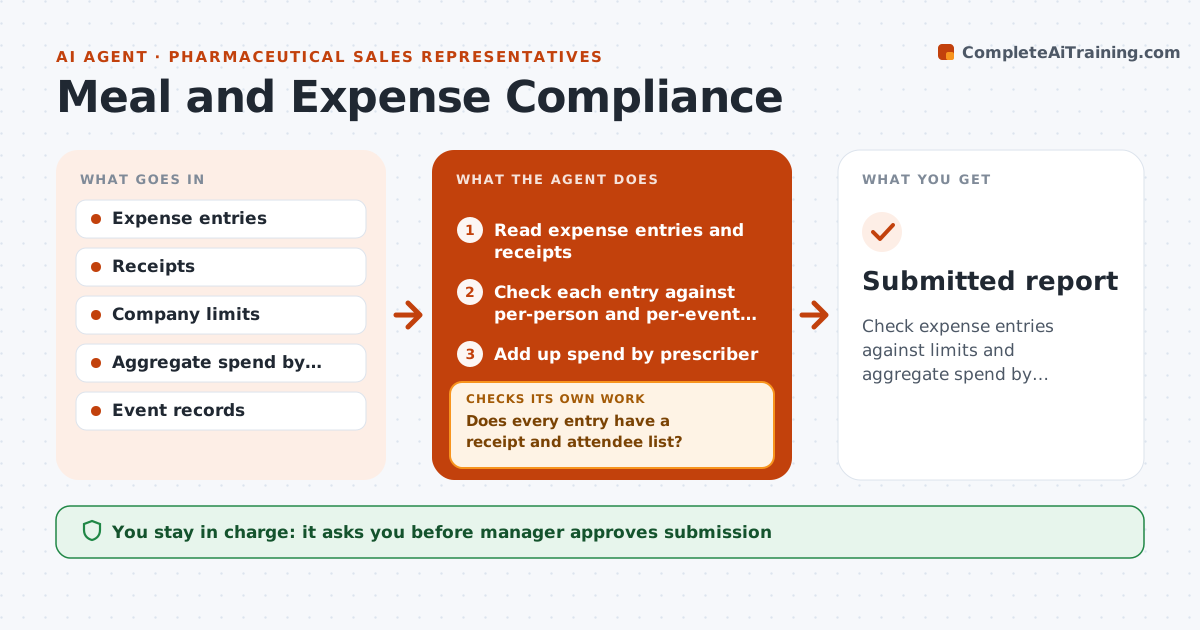
Check expense entries against limits and aggregate spend by prescriber, request receipts and fix breaches before submission
What it does
Expense limits and aggregate spend rules are checked after the fact, when fixing them is hard. Each week the agent reviews expense entries against company limits, such as meal caps per person. It adds up spend by healthcare professional and compares it with annual limits. It flags breaches and requests missing receipts. After the rep corrects an entry, it rechecks it. It builds a clean report for the manager, with breaches explained. The manager approves submission. Edge case: a lunch for 6 is entered as one expense, and the agent asks for attendee names to check per-person limits.
How it works
Follow the arrows from top to bottom. The orange dashed arrow is the loop: when a check fails, the agent goes back and tries again.
Read the steps as a list
- Weekly expense review
- Read expense entries and receipts
- Check each entry against per-person and per-event limits
- Add up spend by prescriber
- Does every entry have a receipt and attendee list?If not: Ask the rep for the missing items. Back to step 2.
- Are all entries and totals within limits?If not: Flag the breach and ask the rep to correct or explain. Back to step 3.
- Recheck after corrections
- Build the clean report with breach notes
- Manager approves submissionThe agent waits here for your OK.
- Submitted report
How it decides
Each entry is checked against per-event and annual limits; breaches are held until fixed or approved.
- Use the company per-person meal cap
- Flag spend above 80% of the annual limit by prescriber
- Require attendee names for group meals
- Hold any entry without a receipt
Make it yours
Every agent is a starting point. You choose these settings for your own situation.
- Per-person caps
- Aggregate alert level (default 80%)
- Receipt rules
- Submission dates
What keeps you in control
It always asks you first
- Manager approves submission
- Manager approves any exception to limits
Hard limits
- Never alter an expense
- Never submit without approval
It stops when
- Done: all entries compliant and submitted
- Stop: a breach cannot be explained and compliance must review
Set it up
We guide you through the set-up, step by step
Members get the full set-up guide for this agent. No technical skills needed: you copy, paste and upload.
- One set of instructions to paste into your AI, with the clicks for ChatGPT, Claude, Microsoft 365 Copilot, Gemini and Grok
- The agent then walks you through connecting your own data, one source at a time
- A downloadable copy with the flow chart, the rules and the full guide