AI agent for team leads
Meeting Load Audit Agent
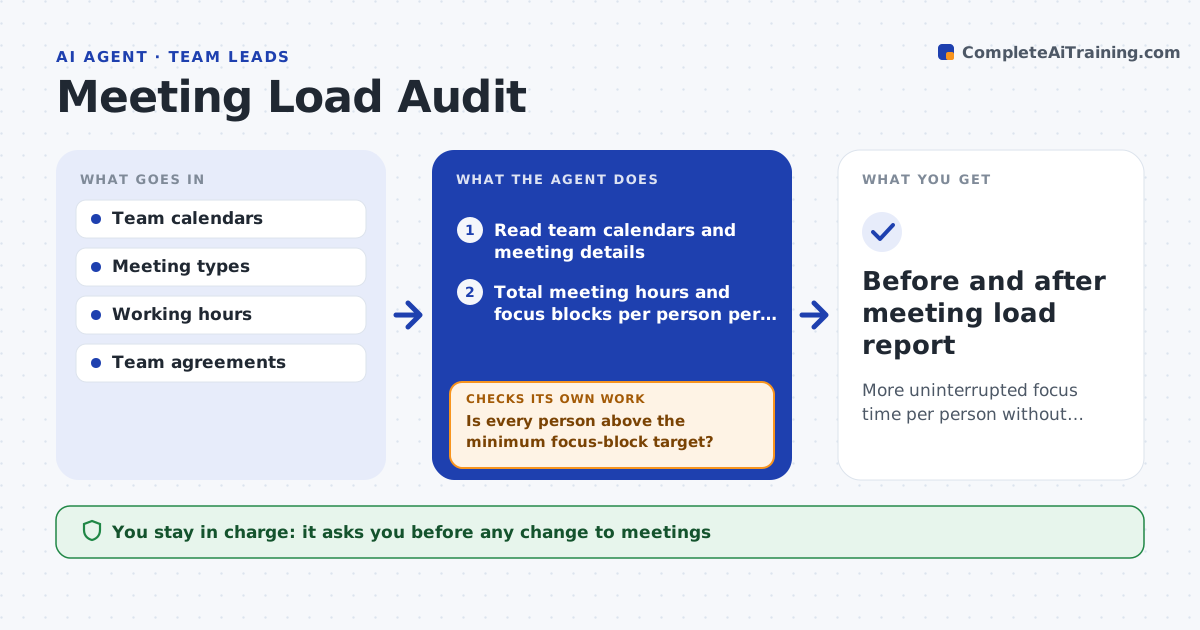
More uninterrupted focus time per person without losing coordination the team needs
What it does
Teams say they have too many meetings but rarely know how many. This agent reads team calendars, with permission, and totals meeting hours per person per week, split by type such as ceremonies, status updates and one-offs. It finds the longest unbroken focus blocks each person has and where meetings split them. It looks for duplicate or overlapping meetings and recurring ones with few attendees speaking. It then proposes changes, for example merging two syncs or moving ceremonies to one day. After the scrum master approves and the team tries the changes for two sprints, it measures again and compares focus blocks and meeting hours. If the numbers did not improve, it proposes different changes. Edge case: one person sits in three teams, so the agent reports the person's total.
How it works
Follow the arrows from top to bottom. The orange dashed arrow is the loop: when a check fails, the agent goes back and tries again.
Read the steps as a list
- Quarter starts or the team reports meeting overload
- Read team calendars and meeting details
- Total meeting hours and focus blocks per person per week
- Find overlaps, duplicates and low-value recurring meetings
- Is every person above the minimum focus-block target?If not: list the people and meetings that break the target. Back to step 3.
- Propose merges, time moves or removals with the expected gain
- Scrum master approves the changesThe agent waits here for your OK.
- Wait two sprints and read calendars again
- Did focus time rise and meeting hours fall?If not: propose different changes or revert the ones that did not help. Back to step 4.
- Scrum master approves the final reportThe agent waits here for your OK.
- Before and after meeting load report
How it decides
It suggests cutting or merging meetings that overlap, have low attendance, or fragment the longest focus block, and it keeps meetings the team marked as required.
- Target at least one 3-hour focus block per person per day on 4 days
- Flag any recurring meeting with fewer than 3 attendees
- Never propose cutting meetings marked required
- Sum a person's load across all teams
Make it yours
Every agent is a starting point. You choose these settings for your own situation.
- Focus-block target (default 3 hours)
- Meeting types it counts
- Review window (default two sprints)
- Who may see the individual results
What keeps you in control
It always asks you first
- Any change to meetings
- Sharing the report with the team
Hard limits
- Reads only meeting time and titles, not content
- Never edits or cancels meetings
It stops when
- Done: targets met or documented as accepted
- Stop: calendar access is not granted by the team
Set it up
We guide you through the set-up, step by step
Members get the full set-up guide for this agent. No technical skills needed: you copy, paste and upload.
- One set of instructions to paste into your AI, with the clicks for ChatGPT, Claude, Microsoft 365 Copilot, Gemini and Grok
- The agent then walks you through connecting your own data, one source at a time
- A downloadable copy with the flow chart, the rules and the full guide