AI agent for community managers
Member Feedback Theme Report Agent
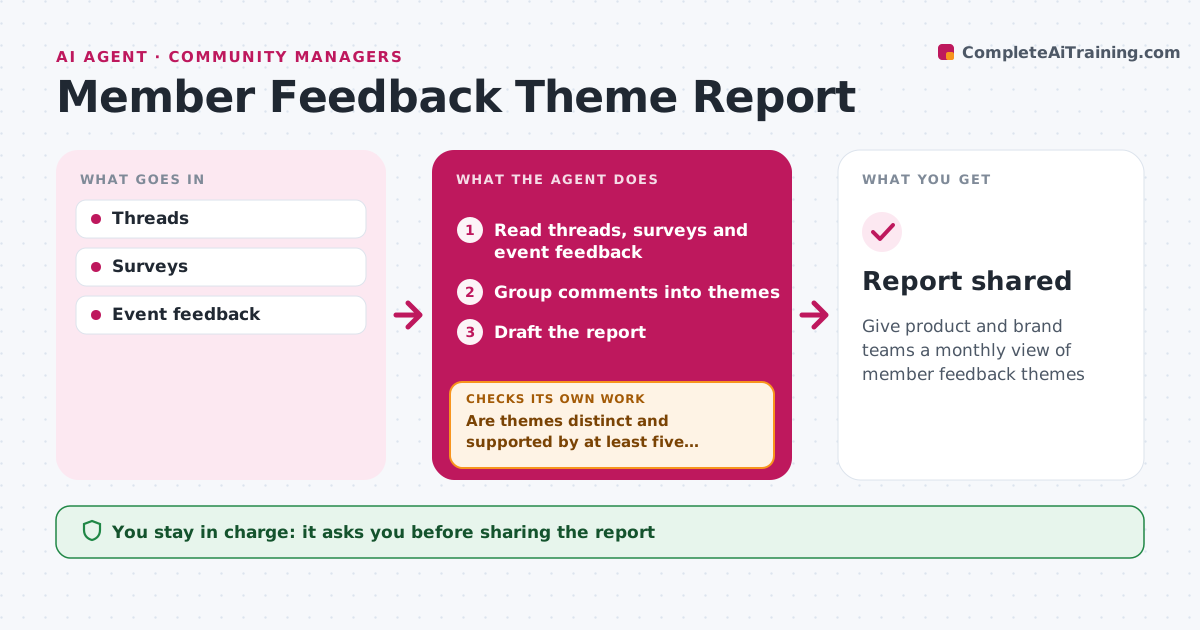
Give product and brand teams a monthly view of member feedback themes
What it does
Members share feedback in many places, and it rarely reaches product and brand teams in a usable form. Each month this agent reads community threads, survey answers and event feedback and groups comments into themes. It counts unique members who raised each theme, not total comments, so one loud voice does not dominate. It links sample quotes to each theme and removes personal information from them. It then checks that themes are distinct and that each is supported by at least five members. Overlapping themes are merged or split, and thin ones are dropped, before it checks again. It compares counts with last month so rising issues stand out, and drafts a report with top themes, quotes and size. The community manager approves what is shared. Edge case: a quote that names a staff member or customer is anonymized before the report goes out.
How it works
Follow the arrows from top to bottom. The orange dashed arrow is the loop: when a check fails, the agent goes back and tries again.
Read the steps as a list
- Month ends
- Read threads, surveys and event feedback
- Group comments into themes
- Are themes distinct and supported by at least five members?If not: merge overlapping themes and move small ones to other. Back to step 3.
- Draft the report
- Community manager approves sharingThe agent waits here for your OK.
- Report shared
How it decides
Themes are counted by unique members, not posts.
- Count unique members
- Remove personal information
- Minimum five members per theme
Make it yours
Every agent is a starting point. You choose these settings for your own situation.
- Minimum members per theme
- Sources
- Recipients
What keeps you in control
It always asks you first
- Sharing the report
Hard limits
- Never shares member identities
- Never promises changes
It stops when
- Done: report shared
- Stop: no feedback in period
Set it up
We guide you through the set-up, step by step
Members get the full set-up guide for this agent. No technical skills needed: you copy, paste and upload.
- One set of instructions to paste into your AI, with the clicks for ChatGPT, Claude, Microsoft 365 Copilot, Gemini and Grok
- The agent then walks you through connecting your own data, one source at a time
- A downloadable copy with the flow chart, the rules and the full guide