AI agent for audio engineers
Microphone Placement Test Log Agent
A documented mic position that meets the tonal target and can be repeated in a later session
What it does
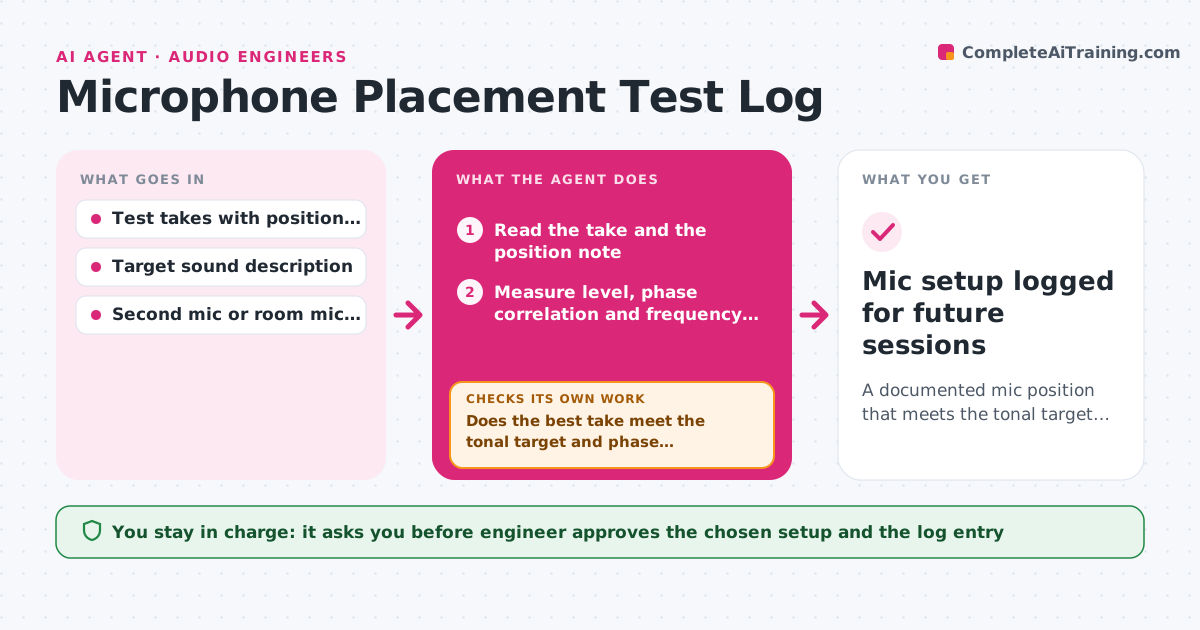
Finding the right mic position on an acoustic guitar can take twenty takes and, a month later, nobody remembers where the mic was. During a test session the agent takes each recorded take with its noted position, then measures level, phase against a second mic and frequency balance. It ranks the positions against the target, such as less low-mid buildup or a steadier level, and suggests the next move to try, for example two centimeters toward the soundhole or a slight angle change. After each new take it re-measures and narrows down until a position meets the target. It writes the winning setup into the log with photos and distances. The engineer approves the final setup and the log entry. Edge case: a position with the best tone but a phase problem against the room mic gets flagged rather than chosen.
How it works
Follow the arrows from top to bottom. The orange dashed arrow is the loop: when a check fails, the agent goes back and tries again.
Read the steps as a list
- Test take recorded
- Read the take and the position note
- Measure level, phase correlation and frequency balance
- Rank all takes so far against the target
- Does the best take meet the tonal target and phase threshold?If not: Suggest the next position change, wait for the new take and measure again. Back to step 2.
- Confirm the best position against a repeat take
- Does the repeat take give the same result within tolerance?If not: Record another take to check for player movement or noise and compare again. Back to step 5.
- Write the setup, distances and measurements into the session log
- Engineer approves the final setup and the log entryThe agent waits here for your OK.
- Mic setup logged for future sessions
How it decides
It scores each position on level consistency, phase correlation and spectral balance against the target, and suggests the next move toward whichever measurement is furthest off.
- Reject positions with phase correlation below 0.5 against the second mic
- Prefer the position with the smallest low-mid buildup between 200 and 500 Hz
- Change one variable at a time between takes
- Stop testing after 12 takes and ask the engineer to choose from the top three
Make it yours
Every agent is a starting point. You choose these settings for your own situation.
- Target frequency balance for the instrument
- Minimum phase correlation (default 0.5)
- Maximum number of takes before stopping (default 12)
- Log format and storage place
- Instrument and mic types used
What keeps you in control
It always asks you first
- Engineer approves the chosen setup and the log entry
Hard limits
- Measurements guide the engineer, who has the final say by ear
- Never delete or overwrite recorded takes
It stops when
- Done: A repeatable position meets the target and is logged
- Stop: No position meets the target after 12 takes, so the agent presents the top three with their trade-offs
Set it up
We guide you through the set-up, step by step
Members get the full set-up guide for this agent. No technical skills needed: you copy, paste and upload.
- One set of instructions to paste into your AI, with the clicks for ChatGPT, Claude, Microsoft 365 Copilot, Gemini and Grok
- The agent then walks you through connecting your own data, one source at a time
- A downloadable copy with the flow chart, the rules and the full guide