AI agent for fleet managers
Mileage-Based Maintenance Plan Agent
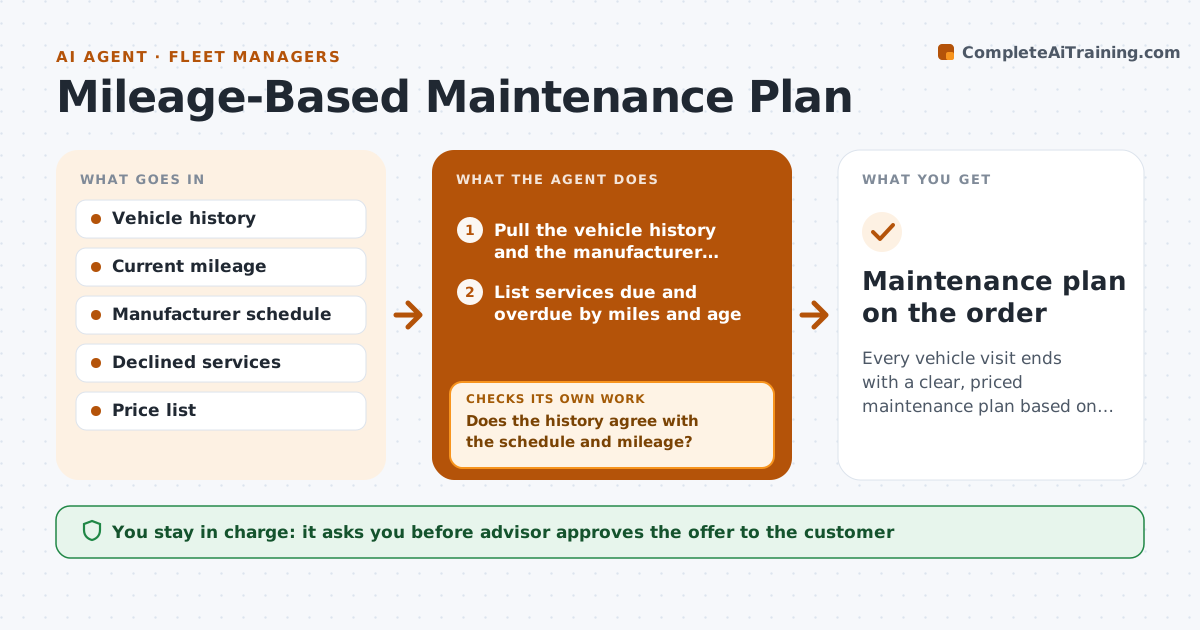
Every vehicle visit ends with a clear, priced maintenance plan based on the actual schedule and history.
What it does
A car arrives for brakes, and no one notices that its 60,000 mile service is overdue. This agent reads the vehicle's history, current mileage and the manufacturer's schedule, and lists services that are due or overdue by miles and by age. It checks what was declined before or done elsewhere, and what is already on the order. When history conflicts with the schedule, such as a record of a service that does not match the part used, it rechecks. It builds a priced maintenance plan with a safety first order and a reason for each item. The advisor approves the offer before it goes to the customer. Edge case: the odometer was replaced, so the mileage is checked against the service dates.
How it works
Follow the arrows from top to bottom. The orange dashed arrow is the loop: when a check fails, the agent goes back and tries again.
Read the steps as a list
- Vehicle checks in with current mileage
- Pull the vehicle history and the manufacturer schedule
- List services due and overdue by miles and age
- Remove services already done, and mark ones declined or done elsewhere
- Does the history agree with the schedule and mileage?If not: recheck records, ask the customer about outside work and rebuild the list. Back to step 2.
- Order the items by safety, wear and convenience
- Price each item with labor and parts
- Write the plan with a reason in plain language for each item
- Advisor approves the offerThe agent waits here for your OK.
- Record accepted and declined items and set the next review
- Maintenance plan on the order
How it decides
It lists a service when the mileage or age interval has passed, and orders items safety first, then wear, then convenience.
- Include a service when the mile or age interval has passed.
- Put brakes, tires and steering ahead of convenience items.
- Do not repeat a service done in the last 90 days.
- Mark declined items and ask again at the next visit.
Make it yours
Every agent is a starting point. You choose these settings for your own situation.
- Schedule source
- Price list
- Item priority order
- Repeat-service window (default 90 days)
What keeps you in control
It always asks you first
- Advisor approves the offer to the customer
Hard limits
- Never add work to an order without approval
- Cite the schedule for each item
It stops when
- Done: plan offered and outcomes recorded.
- Stop: schedule not available, so the advisor builds it by hand.
Set it up
We guide you through the set-up, step by step
Members get the full set-up guide for this agent. No technical skills needed: you copy, paste and upload.
- One set of instructions to paste into your AI, with the clicks for ChatGPT, Claude, Microsoft 365 Copilot, Gemini and Grok
- The agent then walks you through connecting your own data, one source at a time
- A downloadable copy with the flow chart, the rules and the full guide