AI agent for structural engineers
Mill Certificate and Material Verification Agent
Verify delivered steel and rebar against specification and mill certificates before acceptance
What it does
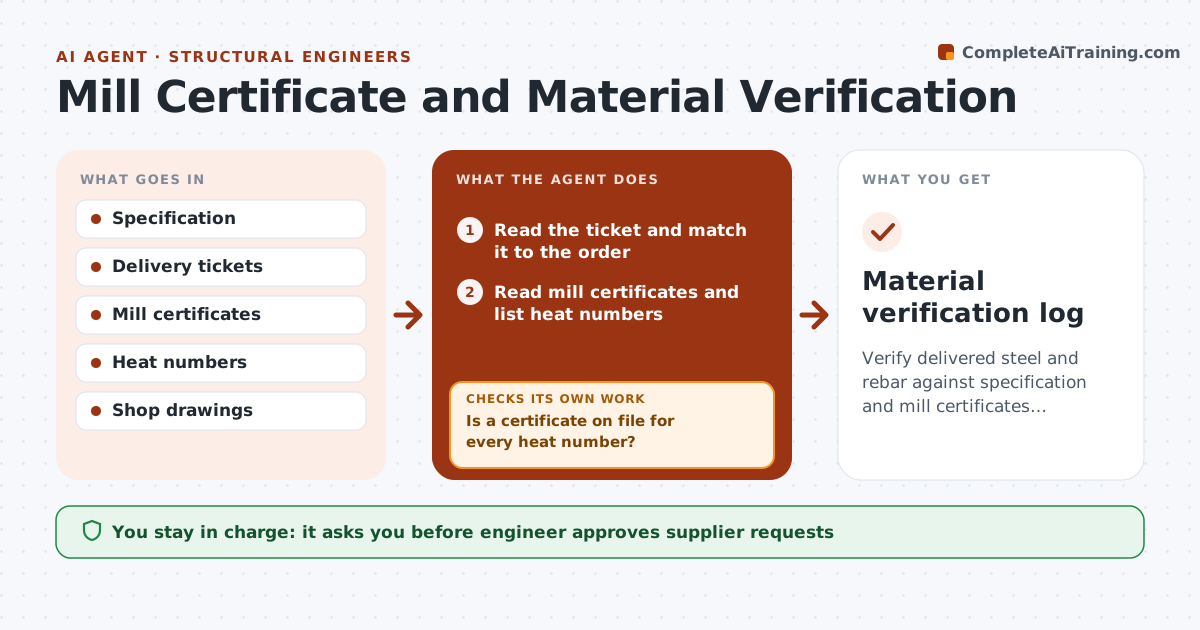
Delivered steel does not always match the specified grade, and the paperwork arrives after the material is installed. The agent reads each delivery ticket and mill certificate and compares them with the specification. It checks the grade, size, heat numbers and chemistry limits, and matches heat numbers on the certificate with those on the ticket. It flags mismatches and drafts requests for missing or unclear documents. After updates arrive, it rechecks. It recommends acceptance, further testing or rejection for each lot. The engineer approves each decision. Edge case: a certificate shows carbon above the limit for the grade, so the agent recommends testing and holds the lot.
How it works
Follow the arrows from top to bottom. The orange dashed arrow is the loop: when a check fails, the agent goes back and tries again.
Read the steps as a list
- Delivery ticket arrives
- Read the ticket and match it to the order
- Read mill certificates and list heat numbers
- Is a certificate on file for every heat number?If not: Request the missing certificate. Back to step 2.
- Compare grade, size and chemistry with the specification
- Flag mismatches and recommend accept, test or reject
- Engineer approves requests to the supplierThe agent waits here for your OK.
- Log updated documents and recheck
- Do all lots now match the specification?If not: Escalate unresolved lots with the evidence. Back to step 4.
- Engineer approves acceptance, testing or rejectionThe agent waits here for your OK.
- Material verification log
How it decides
Material passes only if grade, heat number and chemistry match the specification and the delivery tag.
- Require one certificate for each heat number
- Reject a lot whose grade differs from the specification
- Recommend testing if chemistry is within 5% of a limit
- Hold lots without certificates from release to the fabricator
Make it yours
Every agent is a starting point. You choose these settings for your own situation.
- Specifications checked
- Test trigger margin (default 5%)
- Supplier contacts
- Hold rules for lots
What keeps you in control
It always asks you first
- Engineer approves supplier requests
- Engineer approves acceptance, testing or rejection
Hard limits
- Never release a lot without engineer approval
- Never infer a certificate value that is missing
It stops when
- Done: every lot is accepted or has an approved remedy
- Stop: material is already installed without paperwork and the engineer must decide
Set it up
We guide you through the set-up, step by step
Members get the full set-up guide for this agent. No technical skills needed: you copy, paste and upload.
- One set of instructions to paste into your AI, with the clicks for ChatGPT, Claude, Microsoft 365 Copilot, Gemini and Grok
- The agent then walks you through connecting your own data, one source at a time
- A downloadable copy with the flow chart, the rules and the full guide