AI agent for audio engineers
Mix Revision Tracking Agent
Every mix note handled and the right version sent
What it does
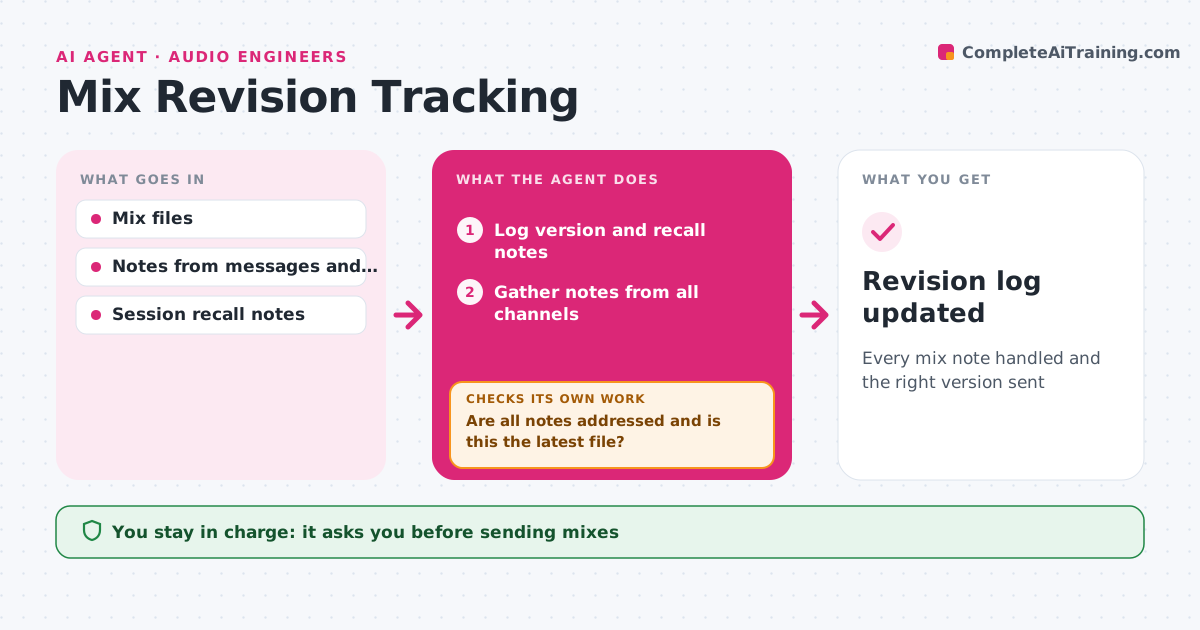
Mix notes arrive by email, text and voice memo, and it is easy to miss one or send the wrong file. When a mix is sent out, this agent logs the version with a short change summary and recall notes. It gathers notes from emails, messages and voice notes, ties each to a time in the song, and turns vague notes like vocals louder into specific actions. It tracks which notes the engineer has done. Before the next version goes out, it checks every note is addressed or answered and that the file is truly the latest version. It compares loudness and length with the last version to catch accidental changes or wrong bounces. The engineer approves every send. Edge case: notes that conflict between the artist and the label are sent back for one decision.
How it works
Follow the arrows from top to bottom. The orange dashed arrow is the loop: when a check fails, the agent goes back and tries again.
Read the steps as a list
- Mix version sent
- Log version and recall notes
- Gather notes from all channels
- Tie notes to song times and make them specific
- Track which notes are done
- Are all notes addressed and is this the latest file?If not: list open notes or flag the wrong file. Back to step 5.
- Engineer approves sending the new versionThe agent waits here for your OK.
- Revision log updated
How it decides
It requires every note to be done or answered before the next version is sent.
- Conflicting notes need one decision
- Loudness change over 1 LU is flagged
- Vague notes become specific actions
Make it yours
Every agent is a starting point. You choose these settings for your own situation.
- Channels watched
- Version naming
- Loudness tolerance
- Note format
What keeps you in control
It always asks you first
- Sending mixes
Hard limits
- Never sends files without approval
- Never deletes old versions
It stops when
- Done: mix approved
- Stop: project paused
Set it up
We guide you through the set-up, step by step
Members get the full set-up guide for this agent. No technical skills needed: you copy, paste and upload.
- One set of instructions to paste into your AI, with the clicks for ChatGPT, Claude, Microsoft 365 Copilot, Gemini and Grok
- The agent then walks you through connecting your own data, one source at a time
- A downloadable copy with the flow chart, the rules and the full guide