AI agent for frontend developers
Mockup to Layout Agent
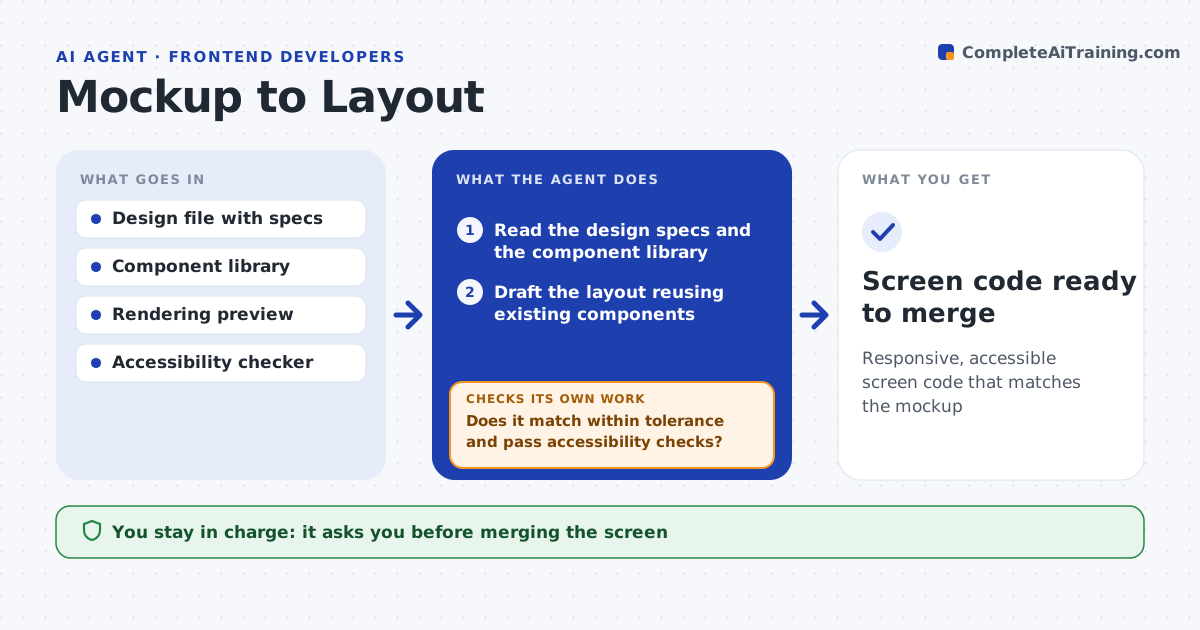
Responsive, accessible screen code that matches the mockup
What it does
Developers get a mockup and must turn it into layout code that works on every screen size and is accessible, and design details often slip. This agent reads the design file with its spacing, colors and fonts, and your component library, then drafts the layout reusing existing components wherever possible. It renders the result and compares it with the mockup for spacing, alignment and color. Where they differ beyond your tolerance, it adjusts and renders again. It then runs an accessibility check for contrast, labels and keyboard tab order, and fixes what fails. You review the screen against the design before it is merged. Edge case: a design with no mobile or tablet version gets a drafted responsive layout plus a question to the designer, not a silent guess.
How it works
Follow the arrows from top to bottom. The orange dashed arrow is the loop: when a check fails, the agent goes back and tries again.
Read the steps as a list
- Design handed off
- Read the design specs and the component library
- Draft the layout reusing existing components
- Render the screen and compare with the mockup
- Does it match within tolerance and pass accessibility checks?If not: adjust spacing, components or labels and re-render. Back to step 3.
- Draft responsive behavior for other screen sizes
- Developer and designer approve the screenThe agent waits here for your OK.
- Screen code ready to merge
How it decides
It reuses existing components first and accepts the screen only when it matches the mockup within tolerance and passes the accessibility checks.
- Reuse library components before writing new ones
- Match spacing and color within the set tolerance
- Ask the designer when a breakpoint is undefined
Make it yours
Every agent is a starting point. You choose these settings for your own situation.
- Match tolerance in pixels
- Accessibility standard to check
- Component library path
- Breakpoints to support
What keeps you in control
It always asks you first
- Merging the screen
Hard limits
- Does not invent brand colors outside the design tokens
- Does not merge without approval
It stops when
- Done: screen matches design and passes checks
- Stop: design file or specs are missing
Set it up
We guide you through the set-up, step by step
Members get the full set-up guide for this agent. No technical skills needed: you copy, paste and upload.
- One set of instructions to paste into your AI, with the clicks for ChatGPT, Claude, Microsoft 365 Copilot, Gemini and Grok
- The agent then walks you through connecting your own data, one source at a time
- A downloadable copy with the flow chart, the rules and the full guide