AI agent for photographers
Model Release and Usage Rights Tracker Agent
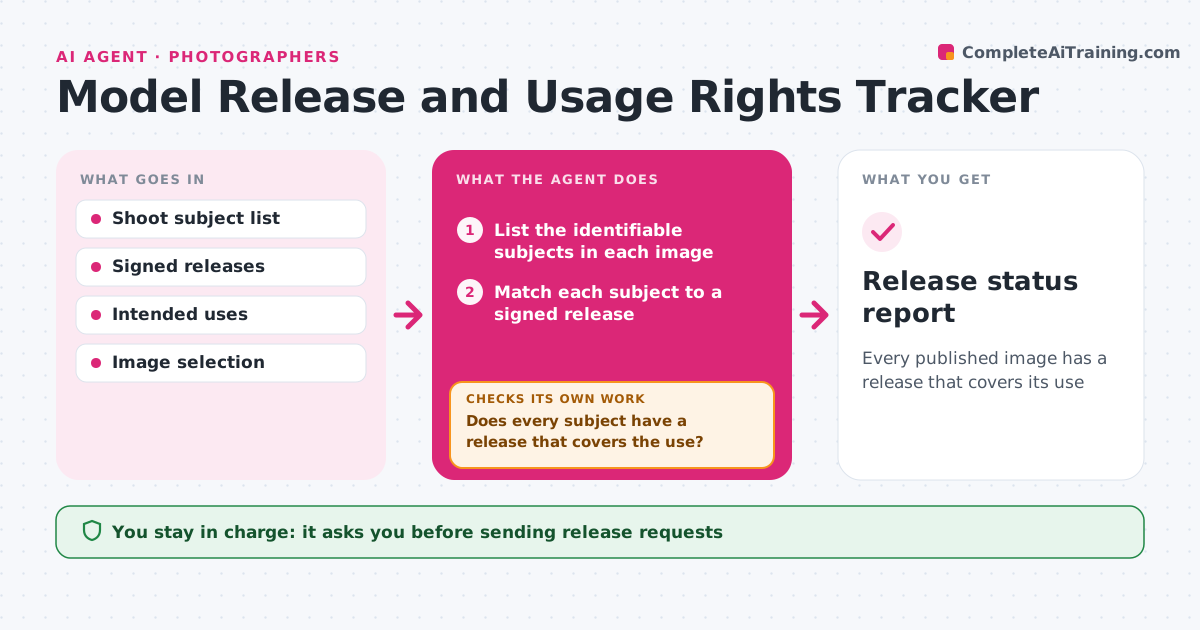
Every published image has a release that covers its use
What it does
Releases are missing or limited, and images get used beyond what the subject agreed to. This agent lists the shoot subjects and checks that a signed release exists for each. It compares the intended uses, such as portfolio, web, advertising or stock, with the terms of each release, and flags gaps, for example a release that covers editorial use only. It sends reminder requests to subjects with missing or limited releases. Before any image is published, it checks again and blocks images with open problems. A subject under 18 needs a guardian signature, which the agent checks. The photographer approves publication. Edge case: a crowd shot where faces are unrecognizable is marked as not needing a release, with the reason recorded.
How it works
Follow the arrows from top to bottom. The orange dashed arrow is the loop: when a check fails, the agent goes back and tries again.
Read the steps as a list
- Shoot ends or image proposed for publishing
- List the identifiable subjects in each image
- Match each subject to a signed release
- Compare the intended use with the release terms
- Does every subject have a release that covers the use?If not: draft a request to the subject for a release or an extension. Back to step 3.
- Photographer approves sending the requestsThe agent waits here for your OK.
- Send reminders and log the replies
- Re-check before publishing
- Are all gaps closed?If not: block the image and list what is still open. Back to step 3.
- Photographer approves publicationThe agent waits here for your OK.
- Release status report
How it decides
An image can be used when every identifiable person has a signed release covering that use. Minors need a guardian signature.
- Block any image with an identifiable person and no release
- Check the use against the release terms
- Require a guardian signature for minors
- Record why an image needs no release
Make it yours
Every agent is a starting point. You choose these settings for your own situation.
- Uses to check
- Reminder timing (default 3 days)
- Where releases are kept
- Rules for minors
What keeps you in control
It always asks you first
- Sending release requests
- Publication of images
Hard limits
- Never publishes an image
- Never gives legal advice
It stops when
- Done: every image cleared and publication approved
- Stop: a subject refuses
Set it up
We guide you through the set-up, step by step
Members get the full set-up guide for this agent. No technical skills needed: you copy, paste and upload.
- One set of instructions to paste into your AI, with the clicks for ChatGPT, Claude, Microsoft 365 Copilot, Gemini and Grok
- The agent then walks you through connecting your own data, one source at a time
- A downloadable copy with the flow chart, the rules and the full guide