AI agent for systems administrators
Monitoring Alert Noise Reduction Agent
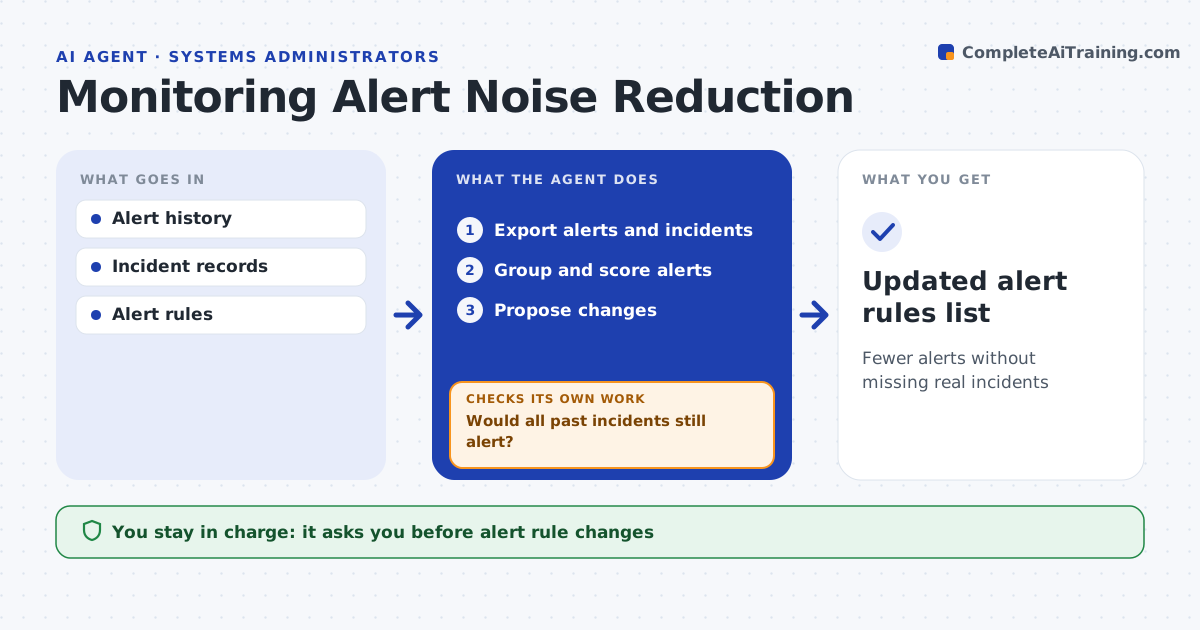
Fewer alerts without missing real incidents
What it does
Admins get paged for alerts that clear themselves or need no action, and after enough noise they start missing real problems. Each month this agent exports a month of alerts and incidents, groups the alerts and scores them by how often they fired, flapped, duplicated others or led to any action. It proposes changes: flapping alerts get delays, duplicates are merged and alerts that never led to action get higher thresholds. Then it replays each change against past incidents. A change is kept only if it cuts alerts and every past incident would still have alerted. If a change would hide a past incident, it drops or softens it and replays again. The admin approves all changes. Edge case: alerts linked to compliance requirements are never removed, even if nobody acted on them.
How it works
Follow the arrows from top to bottom. The orange dashed arrow is the loop: when a check fails, the agent goes back and tries again.
Read the steps as a list
- Monthly review
- Export alerts and incidents
- Group and score alerts
- Propose changes
- Replay against past incidents
- Would all past incidents still alert?If not: drop or soften the change. Back to step 4.
- Admin approves changesThe agent waits here for your OK.
- Updated alert rules list
How it decides
Changes are kept only if they cut alerts and all past incidents would still alert.
- Compliance alerts kept
- Flapping alerts get delays
- Duplicates merged
Make it yours
Every agent is a starting point. You choose these settings for your own situation.
- Review period
- Compliance alert list
- Replay window
- Approver
What keeps you in control
It always asks you first
- Alert rule changes
Hard limits
- Never deletes alerts
- Never mutes on-call
It stops when
- Done: changes approved
- Stop: no safe change
Set it up
We guide you through the set-up, step by step
Members get the full set-up guide for this agent. No technical skills needed: you copy, paste and upload.
- One set of instructions to paste into your AI, with the clicks for ChatGPT, Claude, Microsoft 365 Copilot, Gemini and Grok
- The agent then walks you through connecting your own data, one source at a time
- A downloadable copy with the flow chart, the rules and the full guide