AI agent for animators
Motion Capture Cleanup Agent
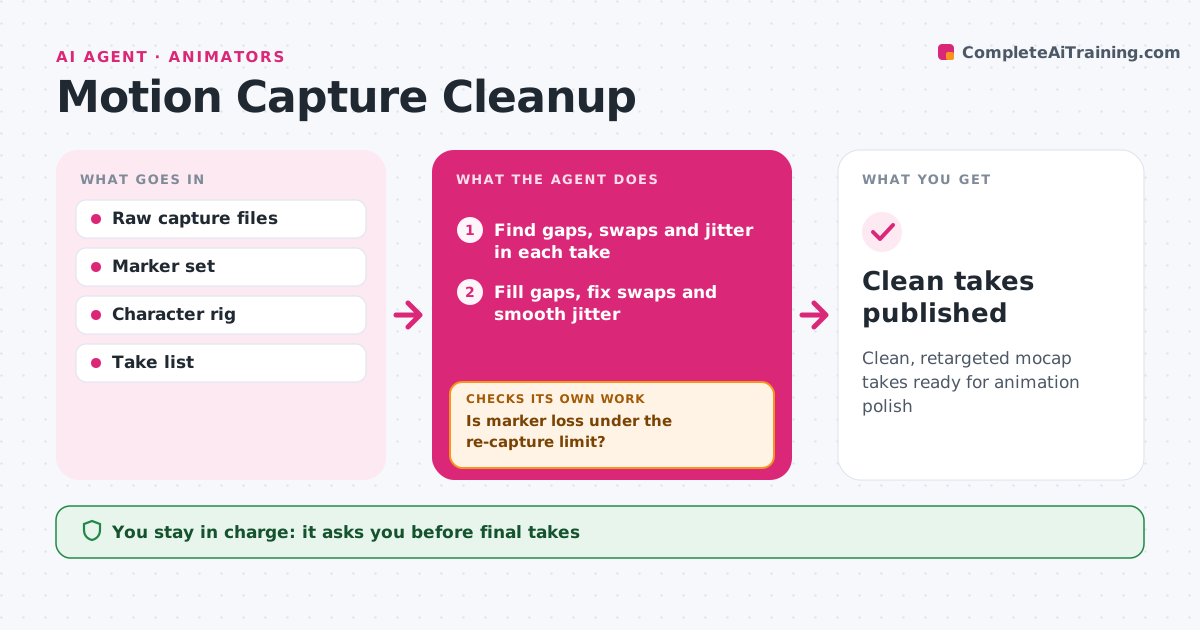
Clean, retargeted mocap takes ready for animation polish
What it does
Raw motion capture is full of gaps, jitter and sliding feet, and cleaning it by hand eats days. After a capture session, this agent loads each take, finds marker gaps, swaps and jitter, and fills or smooths them with standard methods. It fixes foot contacts so feet plant without sliding, and checks hand and prop contacts. It retargets the motion to the character rig. Then it checks the result: foot slide below the limit, no joint flips, and no jitter above the threshold. Takes that fail get a second pass with tighter settings. Takes that still fail are listed with frame ranges for the animator. The animator approves final takes. Edge case: a fast spin with heavy marker loss is marked for re-capture rather than heavy reconstruction.
How it works
Follow the arrows from top to bottom. The orange dashed arrow is the loop: when a check fails, the agent goes back and tries again.
Read the steps as a list
- Capture session uploaded
- Find gaps, swaps and jitter in each take
- Is marker loss under the re-capture limit?If not: mark the take for re-capture and skip it. Back to step 2.
- Fill gaps, fix swaps and smooth jitter
- Fix foot contacts and retarget to the rig
- Do foot slide, flips and jitter meet limits?If not: rerun with tighter settings, then list frame ranges for the animator. Back to step 5.
- Animator approves final takesThe agent waits here for your OK.
- Clean takes published
How it decides
It applies automatic fixes up to a limit and hands off or recommends re-capture when data is too damaged.
- Over 10% missing markers recommends re-capture
- Foot slide limit 1 cm
- Hands off when automatic fixes fail twice
Make it yours
Every agent is a starting point. You choose these settings for your own situation.
- Slide and jitter limits
- Re-capture threshold
- Rig mapping
- Output format
What keeps you in control
It always asks you first
- Final takes
- Re-capture requests
Hard limits
- Never overwrites raw data
- Never books capture sessions
It stops when
- Done: takes published
- Stop: marker set mismatch
Set it up
We guide you through the set-up, step by step
Members get the full set-up guide for this agent. No technical skills needed: you copy, paste and upload.
- One set of instructions to paste into your AI, with the clicks for ChatGPT, Claude, Microsoft 365 Copilot, Gemini and Grok
- The agent then walks you through connecting your own data, one source at a time
- A downloadable copy with the flow chart, the rules and the full guide